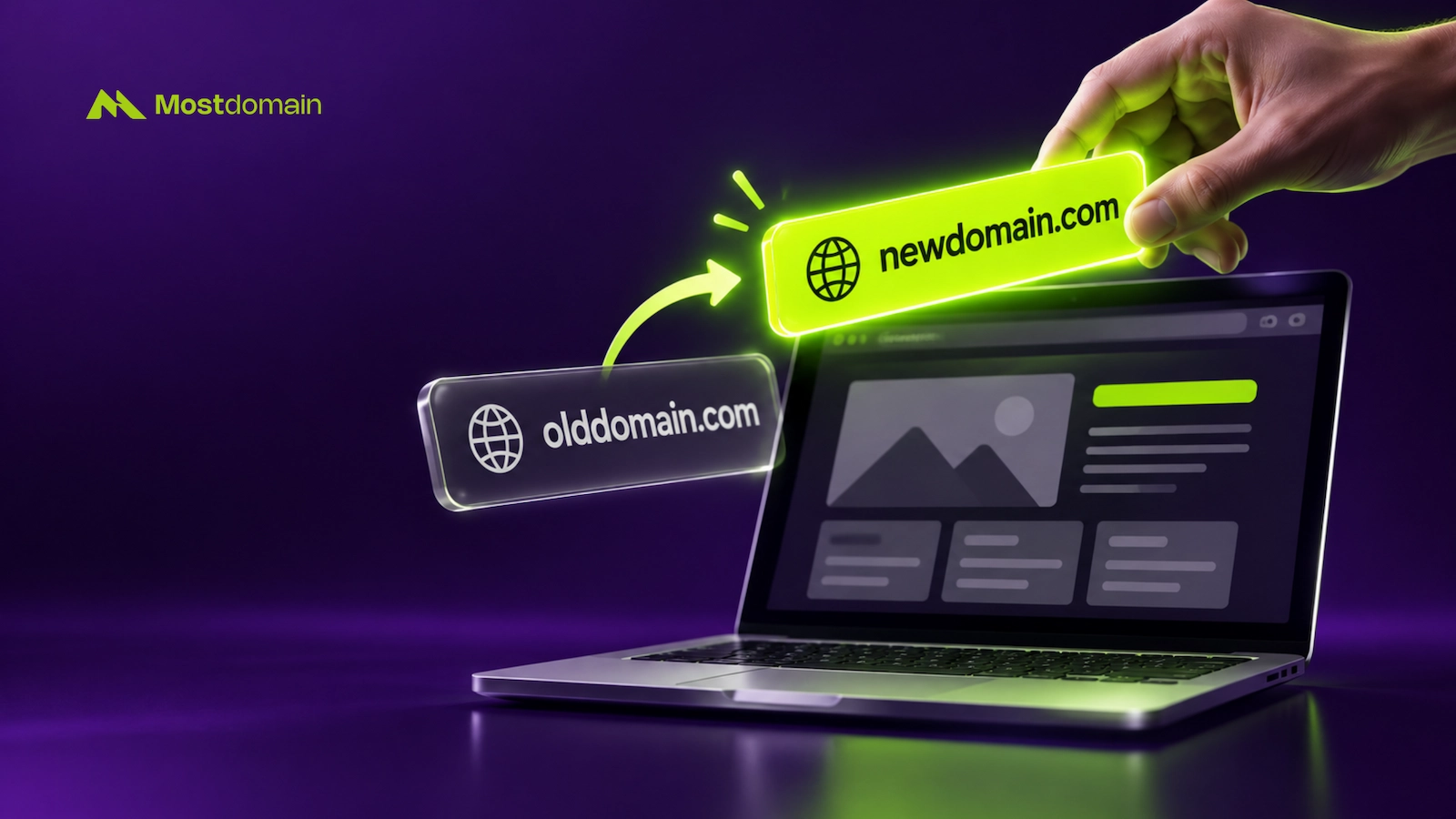
Mostdomain – Changing a domain name on a live site is technical work. It’s not a simple settings toggle. Traffic, backlinks, and indexed pages already sit on the old address. Skip one redirect, and all three take a hit. This guide covers the execution side: staging, database changes, redirects, testing, launch, and rollback. Still deciding whether to change your domain name at all? That overview covers the basics, cost, and platform options first.
Preparing to Change a Website Domain Name the Right Way
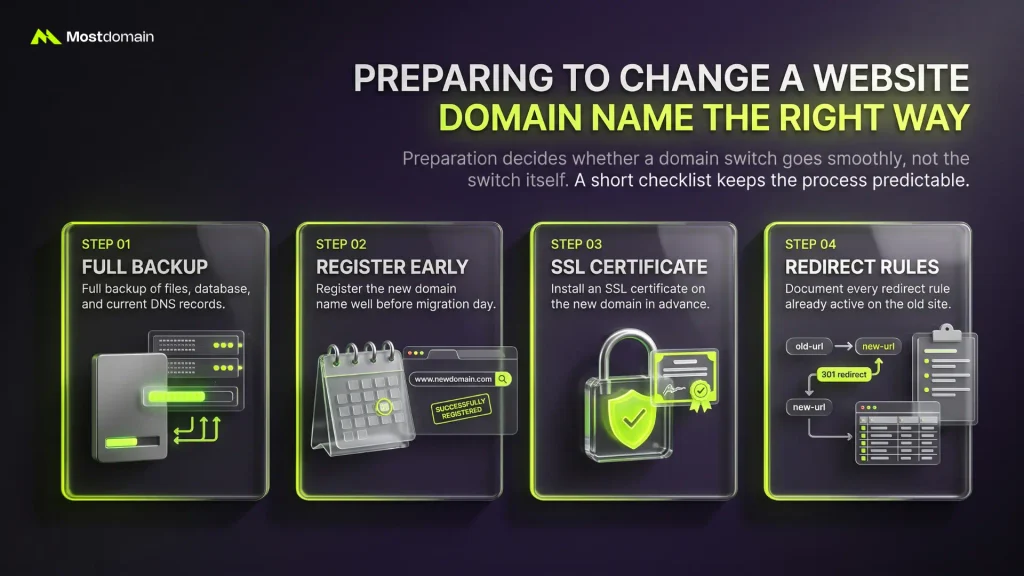
Preparation decides whether a domain switch goes smoothly or not. Most migration failures trace back to a skipped prep step, not the switch itself. A short checklist keeps the whole process predictable.
- Full backup of files, database, and current DNS records
- Register the new domain name well before migration day
- Install an SSL certificate on the new domain in advance
- Document every redirect rule already active on the old site
Setting Up a Staging Site Before You Switch Domain Name
A staging site lets you test the new domain safely. It sits away from real visitors and real traffic.
- Clone the site onto a temporary subdomain or test URL
- Run the full site there for a few days
- Fix anything that breaks on staging, never on production
- Confirm forms, checkout, and logins all behave correctly
Lowering DNS TTL Before a Website Domain Migration
A lower TTL speeds up how fast DNS changes spread. It’s one small setting that shortens the whole propagation window. Check current values with a DNS lookup tool, part of routine DNS management.
| TTL Stage | Typical Value | When to Set It |
| Normal operation | 3,600–86,400 seconds | No migration planned |
| Pre-migration | 300 seconds or less | 24–48 hours before launch |
| Post-migration | Back to normal | About a week after launch |
How to Replace a Domain Name on a Self-Hosted Website
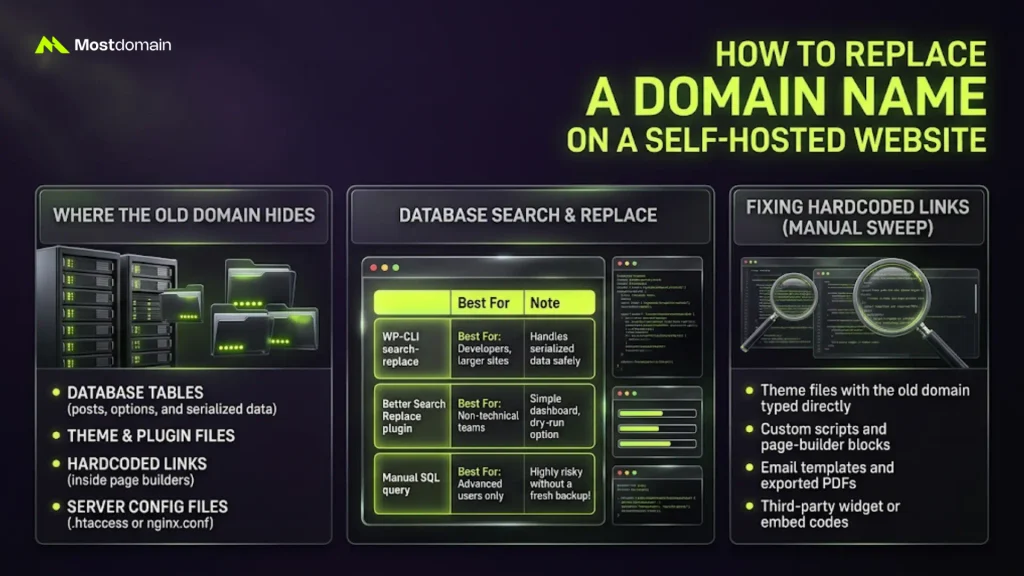
Self-hosted sites store the old domain in several places at once. A visible address change alone never fixes all of them.
- Database tables, including posts, options, and serialized data
- Theme and plugin files
- Hardcoded links inside page builders
- Server config files, like .htaccess or nginx.conf
Running a Database Search-and-Replace to Change Site URL Domain
A search-and-replace tool updates every database reference in one pass. Picking the right tool depends on the site’s size and your comfort level.

| Tool | Best For | Note |
| WP-CLI search-replace | Developers, larger sites | Handles serialized data safely |
| Better Search Replace plugin | Non-technical teams | Simple dashboard, dry-run option |
| Manual SQL query | Advanced users only | Risky without a fresh backup |
Fixing Hardcoded Links When You Update Website Domain Name
Some links skip the database entirely, so search-replace tools miss them. Those need a manual sweep through the codebase itself.
- Theme files with the old domain typed directly
- Custom scripts and page-builder blocks
- Email templates and exported PDFs
- Third-party widget or embed codes
Building a Redirect Map to Migrate Website to New Domain
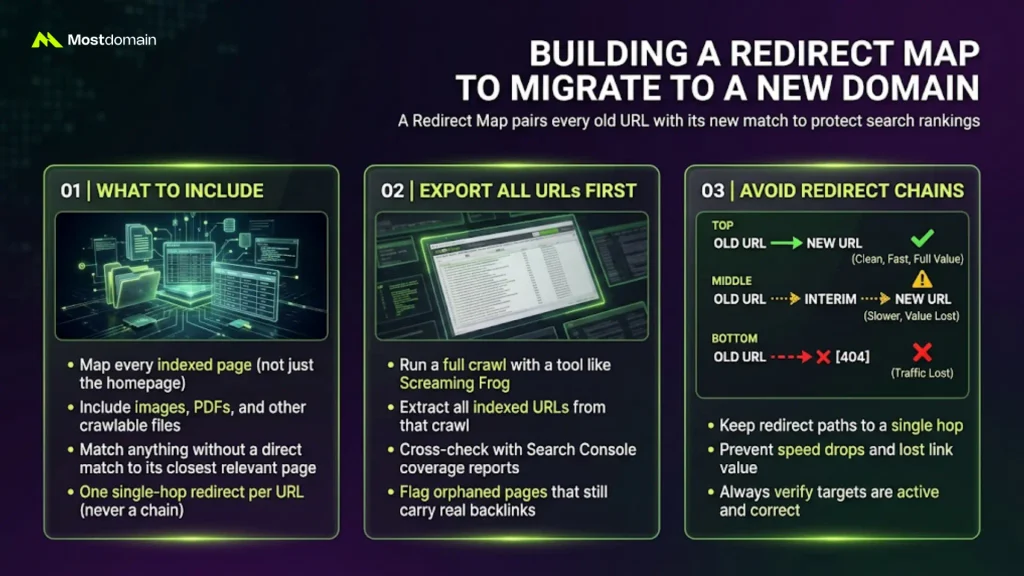
A redirect map pairs every old URL with its new match. Skipping it is the single biggest cause of lost rankings during a move.
- Every indexed page, not only the homepage
- Images, PDFs, and other crawlable files
- The closest relevant page for anything without a direct match
- One single-hop redirect per URL, never a chain
Exporting Every URL Before You Move Website to a New Domain
Crawling the current site first builds the raw export list. That list becomes the backbone of the entire redirect map.




- Run a full crawl with Screaming Frog or a similar tool
- Pull every indexed URL from that crawl
- Cross-check against the Search Console coverage report
- Flag orphaned pages that still carry real backlinks
Avoiding Redirect Chains During Domain Name Migration
A redirect chain slows pages down and leaks link value. Redirecting a URL affects SEO either way, so a clean hop matters most.
| Redirect Pattern | Result |
| Old URL → New URL (one hop) | Clean, fast, full value passed |
| Old URL → interim URL → New URL | Slower, some value lost |
| Old URL → 404 | Traffic and rankings lost outright |
Testing a Domain Name Change for Website Before Launch
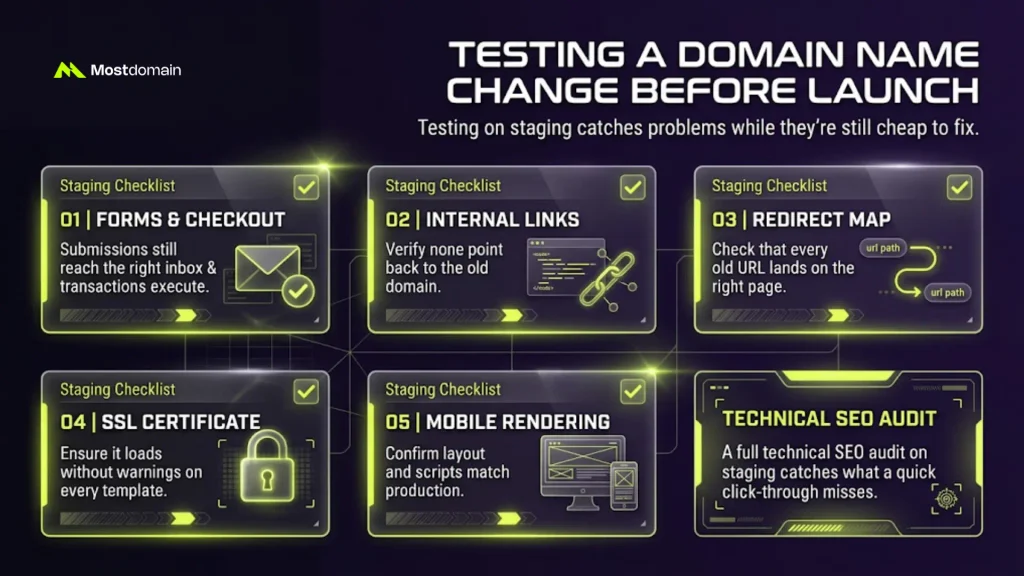
Testing on staging catches problems while they’re still cheap to fix. Run through this checklist before anything touches the live domain.
| Check | What to Verify |
| Forms and checkout | Submissions still reach the right inbox |
| Internal links | None point back to the old domain |
| Redirect map | Every old URL lands on the right page |
| SSL certificate | Loads without warnings on every template |
| Mobile rendering | Layout and scripts match production |
A full technical SEO audit on staging catches what a quick click-through misses.
Launch Day: How to Change Primary Domain on Website
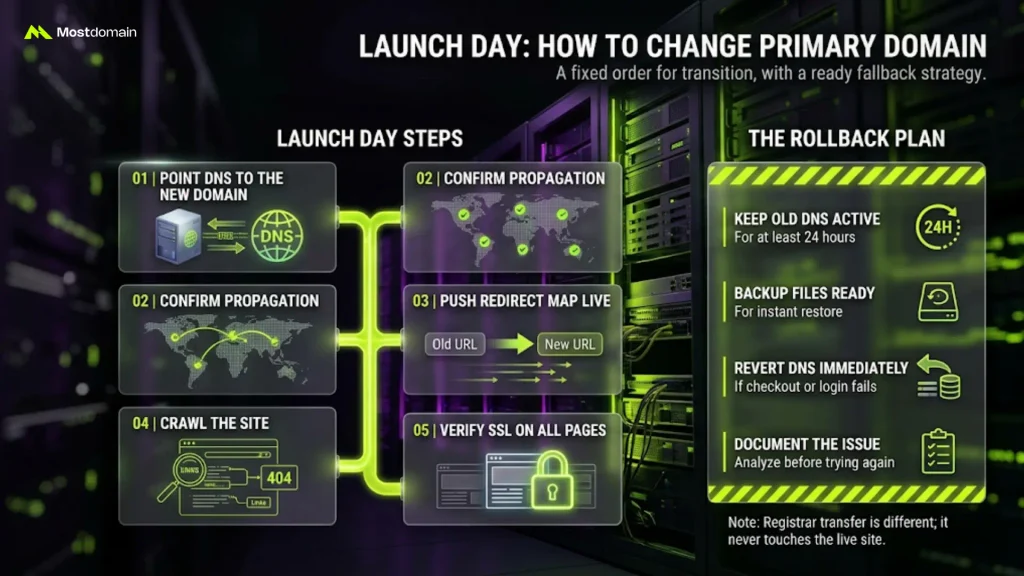
Launch day follows a fixed order. DNS goes first, redirects follow right behind it.
- Point DNS to the new domain
- Confirm propagation using multiple lookup tools
- Push the full redirect map live immediately
- Crawl the site for broken links or stray 404 errors
- Verify SSL loads cleanly across every page
A Rollback Plan If the Domain Switch Breaks Something
A rollback plan separates a quiet fix from a public mess. Keep it ready before launch day even starts.
- Keep old DNS settings active for at least 24 hours
- Keep backup files ready for an instant restore
- Revert DNS the moment checkout or login fails
- Document what broke before attempting the switch again
This differs from transferring a domain name between registrars. A registrar transfer never touches the live site.
What to Monitor After You Rebrand a Website’s Domain Name
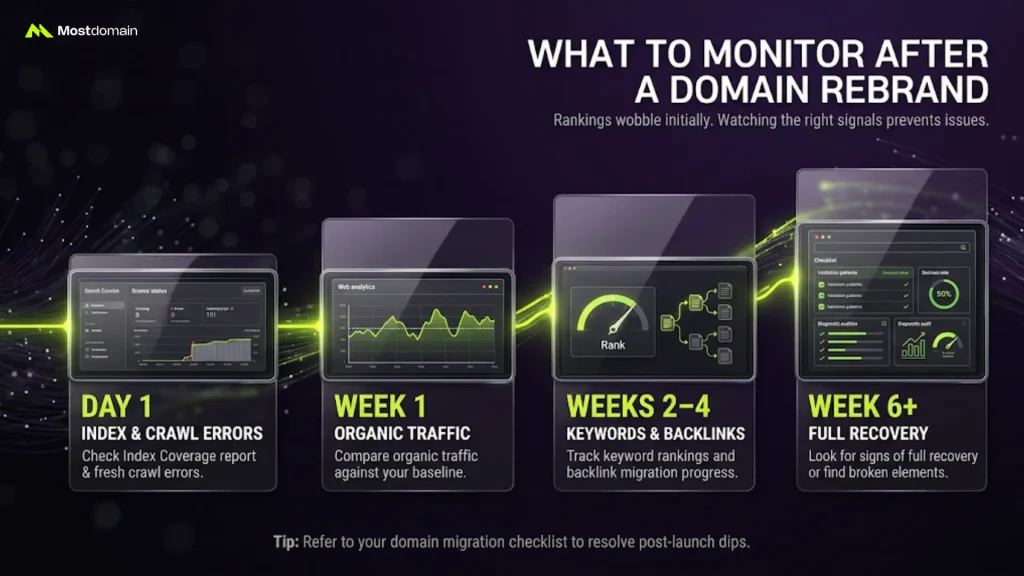
Rankings wobble for a few weeks after almost any domain change. Watching the right signals keeps a small dip from becoming a real problem.
| Timeframe | What to Check |
| Day 1 | Index Coverage report, fresh crawl errors |
| Week 1 | Organic traffic against your baseline |
| Weeks 2–4 | Keyword rankings, backlink migration progress |
| Week 6+ | Full recovery, or signs something’s still broken |
Our guide to SEO when changing a domain name covers every signal in depth. Migrating after buying an aged domain instead? The domain migration checklist fits that case better.
FAQ
Can I test the new domain without touching the live site?
Yes. A staging environment on a temporary URL keeps testing fully separate.
What happens to logged-in users during the switch?
Most sessions tied to the old domain simply end. Users log back in afterward.
Should SSL go live before or after the DNS switch?
Before. Install and verify SSL on the new domain first.
Do API and webhook integrations need separate updates?
Yes. Update callback URLs in every connected service individually.
Will I lose Search Console history during the move?
No, not if you verify the new domain. Submit a Change of Address request too.
Is a subdomain test run worth doing first?
For large or complex sites, yes. It surfaces issues before the real launch.
References
- Google Search Central, Site Moves and Migrations Documentation
- WP-CLI Handbook, Search-Replace Command Reference
- Screaming Frog, SEO Spider URL Crawling Guide
- Moz, Website Migration SEO Best Practices
- Cloudflare Learning Center, What Is DNS TTL?