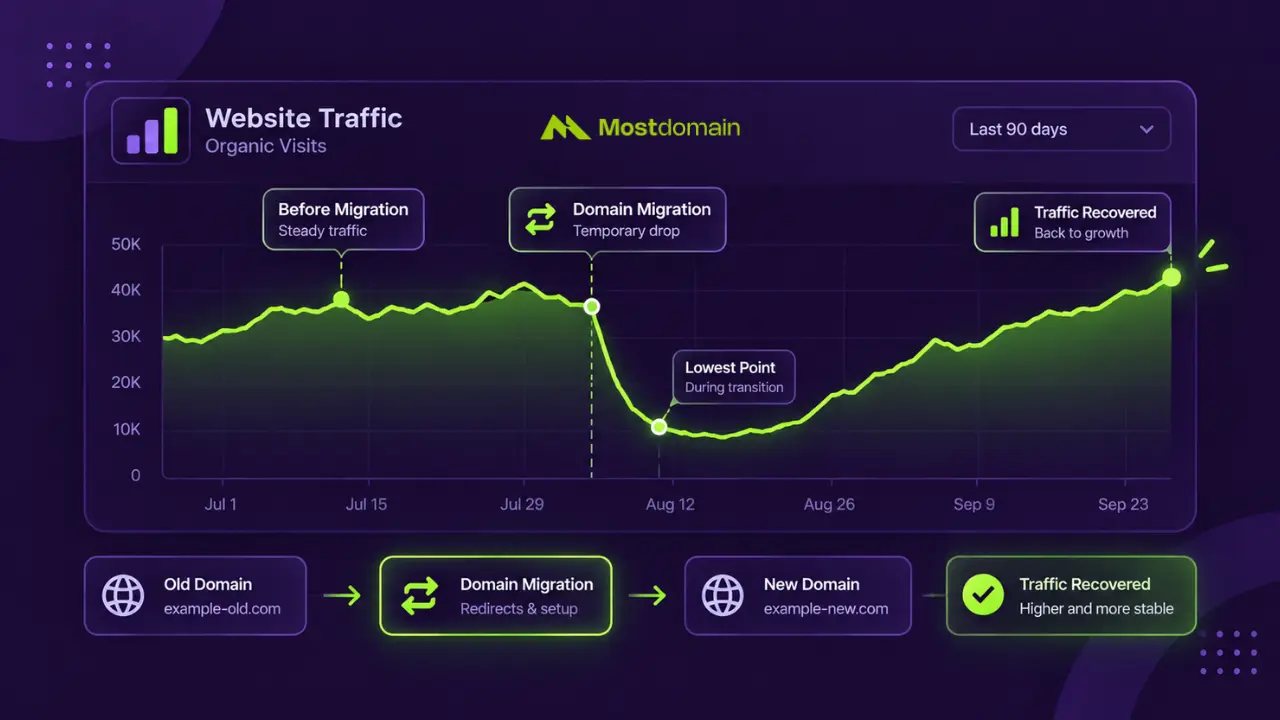
That’s the redirect status code carrying almost the entire weight of SEO when changing domain name, configured correctly and pointed from every old URL to its exact new equivalent. Get that wrong, or skip it, and years of rankings, backlinks, and accumulated authority go with the old address.
Handed over, called done, that’s how most guides treat the standard redirect checklist. Here it comes with something extra: untangling “changing” a domain from “transferring” one, two things domain-related searches mix up constantly despite being nothing alike, plus what genuinely happens to a domain’s age signal once the address changes.
Scope stays narrow on purpose. What changes, how to protect it, what a realistic timeline looks like, nothing else domain-related gets pulled in from outside this migration process.
How a Domain Change Actually Hits Your SEO
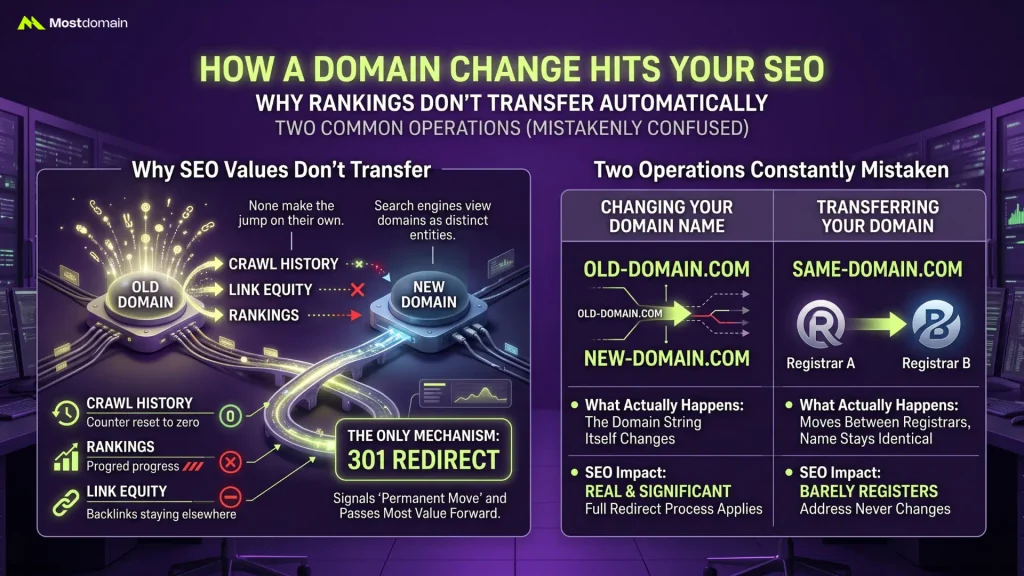
Completely unfamiliar is exactly how Google treats a new domain the instant the address changes. None of the old domain’s rankings, crawl history, or link equity make the jump on their own.
Why Rankings Don’t Transfer Automatically
- Distinct entities, not just containers for content, are how search engines index domains, so a brand-new domain starts at zero accumulated trust no matter what the old one had built up
- Backlinks pointing to the old domain stay pointed there unless something actively bridges that gap
- Crawl history and indexing patterns built up over months or years reset the moment the address itself changes
- One mechanism exists specifically to signal “this content moved permanently” and pass most of that value forward: the 301 redirect
Two Operations Constantly Mistaken for Each Other
Similar-sounding names hide two entirely different operations here, and confusing them means following the wrong guide from the start.
| Term | What Actually Happens | SEO Impact |
| Changing your domain name | The domain string itself changes (oldbrand.com to newbrand.com) | Real and significant, the full redirect process below applies |
| Transferring your domain | The same domain moves between registrars, the name stays identical | Barely registers, since the address itself never changes |
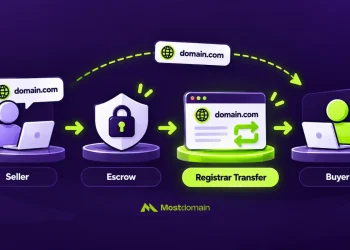
For anyone who actually landed here looking for a registrar move instead of a full domain change, How to Transfer a Domain Name in 12 Easy Steps covers that separate, unrelated process.

The Redirect That Actually Carries the SEO Value
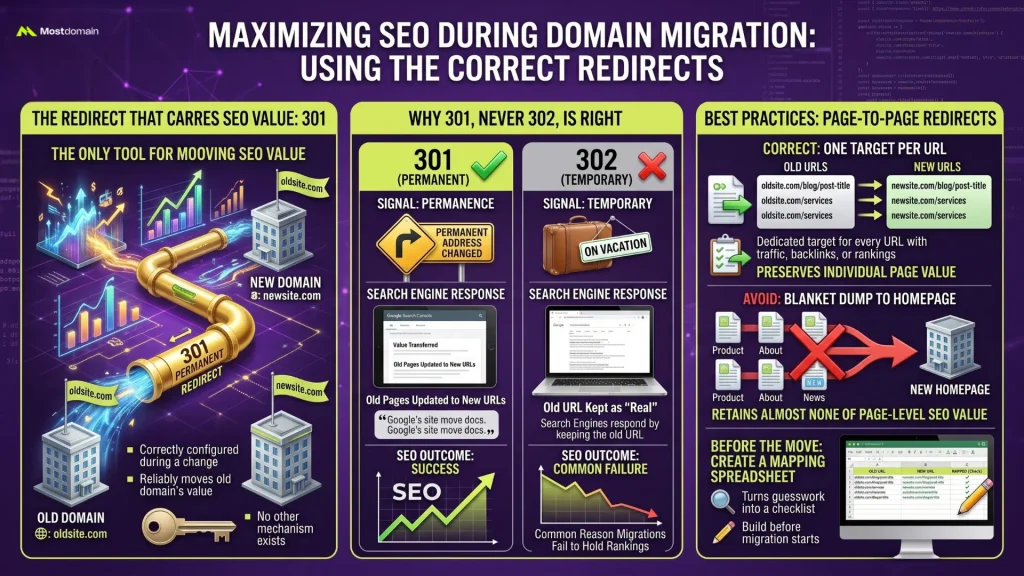
A 301, correctly configured, is the only thing that reliably moves SEO value from an old domain to a new one during a change. No other tool does this job.
Why 301, Never 302, Is the Right Redirect Type
Permanence is the signal a 301 sends to search engines, and Google’s own documentation on site moves confirms that signal is what triggers a transfer of ranking value to the new URL. A 302 sends the opposite message, temporary, and search engines respond by keeping the old URL indexed as the “real” one instead of handing off ranking signals. Reaching for 302 on a permanent domain change ranks among the more common reasons a migration fails to hold onto rankings.
One Target Per URL, Not One Target for Everything
- Never a blanket dump onto the new homepage; every URL carrying traffic, backlinks, or rankings gets its own dedicated redirect target
- oldsite.com/blog/post-title should redirect to newsite.com/blog/post-title, not just newsite.com
- Redirecting everything to the homepage preserves almost none of the page-level SEO value each individual page had built
- A spreadsheet mapping old URLs to new ones, built before the migration starts, turns this from a guessing game into a mechanical checklist
The Pre-Migration Checklist Worth Following
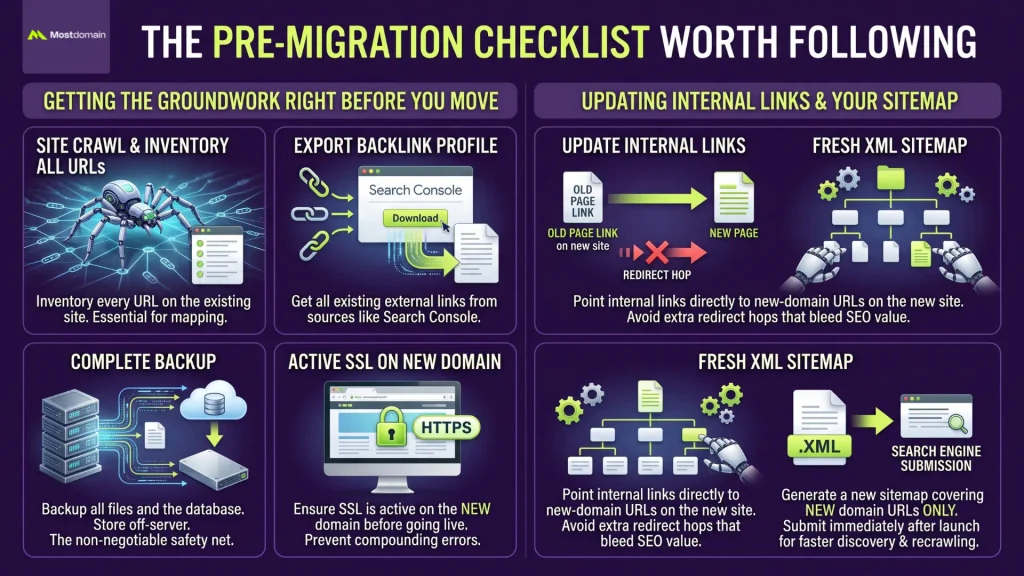
Skipped preparation is where most of what actually goes wrong during a domain change traces back to, not anything that happens on migration day itself.




Getting the Groundwork Right Before You Move
- Nothing can be redirected if it was never mapped in the first place, so crawling the entire existing site and inventorying every URL comes first
- Exporting the full backlink profile from Search Console beats losing that data once the old domain stops feeling as familiar
- A complete backup of files and database, stored somewhere other than the server being migrated, is non-negotiable
- SSL needs to be active and working on the new domain before any redirect goes live, since a broken certificate mid-migration only compounds the mess
Updating Internal Links and Your Sitemap
Point every internal link on the new site straight at new-domain URLs. Loop it through a redirect from the old domain instead, and each extra hop bleeds a bit more of the SEO signal. A fresh XML sitemap covering only the new domain, submitted right after launch, gets search engines finding and recrawling those URLs faster than organic discovery ever would on its own.
Making Sure Google Knows About the Move
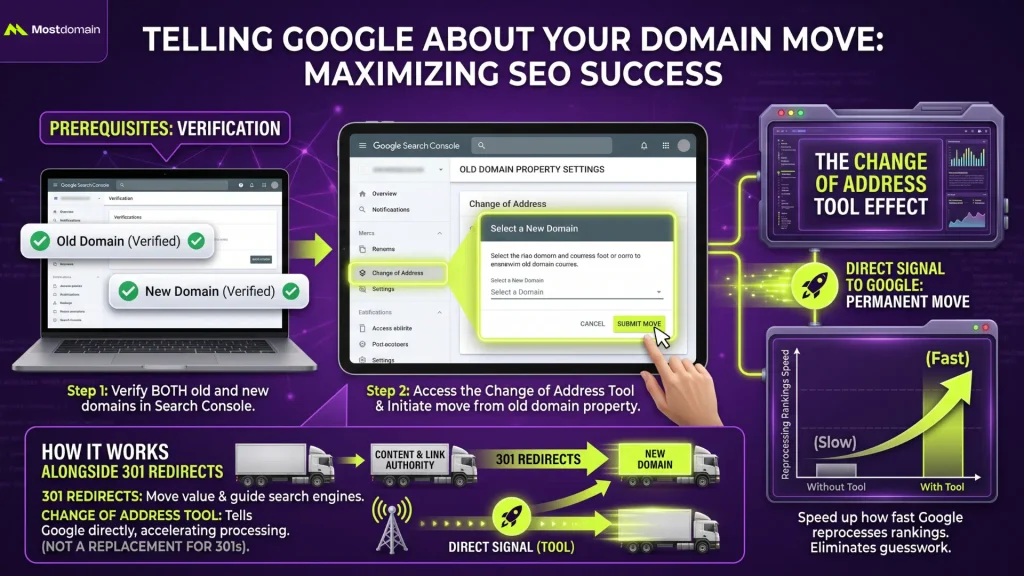
Search Console ships with a tool built specifically for this exact scenario, and using it strips out most of the guesswork search engines would otherwise face trying to piece together what happened.
The Change of Address Tool Does the Talking
Once both the old and new domains are verified in Search Console, the Change of Address tool becomes accessible from the old domain’s property, and firing it off tells Google directly that a permanent move occurred. That single signal speeds up how fast Google reprocesses rankings under the new domain, working alongside the 301 redirects rather than standing in for them.
What Happens to Rankings After the Move
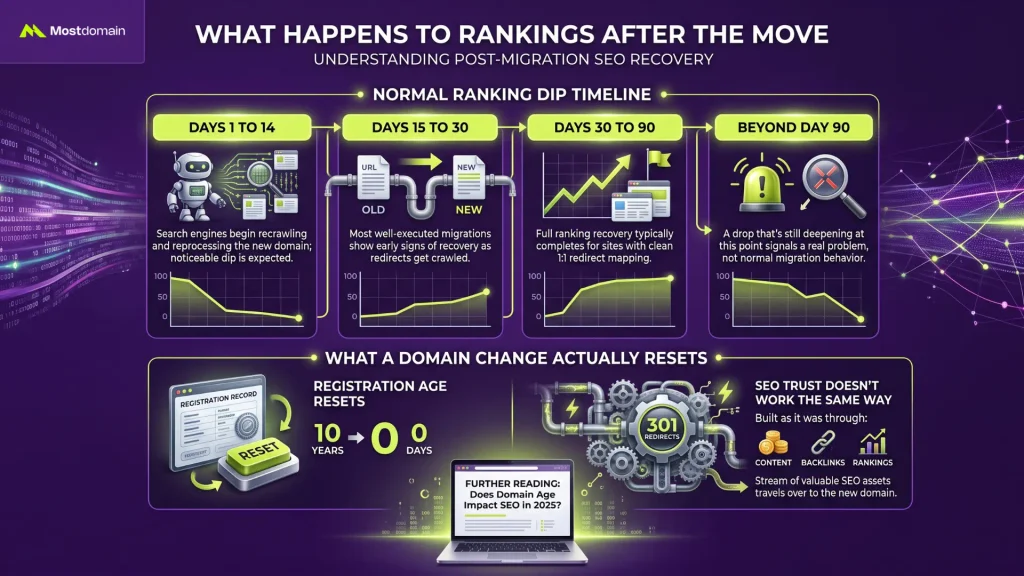
Normal is exactly what a temporary dip in rankings and traffic looks like after any domain change, and the real question was never whether it happens, it’s whether recovery shows up on a reasonable timeline.
The Normal Ranking Dip Timeline
| Timeframe | What’s Typically Happening |
| Days 1 to 14 | Search engines begin recrawling and reprocessing the new domain; noticeable dip is expected |
| Days 15 to 30 | Most well-executed migrations show early signs of recovery as redirects get crawled |
| Days 30 to 90 | Full ranking recovery typically completes for sites with clean 1:1 redirect mapping |
| Beyond day 90 | A drop that’s still deepening at this point signals a real problem, not normal migration behavior |
What a Domain Change Actually Resets
Age resets on the new domain’s registration record. SEO trust doesn’t work the same way, that part travels over through redirects rather than starting from zero, built as it was through content, backlinks, and rankings. Does Domain Age Impact SEO in 2025? breaks down how much weight age itself actually carries as a ranking factor, worth reading to sort out which part of this reset matters and which doesn’t.
How a Clean Migration Turns Into a Disaster
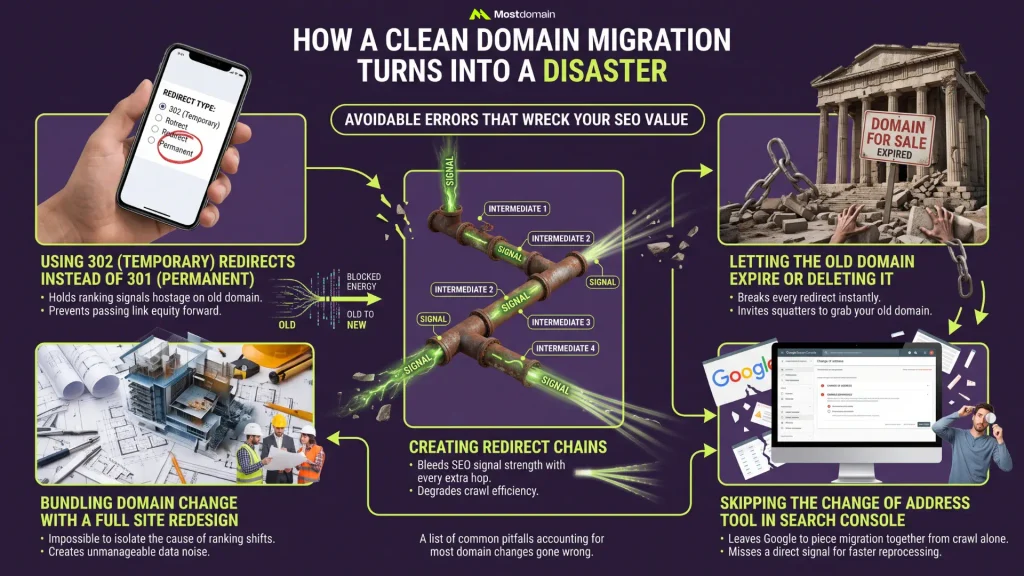
Far more SEO value than necessary gets lost in a short, avoidable list of errors that account for most domain changes gone wrong.
- Reaching for 302 redirects instead of 301, holding ranking signals on the old domain hostage instead of passing them forward
- Bundling the domain change with a full site redesign at the same time, which makes isolating the actual cause of any ranking shift nearly impossible
- Building redirect chains, old URL to one redirect to another to the final destination, bleeding signal strength with every extra hop
- Letting the old domain expire or deleting it outright after the move, breaking every redirect instantly and leaving the door open for a squatter to grab it
- Skipping the Change of Address tool in Search Console entirely, leaving Google to piece the migration together from crawl behavior alone instead of getting a direct signal
FAQ
How long should I keep the old domain registered after changing it?
Indefinitely is the safe answer, or several years at an absolute minimum. Letting it lapse breaks every redirect pointing to it and permanently removes the SEO bridge to the new domain.
Will I lose my domain authority when I change domain names?
The link equity that score estimates makes it across through 301 redirects just fine. The score itself is a different story. New domain, new crawl history, that score starts building from scratch again.
Can I change my domain name without losing any rankings at all?
Not entirely, no, not even with a flawless migration. Search engines need a bit of time regardless to recrawl and reprocess a new domain. Clean 1:1 redirect mapping shrinks that dip. Erasing it completely isn’t really on the table.
Should I change my domain name and redesign my website at the same time?
Keep them apart, that’s the better call. Run both at once and there’s no way left to tell whether a ranking shift traces back to the domain change or the redesign, which makes troubleshooting either one considerably harder.
What happens to my Google Business Profile when I change domain names?
A manual update is required to point it to the new domain, since Search Console’s Change of Address tool doesn’t extend to Google Business Profile listings on its own.
References
- Dynadot, Domain Migration SEO Checklist: Change Domains Without Losing Rankings
- SiteGround, 301 Redirect: What is it, SEO Impact and When to Use it?
- Hobo-web, How to change domain names & keep rankings in Google
- Darazhost, Domain Authority, 301 Redirects & Rebranding: How to Keep Your SEO When You Change Domains