Mostdomain – Every domain name follows a set of registration rules. These rules decide who can register it. They also decide how long you can keep it. Miss one requirement and your registration gets rejected. Sometimes it gets suspended, or cancelled later. This guide covers every rule that matters, from ICANN policy to country-specific restrictions. Read it once, and you will register correctly the first time.
What Are Domain Registration Rules?
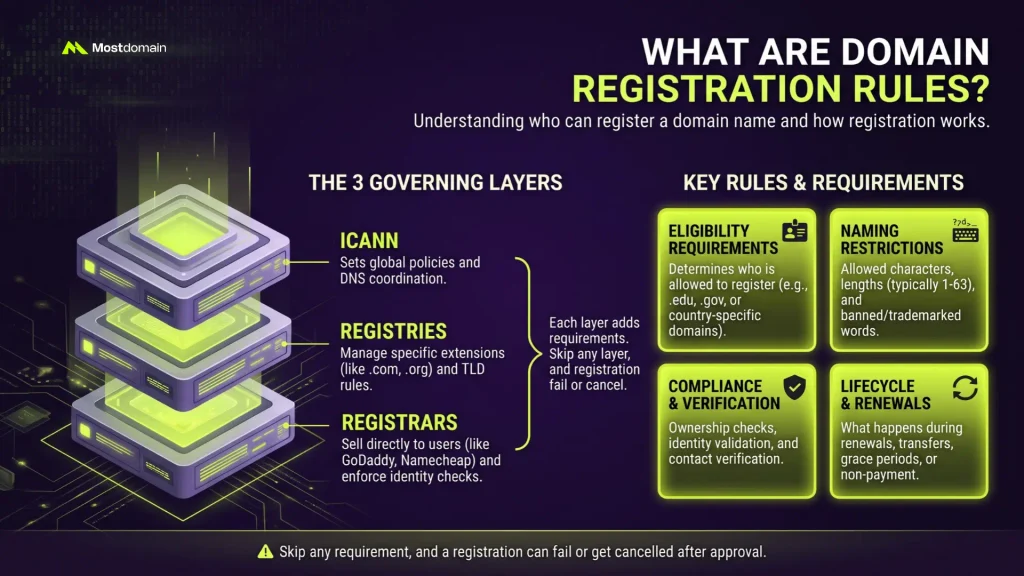
Domain registration rules set who can register a name. They also set how registration works. Three groups control these rules: ICANN, registries, and registrars. Each layer adds requirements on top of the last.
- Who is eligible to register (eligibility requirements)
- What characters and lengths are allowed (naming restrictions)
- How ownership gets verified (compliance)
- What happens during renewal, transfer, or non-payment
Skip any layer, and a registration can fail. Worse, it can get cancelled after approval.
Who Sets Domain Registration Policy?
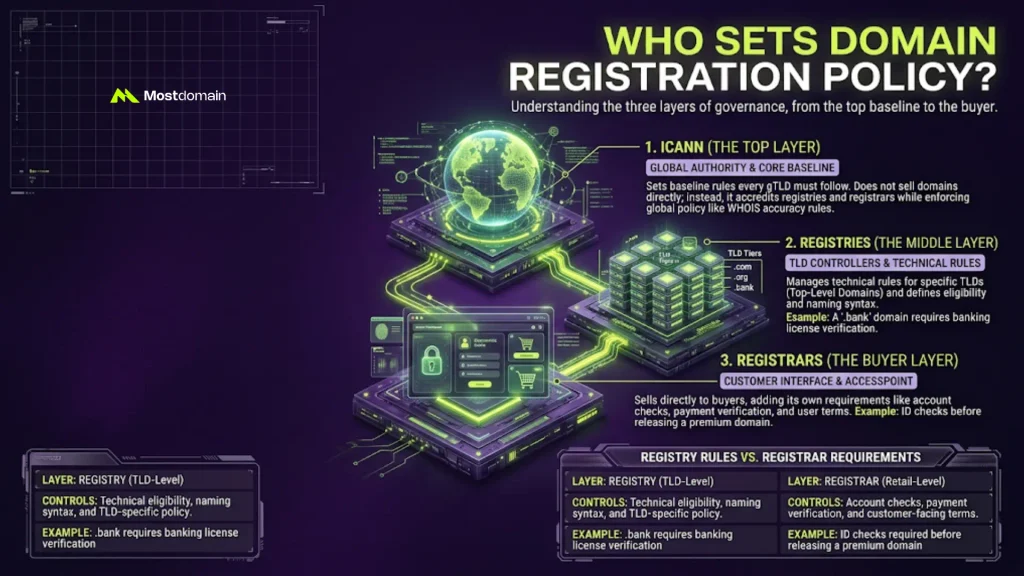
Domain registration policy comes from three layers. ICANN sits at the top. Registries sit in the middle. Registrars sit closest to you, the buyer.
ICANN’s Role in Domain Registration Policy
ICANN sets the baseline rules every gTLD must follow. It does not sell domains directly. Instead, it accredits registries and registrars. It also enforces global policy, like WHOIS accuracy rules.
Registry Rules vs. Domain Registrar Requirements
Registries control the technical rules for their TLD. Registrars add their own requirements on top. Think ID checks, payment verification, or extra fees for certain extensions.

| Layer | Controls | Example |
| Registry | Technical eligibility, naming syntax, TLD-specific policy | .bank requires banking license verification |
| Registrar | Account checks, payment, customer-facing terms | ID check before releasing a premium domain |
Domain Eligibility Requirements You Must Meet
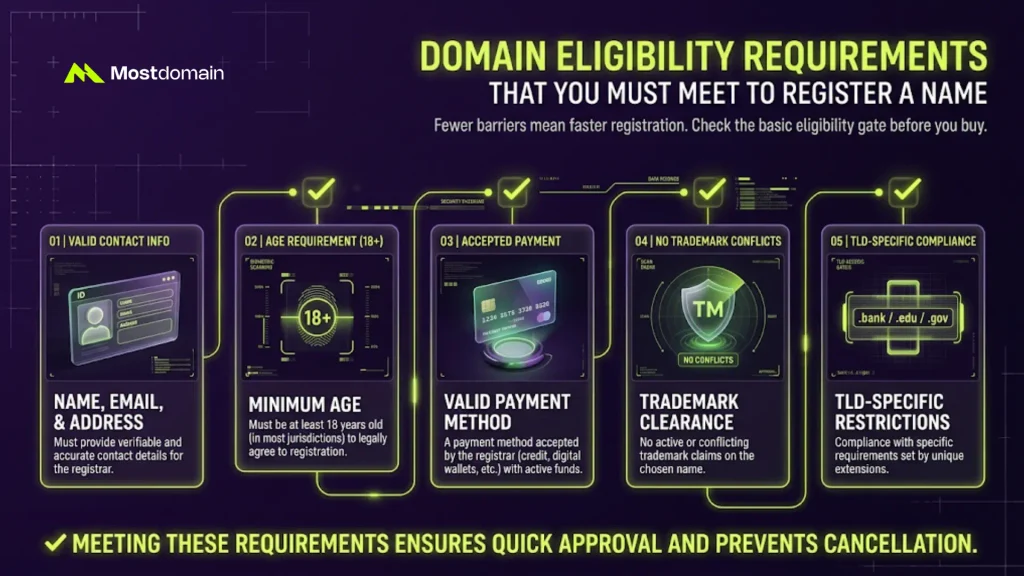
Domain eligibility requirements decide if you can register a name. Most gTLDs keep this list short on purpose. Fewer barriers mean faster registration for everyone.
- Valid contact information: name, email, address
- Minimum age, usually 18, in most jurisdictions
- A payment method the registrar accepts
- No conflicting trademark claim already filed
- Compliance with that TLD’s specific restrictions
TLD Registration Rules That Vary by Extension
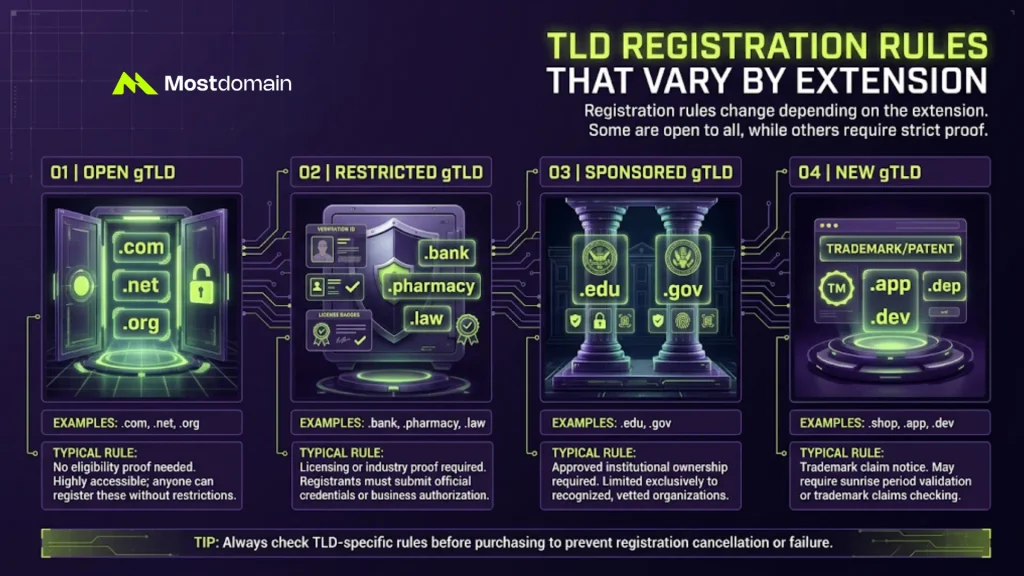
TLD registration rules change depending on the extension. Generic TLDs like .com stay open to anyone. Restricted TLDs like .bank need proof first. New gTLDs sometimes add their own launch checks.
| TLD Type | Example | Typical Rule |
| Open gTLD | .com, .net, .org | No eligibility proof needed |
| Restricted gTLD | .bank, .pharmacy, .law | Licensing or industry proof required |
| Sponsored gTLD | .edu, .gov | Must belong to an approved institution |
| New gTLD | .shop, .app, .dev | May require a trademark claim notice |
Not sure which bucket your pick falls into? See our full breakdown of what a TLD actually is first.




Common Domain Name Restrictions to Watch For
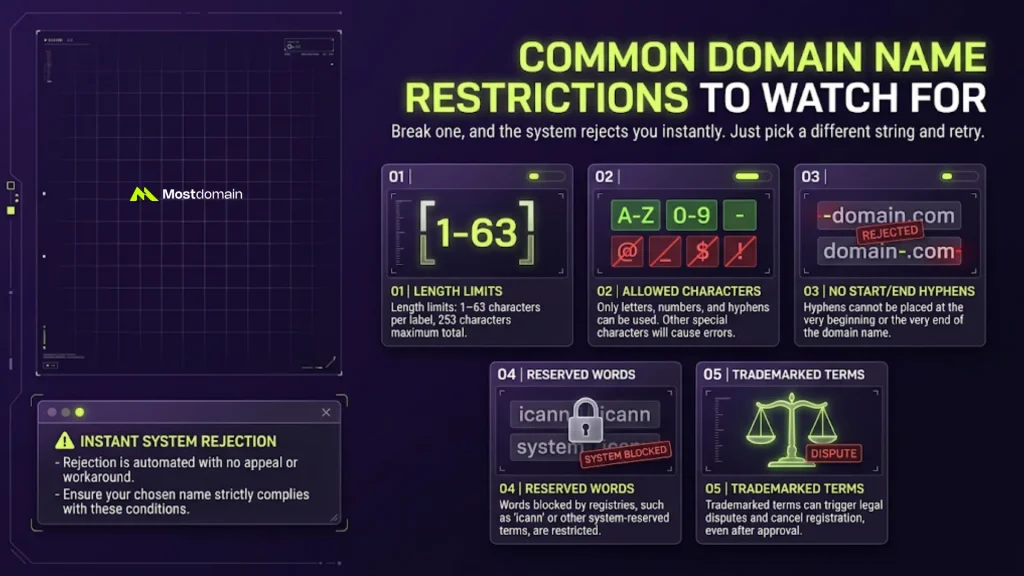
Domain name restrictions limit what characters you can use. Break one, and the system rejects you instantly. No appeal, no workaround involved. Just pick a different string and retry.
- Length limits: 1–63 characters per label, 253 total
- Allowed characters: letters, numbers, and hyphens only
- No leading or trailing hyphens permitted
- Reserved words blocked by the registry (e.g. “icann”)
- Trademarked terms that can trigger a dispute later
Domain Registration Restrictions by Country
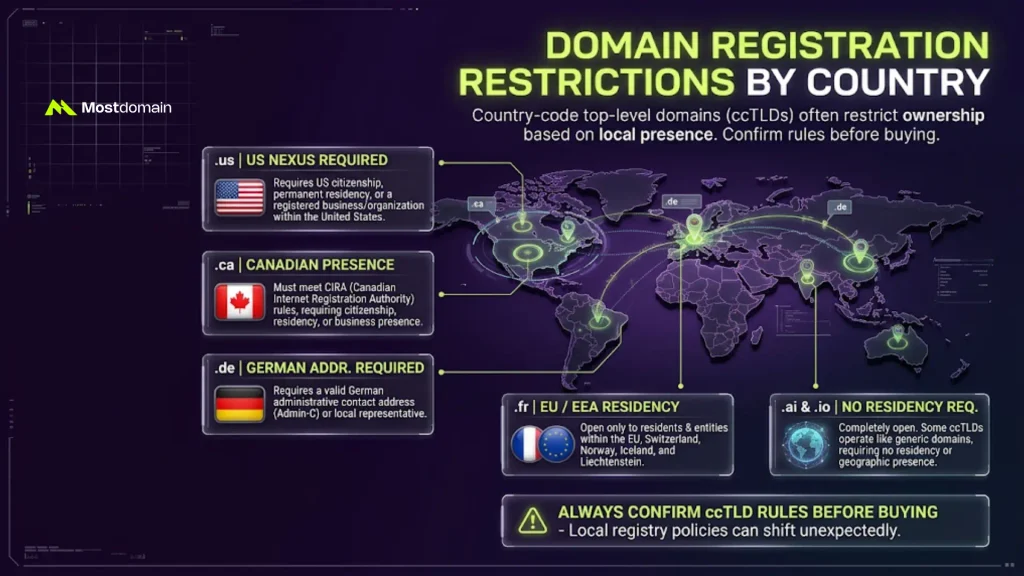
Country-code domains often restrict who can register them. This mostly affects ccTLDs, not generic ones. A .ca domain needs a Canadian presence. A .fr domain needs EU or EEA residency. Some ccTLDs skip this entirely, like .ai or .io.
| ccTLD | Restriction |
| .us | Requires a US Nexus (citizen, resident, or business) |
| .ca | Requires a Canadian presence, per CIRA rules |
| .de | Requires a German administrative contact address |
| .fr | Open to EU, Switzerland, Norway, Iceland, Liechtenstein residents |
| .ai, .io | No residency requirement at all |
Always confirm the rule before buying a ccTLD domain. Registry policy shifts more often than people expect.
Domain Ownership Requirements After You Register
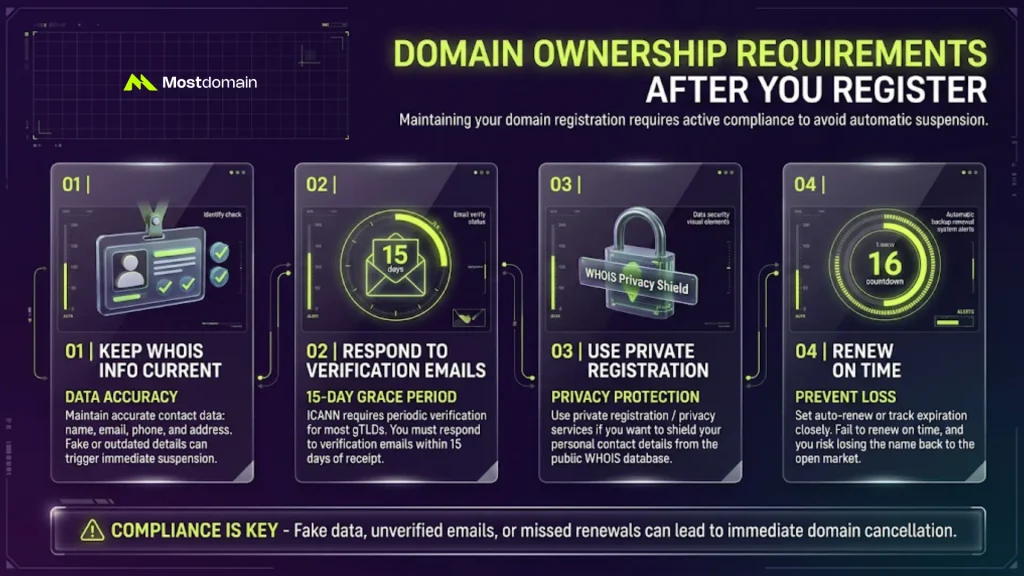
Domain ownership requirements continue after registration completes. You must keep WHOIS contact details accurate. Fake or outdated details can trigger suspension. ICANN requires periodic verification for most gTLDs.
- Keep WHOIS info current: name, email, phone, address
- Respond to registrar verification emails within 15 days
- Use private registration if you want contact details hidden
- Renew on time, or risk losing the name
Domain Transfer Rules and Renewal Rules Explained
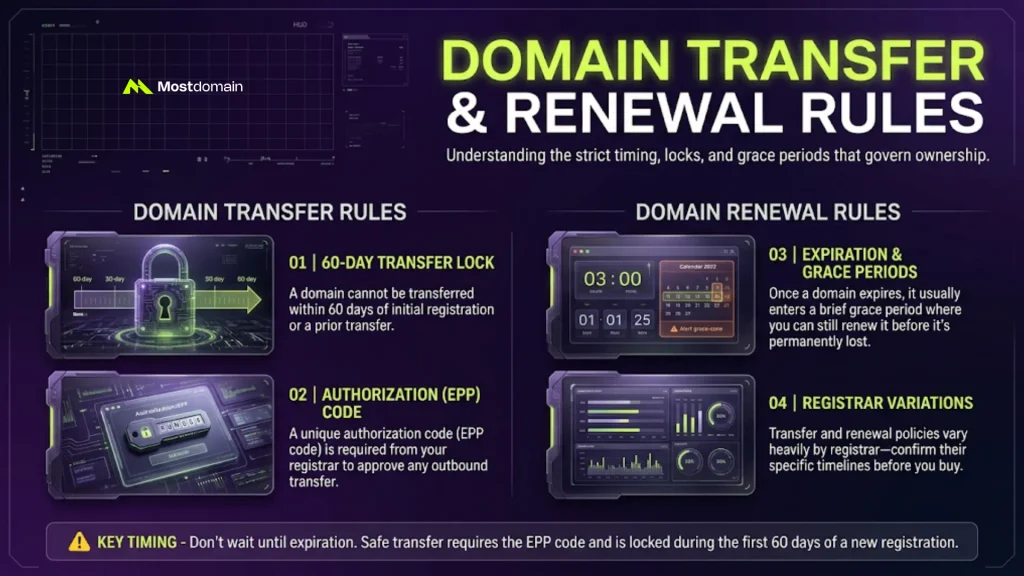
Transfer and renewal both follow strict timing rules. A domain cannot transfer within 60 days of registration. The same lock applies after a prior transfer. Renewal carries its own grace periods too.
- 60-day lock after initial registration or transfer
- Authorization code (EPP code) required to transfer out
- Grace period after expiration, before the name is lost
- Rules vary by registrar, so check before you buy
Want the full renewal timeline? See our domain renewal best practices and timing guide. Need the transfer steps instead? Read how to transfer a domain name properly.
Checking Domain Name Availability the Right Way
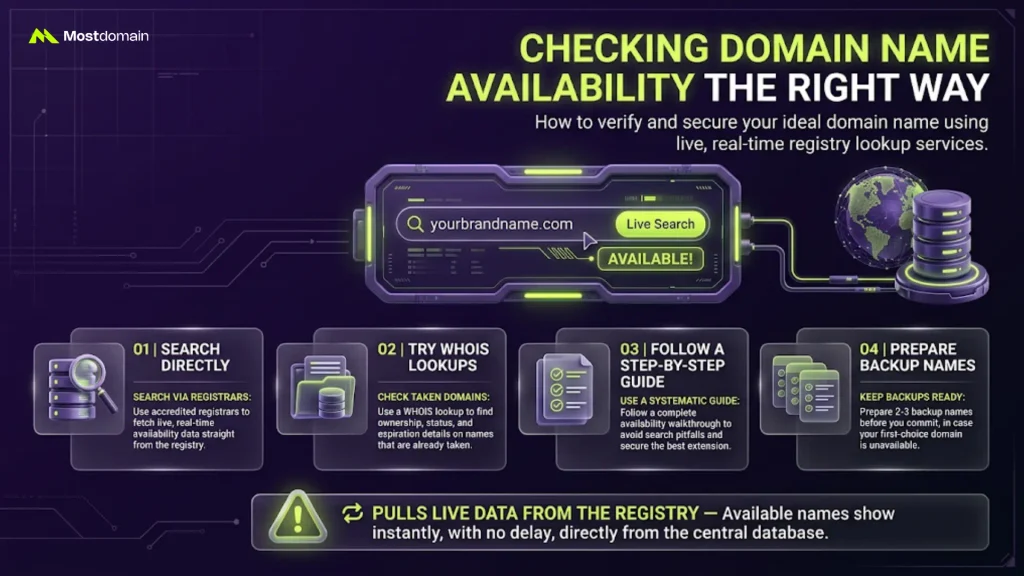
Checking availability is the first real step in registration. Use a registrar’s search tool, or a dedicated lookup service. Both pull live data from the registry. Available names show instantly, with no delay.
- Search directly through an accredited registrar
- Try a WHOIS lookup to check status on a taken name
- Follow our guide to check if a domain name is available for a full walkthrough
- Keep 2–3 backup names ready before you commit
Domain Registration Terms and Conditions: What to Read First
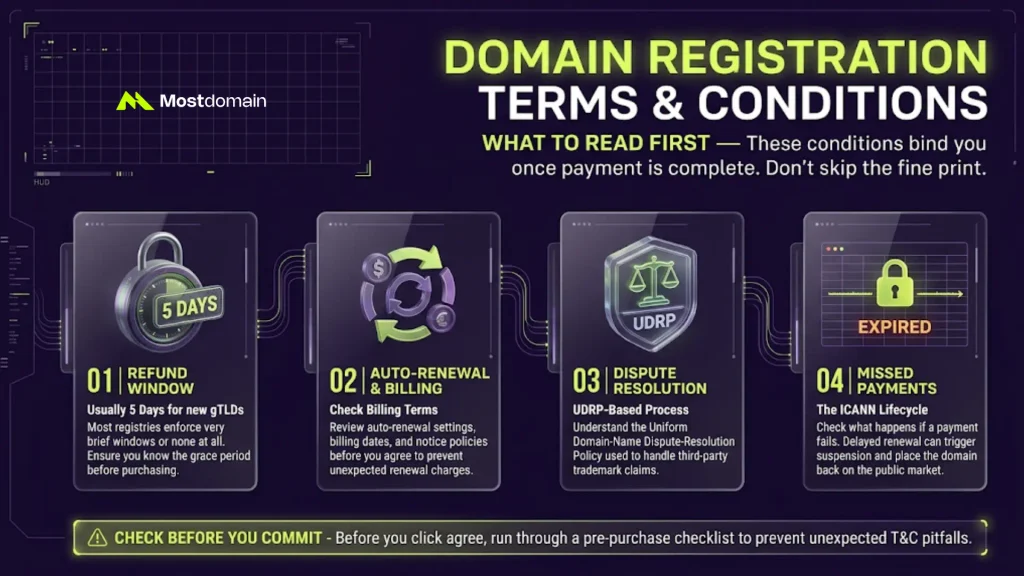
Registration terms and conditions bind you once you pay. Most buyers skip reading them. That is a mistake worth avoiding. Terms cover refund policy, dispute process, and renewal billing.
- Refund window: usually 5 days for new gTLDs
- Auto-renewal and billing terms, read before you agree
- Dispute resolution process, often UDRP-based
- What happens after a missed payment: see our ICANN lifecycle of a gTLD domain breakdown
Before you commit, run through our domain buying checklist. It catches issues the terms alone will not.
Ready to Register?
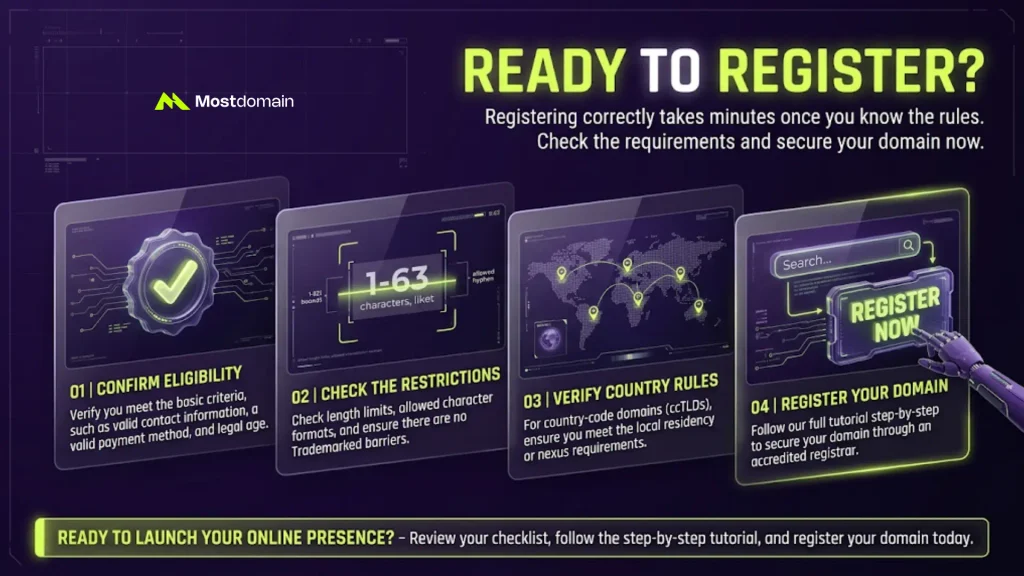
Registering correctly takes minutes once you know the rules. Confirm eligibility, check the restrictions, and verify your country’s requirements. Then follow our full tutorial on how to register a domain name. It walks through the exact steps.
FAQ
Can anyone register any domain name?
Mostly yes, for open gTLDs. Restricted and sponsored TLDs need proof first.
What happens with false WHOIS information?
Registrars can suspend or cancel the domain. ICANN requires accurate contact details at all times.
Do country-code domains always have restrictions?
No, not always. Some ccTLDs, like .ai or .io, stay fully open. Others require local presence.
How soon can I transfer a new domain?
Wait 60 days after registration first. The same lock applies after any transfer.
Is reading the terms and conditions necessary?
Yes, it genuinely is. They cover refunds, auto-renewal charges, and dispute steps you need upfront.
References
- Namesilo, TLD Availability Rules: Why Some TLDs Can’t Be Registered
- 1-Grid, Understanding Domain Extensions with Special Registration Requirements
- 20i, Are There Any Restrictions or Rules on the Domain Name I Can Choose to Register?
- DNSimple, Domain Registration Reference
- ICANN, .NAME Agreement Appendix 11: Registration Restrictions