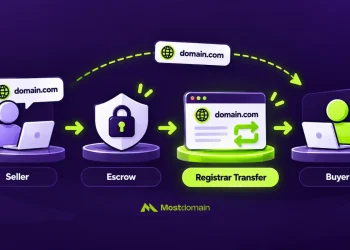
Short version first. Once a domain is registered, its name is fixed, down to the last letter and the extension after the dot. The workaround everyone ends up using is a second registration: you move your website and email onto the new domain, then a redirect on the current one catches anybody still typing the address they already know.
Which makes “can I change my domain name” a bit of a trick question. Technically, no. In practice, businesses do it all the time, and the hard parts turn up in places like email, budget and search traffic. There’s also a five-day window where a typo can sometimes be reversed, so if that’s why you’re here, skip to the typo section.
Can You Change Your Domain Name After Registering It?
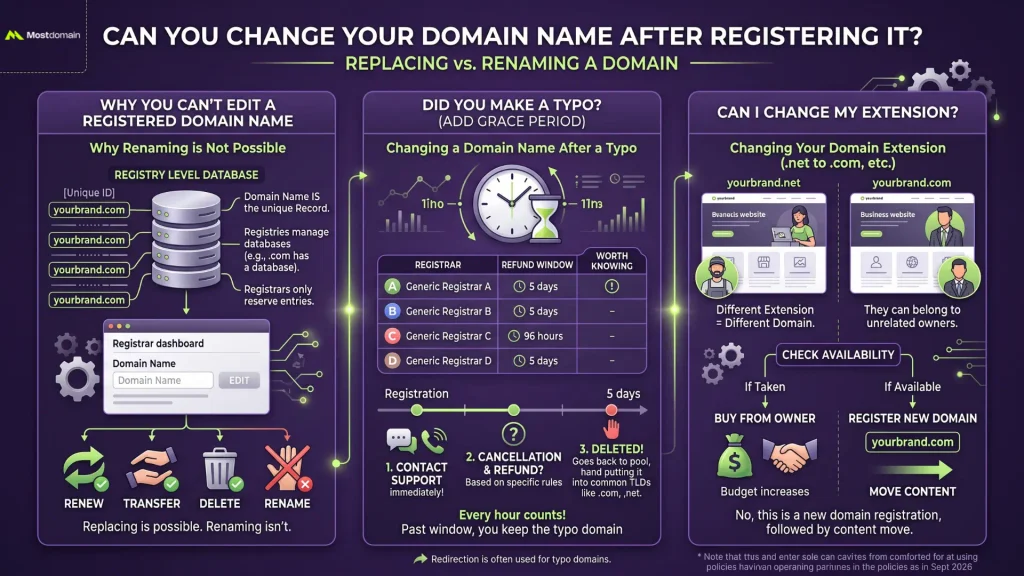
Replacing a registered domain is possible. Renaming it isn’t, and no registrar can help with that, since the restriction sits with the registries that store domain names. GoDaddy, Namecheap and Porkbun all give customers the same answer on their support pages.
- Your registration covers one exact string of characters, and it stays that string until the term runs out.
- Want a different name? That’s a second registration, followed by a move.
- Settings around the name are fair game, though. Most owners are surprised by how much of a domain they can edit in a few minutes, and the next section lists all of it.
Why You Can’t Edit a Registered Domain Name
A domain name is the record itself, so changing it would mean creating a different record. Hence the missing edit button in every registrar dashboard.
- Each extension has a registry behind it. For .com that’s Verisign, and every .com ever registered sits in its database as a separate line.
- Your registrar reserved that exact entry on your behalf. It has no power to rename it.
- The global DNS directs traffic based on that exact name, so a renamed domain would effectively be a brand new one anyway.
- Renewal, transfer (to another owner or registrar) and deletion are all a registration supports. None of them touch the spelling.
Can I Change My Domain Name If I Made a Typo?
Sometimes, if you act within about five days. Most extensions have an Add Grace Period right after registration, during which a registrar can cancel the domain and get its fee back from the registry. Whether that reaches you as a refund depends on the registrar.
| Registrar | Refund window for new registrations | Worth knowing |
| GoDaddy | 5 days (120 hours) | 3 days for .au names. Premium domains are never refundable |
| Namecheap | 5 days (120 hours) | Discretionary, needs a valid reason. No refunds on premium domains |
| Porkbun | 96 hours | Eligible domains can be deleted from your account. Some extensions excluded |
| Name.com | 5 days | Domain is returned to the registry |
Policies checked September 2026. Registrars update them, so confirm on your registrar’s refund page before acting.

- Contact support immediately. Every hour counts here.
- Once deleted, the typo domain goes back into the pool and anyone can register it.
- Past the window, you’re keeping the typo domain until its term ends. Some people redirect it to the correct one, since others will probably make the same typo.
Can I Change My Domain Name Extension?
No. As far as the registry is concerned, a different extension is simply a different domain, so going from .net to .com (or .co to .com) runs through the same process as any other name change.
- yourbrand.net and yourbrand.com can easily belong to two unrelated people. Plenty of small businesses find that out only after ordering the business cards.
- Check whether the domain name is available in your target extension first. Every other step depends on that answer.
- If it’s taken, the owner might sell it, which changes your budget considerably.
What Can You Change on an Existing Domain Name?
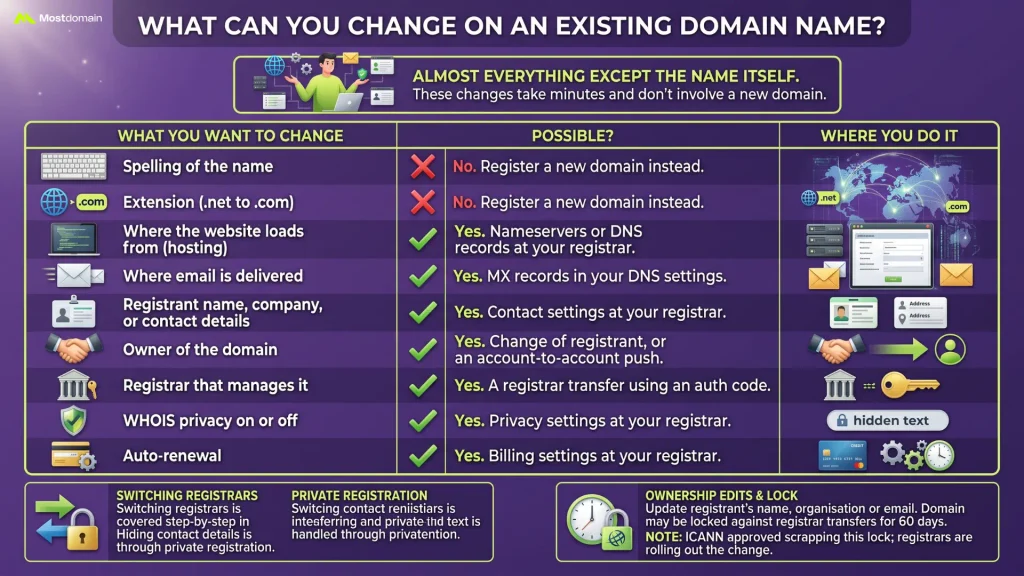
Almost everything except the name itself. Plenty of people searching “can I change my domain name” actually need one of the changes below, which take minutes and don’t involve a new domain at all.
| What you want to change | Possible? | Where you do it |
| Spelling of the name | No | Register a new domain instead |
| Extension (.net to .com) | No | Register a new domain instead |
| Where the website loads from (hosting) | Yes | Nameservers or DNS records at your registrar |
| Where email is delivered | Yes | MX records in your DNS settings |
| Registrant name, company, or contact details | Yes | Contact settings at your registrar |
| Owner of the domain | Yes | Change of registrant, or an account-to-account push |
| Registrar that manages it | Yes | A registrar transfer using an auth code |
| WHOIS privacy on or off | Yes | Privacy settings at your registrar |
| Auto-renewal | Yes | Billing settings at your registrar |
- Switching registrars is covered step by step in how to transfer a domain name.
- Hiding your contact details is handled through private registration.
- Ownership edits come with a catch at many registrars. Update the registrant’s name, organization or email, and the domain may be locked against registrar transfers for 60 days. ICANN has signed off on scrapping that lock; registrars are still rolling the change out.
How to Change Your Domain Name in 4 Steps
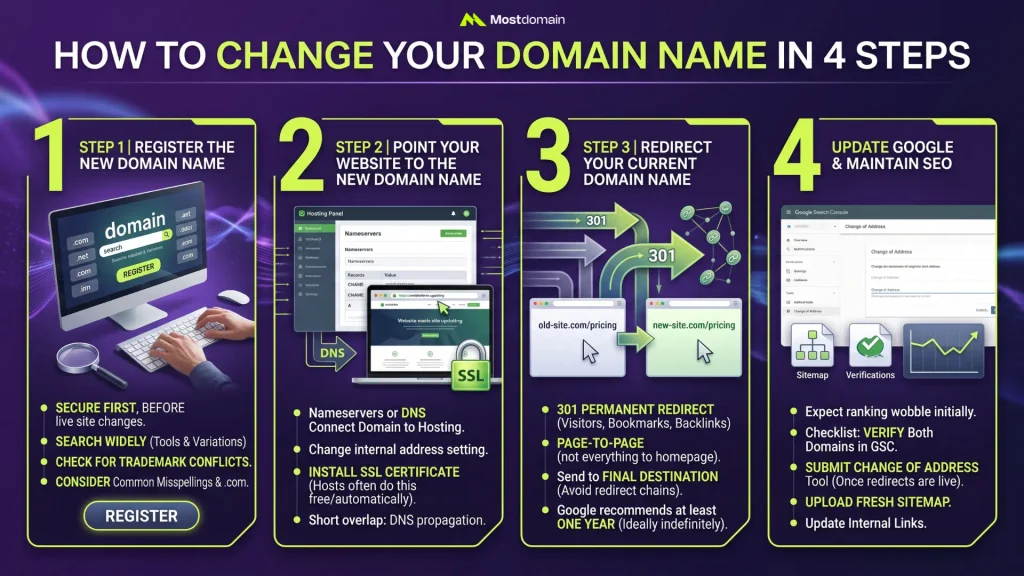
Order matters more than most people expect when changing your domain name. New name first, then the website, then the redirect, and Google last. A small site can get through all four in a day. Bigger ones need a plan.




Register the New Domain Name
Secure the replacement first, before you announce anything or touch the live site.
- Search widely before committing. This guide on how to search for a domain name covers tools and variations worth trying.
- Check for trademark conflicts, since a clash is exactly the kind of problem that forces a second change later.
- Consider grabbing common misspellings and the .com if your new name uses a different extension.
- The full process is in how to register a domain name, if it’s your first time.
Point Your Website to the New Domain Name
The website needs to start answering on the new address. How that works depends on where the site is built, which the platform section below covers in detail.
- Nameservers or DNS records connect the new domain to your hosting, depending on how your account is set up.
- Inside the site, the address setting has to change as well. Skip it and images and internal links keep loading from the current domain.
- Install an SSL certificate for the new domain. Most hosts do this free and automatically.
- Expect a short overlap. DNS updates reach some visitors within minutes and others a day or two later.
Redirect Your Current Domain Name
Every visitor, bookmark and backlink aimed at your current domain needs a permanent 301 redirect to the matching page on the new one. Without it, every link anyone ever built to your site ends at an error page.
- Redirect page to page, not everything to the homepage. /pricing should land on the new /pricing.
- Send each URL straight to its final destination. Redirect chains slow things down and leak value.
- Google’s site-move guidance asks for at least a year of redirects. Leaving them on indefinitely costs nothing beyond the renewal fee.
How to Change Your Domain Name Without Losing SEO
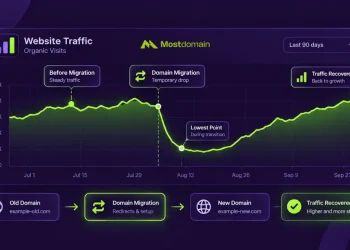
Expect rankings to wobble for a few weeks. With clean redirects and Google’s Change of Address tool in place, most sites climb back to where they were. The short checklist:
- Verify both domains in Google Search Console.
- Submit a Change of Address from the current domain’s property once redirects are live.
- Upload a fresh sitemap for the new domain.
- Update your internal links so they point directly at the new domain.
The full migration playbook, including backlink outreach and what to track week by week, is in our guide to SEO when changing domain name.
How to Change Your Domain Name on WordPress, Shopify, Wix, and Squarespace
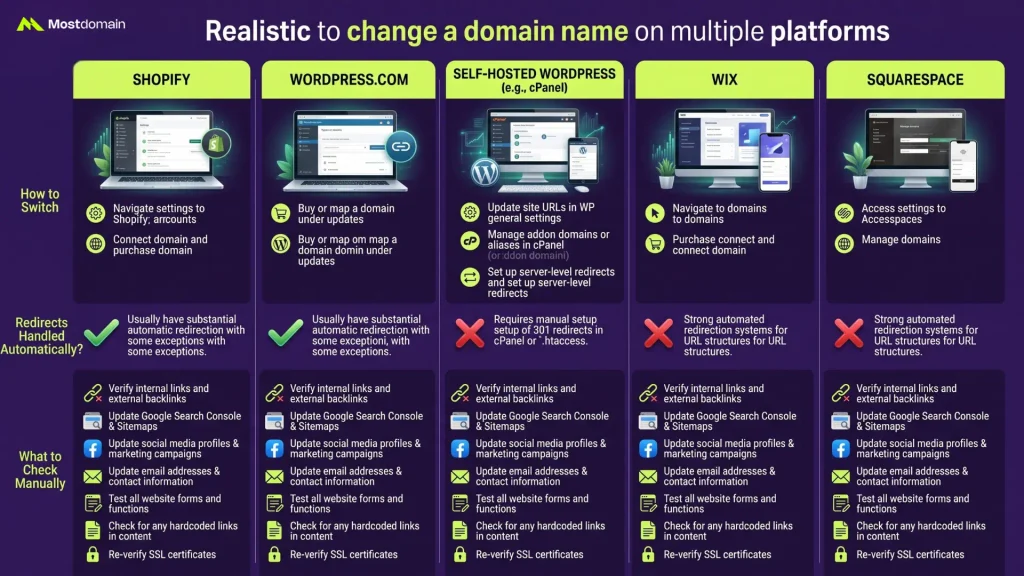
Website builders are the easy case for changing your domain name: connect the new domain, mark it as primary, and the platform sets up most redirects on its own. Self-hosted sites need more manual work.
| Platform | How to switch | Redirects handled automatically? | What to check manually |
| Shopify | Connect the new domain, then use Change primary domain under Settings > Domains | Yes, for connected domains | Email marketing links, payment and app settings |
| WordPress.com | Add the new domain in your domain settings and make it primary | Yes | Links hardcoded inside posts |
| Self-hosted WordPress | Settings > General holds two fields, WordPress Address and Site Address. Locked out after changing them? wp-config.php can override both | No | Database URLs, redirect rules on the server, SSL |
| Wix | Connect the new domain in your domain settings | Previously connected domains can be redirected | SEO settings and any custom redirects |
| Squarespace | Add the new domain and set it as primary | Yes, for domains still connected | Links inside content blocks |
| cPanel hosting | Use your host’s main domain change tool, or add the new domain and move files | No | Databases, SSL, email accounts |
- Labels on your screen don’t match the table? Platforms rename menus often. Searching the help center for “change primary domain” usually turns up the current path.
- Namecheap’s shared hosting shows how partial the automation can be. Files and email accounts follow the main domain change, while databases, SSL certificates and app installs stay behind until you update them.
- Leave the current domain connected. Removing it takes the automatic redirect down too.
How to Change Your Domain Name for Email
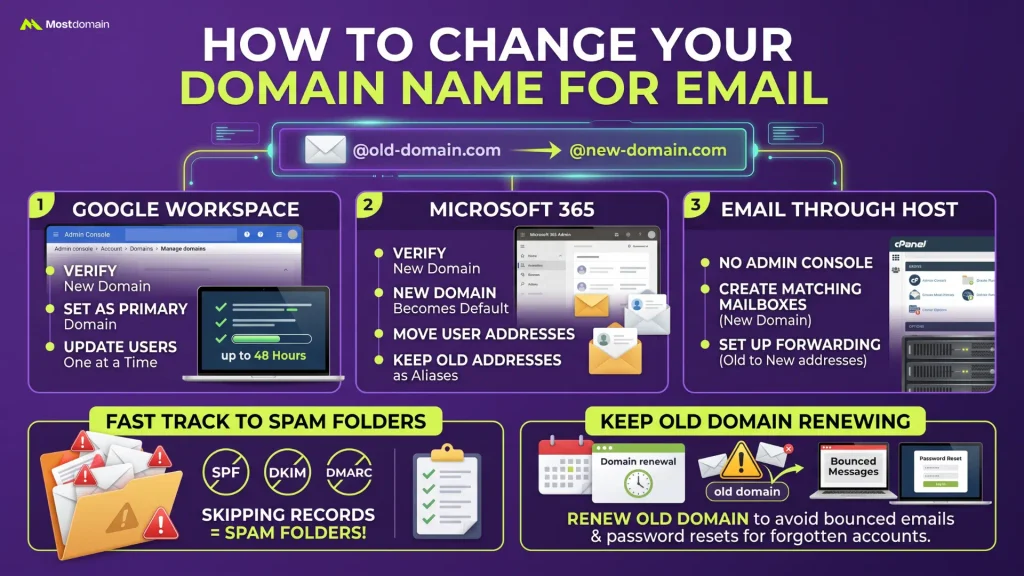
For email, the new domain gets added to your provider first, and then each user’s address is switched over. Meanwhile the current addresses can usually stay alive as aliases, so nothing goes missing during the changeover.
- Google Workspace: everything happens in the Admin console, under Account > Domains > Manage domains. Verify the new domain, make it primary, then update users one at a time (Google puts the whole switch at up to 48 hours).
- Microsoft 365: once the new domain is verified, it becomes the default and user addresses move over, with the current ones kept as aliases.
- Email through your host: no admin console here. You create matching mailboxes on the new domain and forward the current addresses into them.
- Skipping SPF, DKIM and DMARC records for the new domain is the fastest route into spam folders.
- Keep the current domain renewing. If it lapses, any email sent to your previous addresses bounces, including password resets for accounts you forgot to update.
How Much Does It Cost to Change Your Domain Name?
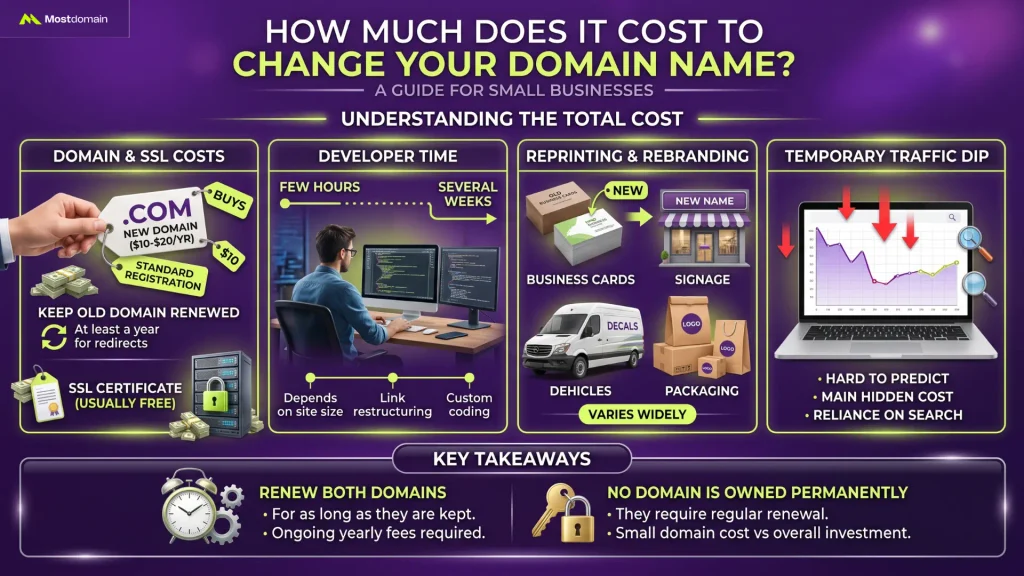
The domain itself is cheap. For a small business, the real cost of changing your domain name is time plus everything with the current name printed on it.
| Cost item | Typical amount | Notes |
| New domain registration | About $10 to $20 a year for a standard .com | Premium or already-owned names cost far more |
| Keeping the current domain renewed | Same yearly fee | Needed for at least a year to keep redirects working |
| SSL certificate | Usually free | Included with most hosts and website builders |
| Developer time | From a few hours to several weeks | Depends on site size and how links are built |
| Reprinting and rebranding | Varies widely | Business cards, signage, vehicles, packaging |
| Temporary traffic dip | Hard to predict | The main hidden cost for sites that rely on search |
- Here’s a closer look at what a domain name costs across common extensions.
- Remember that no domain is ever owned permanently. Both domains need renewing for as long as you keep them.
What to Update After You Change Your Domain Name
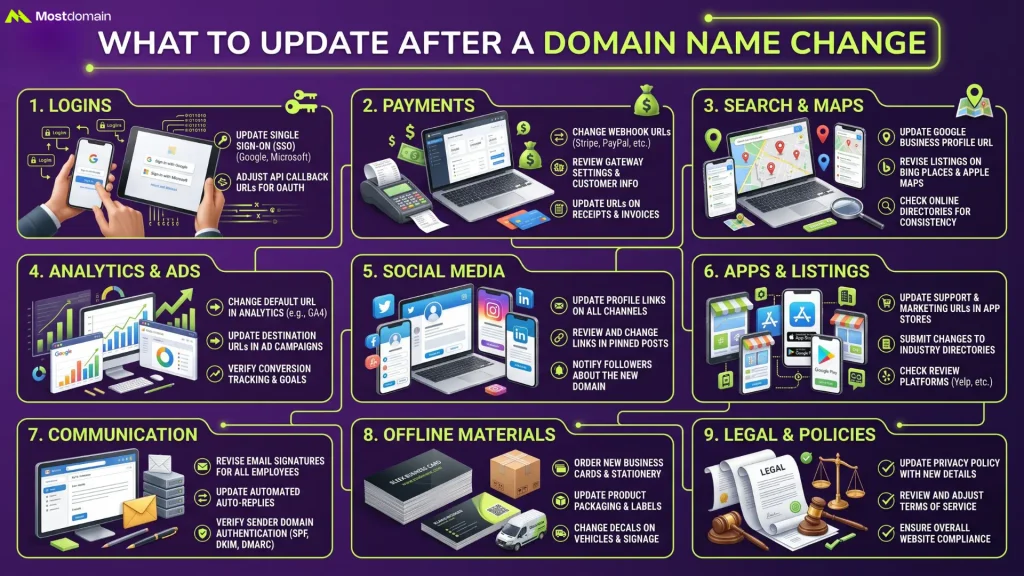
Most problems after a domain change come from places nobody thought to update. The website is the obvious part. This checklist covers the rest.
- Logins. Anything using “Sign in with Google” or Microsoft checks a list of allowed redirect URLs, and that list still names your current domain. API callbacks have the same problem.
- Payments: webhook URLs are the ones people forget, because nothing looks broken until an order fails to confirm. Gateway settings and receipt emails need the new address too.
- Search and maps (Google Business Profile, Bing Places, Apple Business Connect).
- Analytics and ads. Change the property URL in Google Analytics, then every ad destination. Conversion tracking breaks quietly otherwise.
- Social: profile links and pinned posts.
- Apps and listings: app stores and marketplace profiles update quickly. Directory and review sites can take weeks to accept an edit.
- Communication: signatures and auto-replies, plus the sender domain if you run a newsletter, which has to be authenticated again.
- Offline. Whatever’s printed. Business cards, packaging, the van.
- Legal: privacy policy and terms first. Contracts that name your web address can usually wait for their next revision.
Should You Change Your Domain Name?
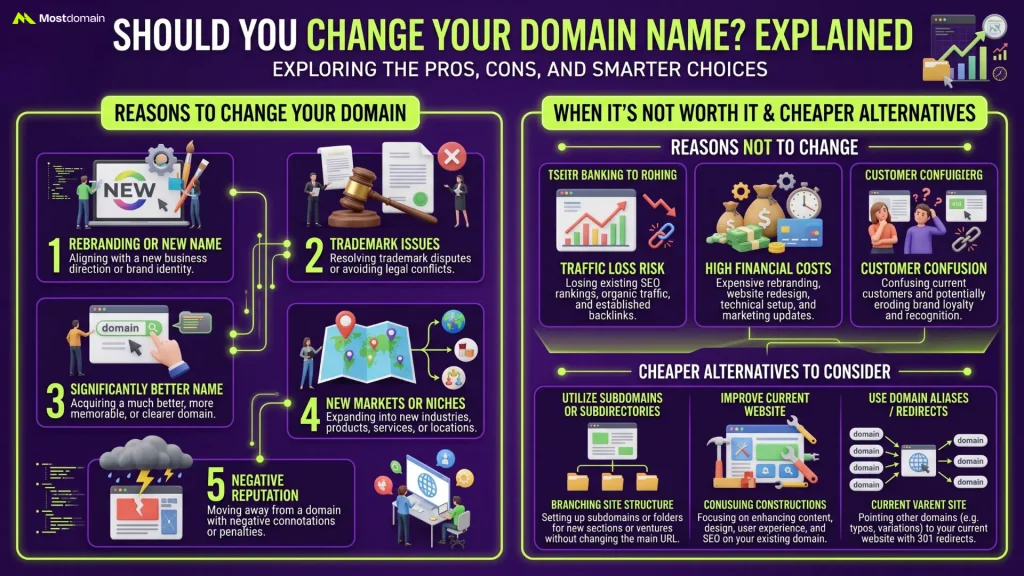
Only when the current name is costing you something real. Mild annoyance rarely justifies the disruption, and the cost table above shows why.
Reasons to Change Your Domain Name
- A trademark conflict, or a legal demand from a brand owner.
- The company itself got a new name through a rebrand, merger or acquisition.
- People keep mishearing it on the phone, or mixing it up with a competitor’s.
- You’ve moved into a market where the current name or extension no longer fits.
- The .com of your brand name has finally become available or affordable.
When Changing Your Domain Name Isn’t Worth It
| Situation | Cheaper alternative |
| People keep misspelling your domain | Register the common misspellings and redirect them |
| You want the .com but can’t get it | Keep your current domain and build brand strength instead |
| You’re expanding into a new product line | Use a subfolder like yourbrand.com/newproduct |
| The name feels slightly dated | Refresh the logo and messaging first |
| You want a shorter address for marketing | A short domain pointed at your main site does the job for campaigns |
What to Do With Your Previous Domain Name After the Change
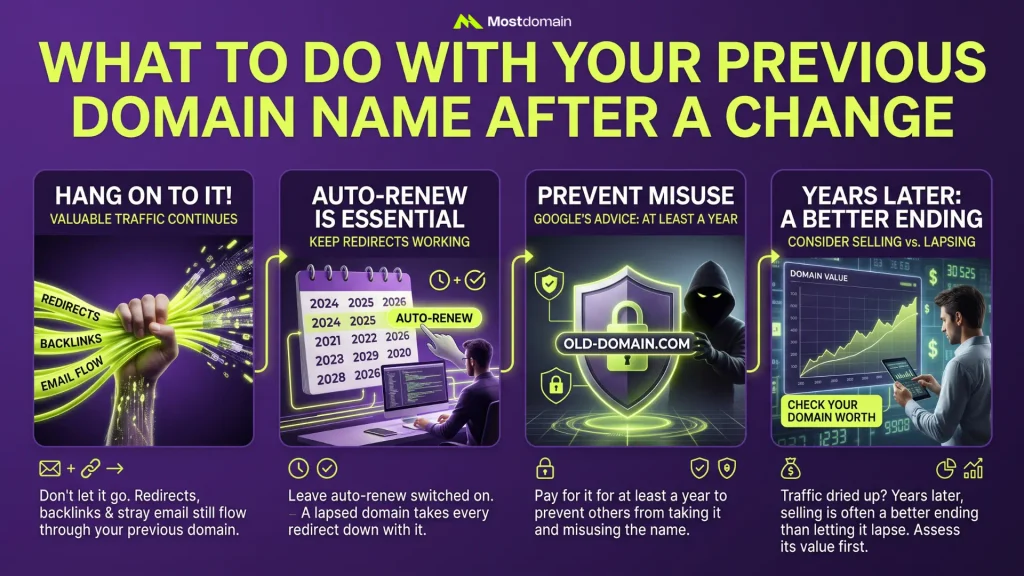
Hang on to it. Redirects, backlinks and stray email still flow through your previous domain name, and all of it stops the day the domain is gone.
- Google’s Change of Address documentation asks you to keep paying for it for at least a year, mainly so nobody else can grab the name and misuse it.
- Leave auto-renew switched on, since a lapsed domain takes every redirect down with it.
- Redirects stay on for as long as you own it.
- Years later, if its traffic has dried up, selling a domain name usually makes a better ending than letting it lapse. Start by checking how much your domain name is worth.
FAQ
Can I change my domain name for free?
Close to free in one case only: a typo you catch inside the registrar’s refund window. Otherwise you’re paying a yearly fee for the new domain while still renewing the current one so its redirects keep working.
How long does it take to change a domain name?
On Shopify or Squarespace, an afternoon, plus up to 48 hours while DNS settles. Larger sites are another story. A few weeks of preparation is normal, and Google itself can need several weeks to process the move.
Can I change my domain name back later?
If you still own the previous domain, nothing stops you, which is one more argument for renewing it. Visitors and search engines handle back-and-forth moves badly, though. Plan as if the first switch is the last one.
Is changing a domain name the same as transferring it?
Different things. A transfer keeps the name exactly as it is and moves it to another registrar or owner. Changing your domain name is about getting your website onto a new name altogether.
Will my SSL certificate work on the new domain name?
Certificates are issued per domain name, so the new one needs its own. You rarely have to do anything, though, since most hosts and builders issue it automatically once the domain connects.
Can someone else register my previous domain name?
It can happen once renewals stop. A lapsed domain that gets deleted is open to anyone, including people hoping to pick up leftover traffic or email meant for you. Renewing is the only reliable way to block that.
Do I need to tell Google when I change my domain name?
You should. Once the 301 redirects are live, submit the move through the Change of Address tool in Google Search Console, which pushes Google to prioritize the new domain and carry signals over from the current one.
References
- Google Search Central, Change of Address Tool
- Google Workspace Admin Help, Change Your Primary Domain for Google Workspace
- GoDaddy, Refund Policy
- Namecheap, What Is Your Money-Back Policy?
- Porkbun Knowledge Base, Can Domain Names Be Changed or Refunded?
- DomainDetails, How to Cancel a Domain Registration
- Registry.co Support, What Is the Add Grace Period (AGP)?
- Namecheap Knowledge Base, Can I Change the Main Domain Name Associated With My Hosting Account?
- Shopify Community, Can I Change the Domain Name of My Online Store?
- IONOS Digital Guide, How to Change Your Domain Name
- Network Solutions, How to Change Domain: A Step-by-Step Guide
- Domain Incite, ICANN to Kill Off 60-Day Domain Transfer Lock