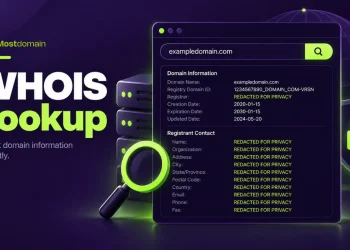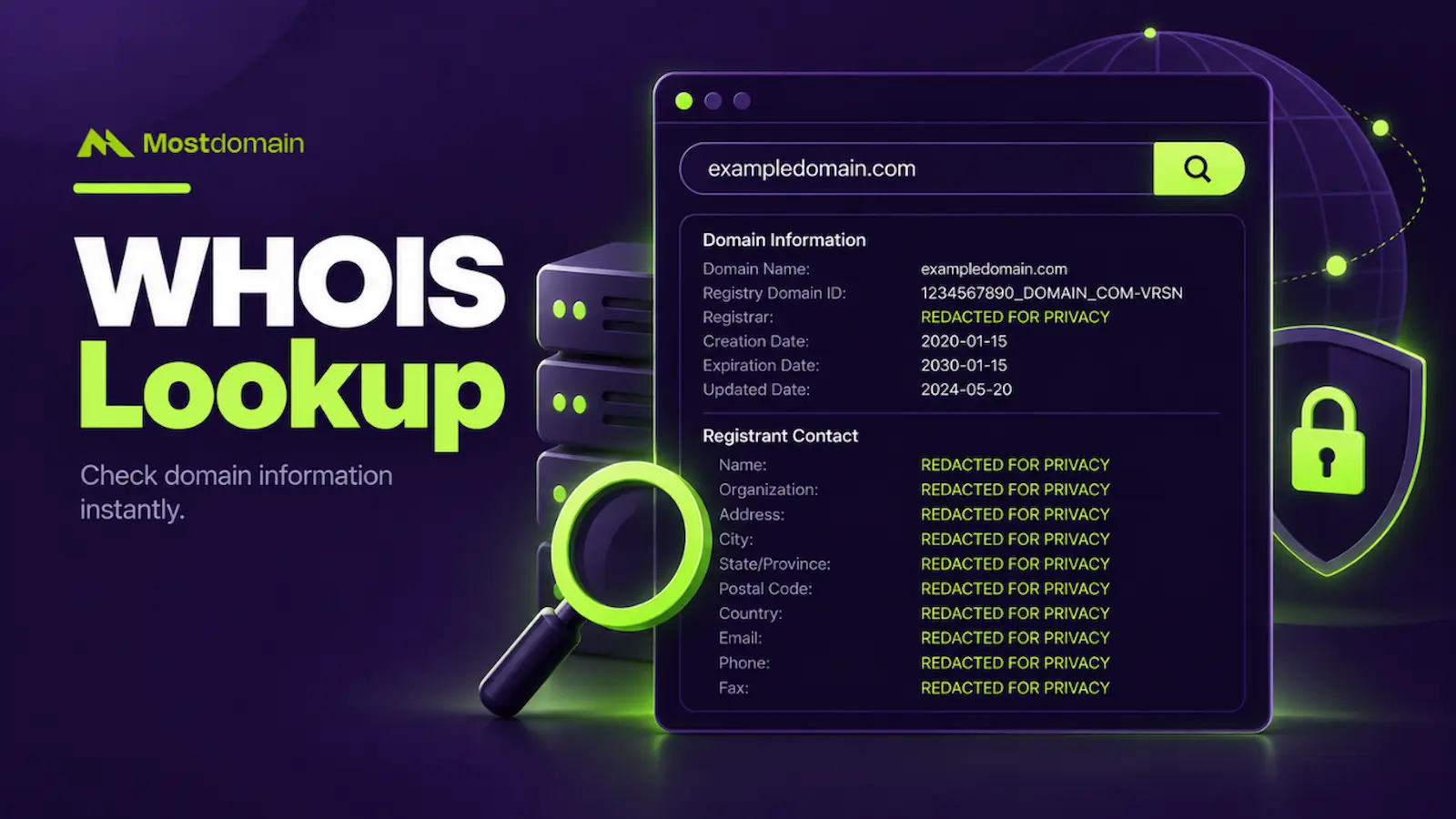
Swapping out the registrant’s real contact details, name, address, phone number, email, for the registrar’s own placeholder information inside the public WHOIS record is what private registration for a domain name does. Those real details never actually go anywhere. They just stop sitting in plain view for anyone who runs a lookup.
Most explanations stop at “it hides your info” and move straight to a sales pitch. This one goes further: what technically happens behind that swap, why it became the default rather than a paid extra, and exactly where the protection stops working.
Nothing here strays into anything else domain-related outside this specific feature. Just what it does, why it exists, and what it can’t actually do.
What Actually Happens When You Turn It On
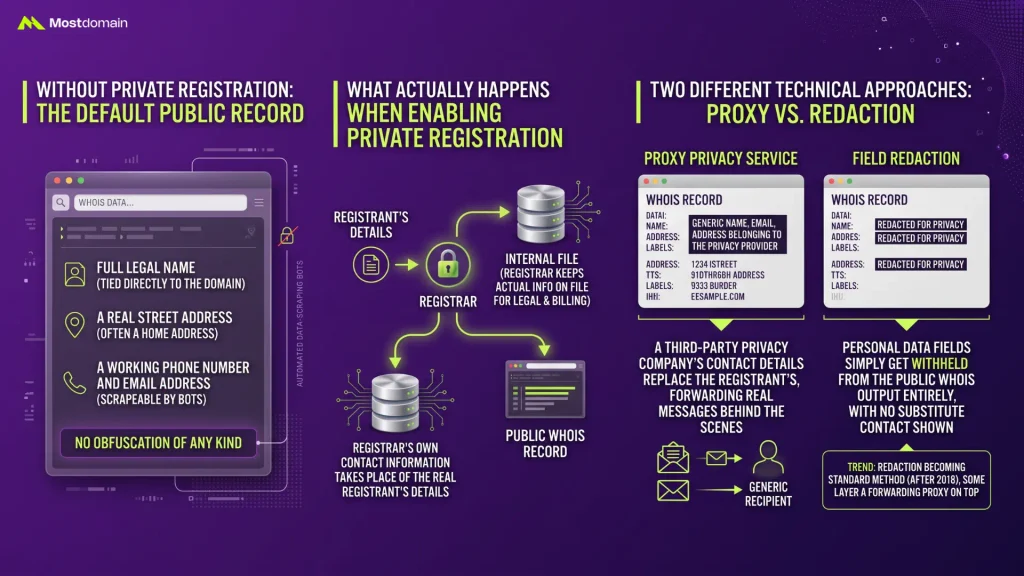
A registrar’s own contact information takes the place of the real registrant’s details in the public WHOIS record the moment private registration gets enabled, while the registrar keeps the actual information on file internally for legal and billing purposes.
What Shows Up in WHOIS Without It
- Full legal name, tied directly to the domain in a database anyone can query
- A real street address, often a home address for individuals registering personally
- A working phone number and email address, both scrapeable by automated bots
- No obfuscation of any kind, since standard registration requires accurate, publicly visible contact data by default
Private Registration vs. Redaction: Two Different Technical Approaches
Two separate mechanisms get lumped under the same “privacy” label, and knowing which one a registrar actually offers changes what protection someone is really getting.
| Approach | How It Works | What the Public Sees |
| Proxy privacy service | A third-party privacy company’s contact details replace the registrant’s, forwarding real messages behind the scenes | A generic name, email, and address belonging to the privacy provider |
| Field redaction | Personal data fields simply get withheld from the public WHOIS output entirely, with no substitute contact shown | Each field just reads blank or shows “REDACTED FOR PRIVACY” |
The older proxy-service model largely gave way to redaction as the standard method across most registrars after 2018, though some still layer a forwarding proxy address on top for anyone who wants to stay reachable.

Why This Became the Default, Not an Add-On
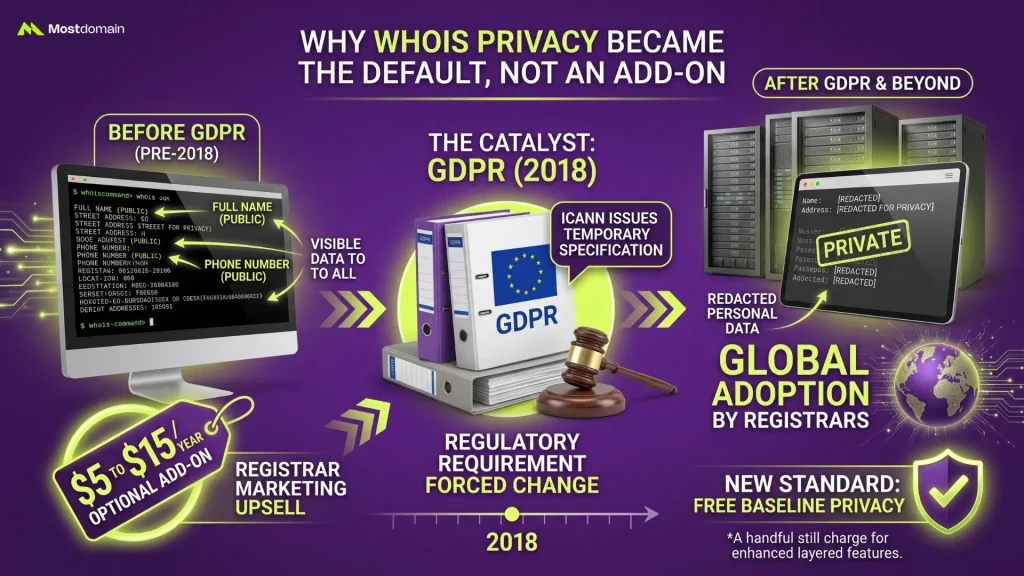
A regulatory shift, not a marketing decision, is the real reason private registration stopped being a premium upsell and became the default setting most registrars now apply automatically.
How GDPR Changed Default WHOIS Privacy in 2018
Domain privacy existed as a paid add-on for years before the EU’s General Data Protection Regulation forced a structural change across the entire industry.
- ICANN issued a Temporary Specification in 2018 requiring registrars to redact personal data for registrants covered by GDPR
- Rather than build separate systems for EU and non-EU registrants, most major registrars extended redacted WHOIS to everyone globally
- What used to cost $5 to $15 a year as an optional add-on became a standard, often free, feature almost overnight
- A handful of registrars still charge for enhanced privacy features layered on top of the free baseline redaction
What It Actually Protects Against
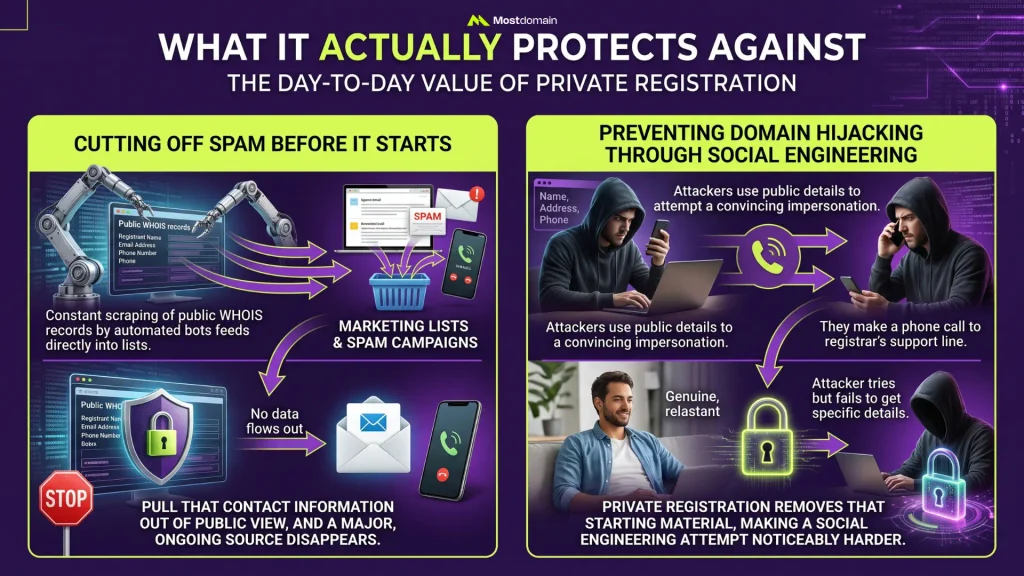
Two specific, well-documented threats account for most of the actual value private registration provides day to day.




Cutting Off Spam Before It Starts
Constant scraping of public WHOIS records by automated bots is how emails and phone numbers end up feeding directly into marketing lists and spam campaigns. Pull that contact information out of public view, and a major, ongoing source of unsolicited email and cold calls tied to domain ownership disappears with it.
Preventing Domain Hijacking Through Social Engineering
A publicly listed name, address, and phone number gives an attacker exactly what’s needed to attempt a convincing impersonation of the registrant when contacting a registrar’s support line. Private registration removes that starting material, making a social engineering attempt against a specific domain noticeably harder to pull off convincingly.
Where the Protection Actually Runs Out
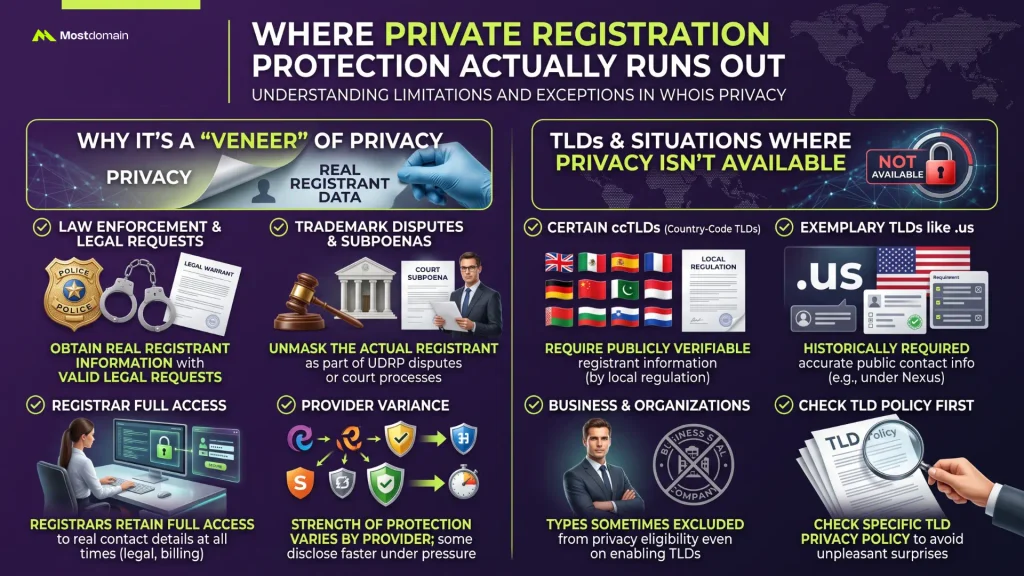
Casual public lookups are what private registration hides information from, not anyone holding legal authority or a legitimate formal request, and that distinction matters more than most marketing pages let on.
Why It’s a “Veneer” of Privacy
- Law enforcement with a valid legal request can obtain the real registrant information behind any privacy service
- A UDRP trademark dispute or court subpoena typically unmasks the actual registrant as part of the legal process
- Registrars themselves retain full access to real contact details at all times, privacy service or not
- Some registrars will disclose real information faster than others when pressured, so the strength of this protection varies by provider even though the surface-level feature looks identical
TLDs and Situations Where It Isn’t Available
- Certain country-code TLDs (ccTLDs) require publicly verifiable registrant information by local regulation, blocking privacy options outright
- .us domains, for instance, historically required accurate public contact information under Nexus requirements
- Business or organizational registrant types sometimes get excluded from privacy eligibility even on TLDs that otherwise allow it
- Checking a specific TLD’s privacy policy before assuming it’s available avoids an unpleasant surprise partway through registration
Is It Worth Paying Extra For
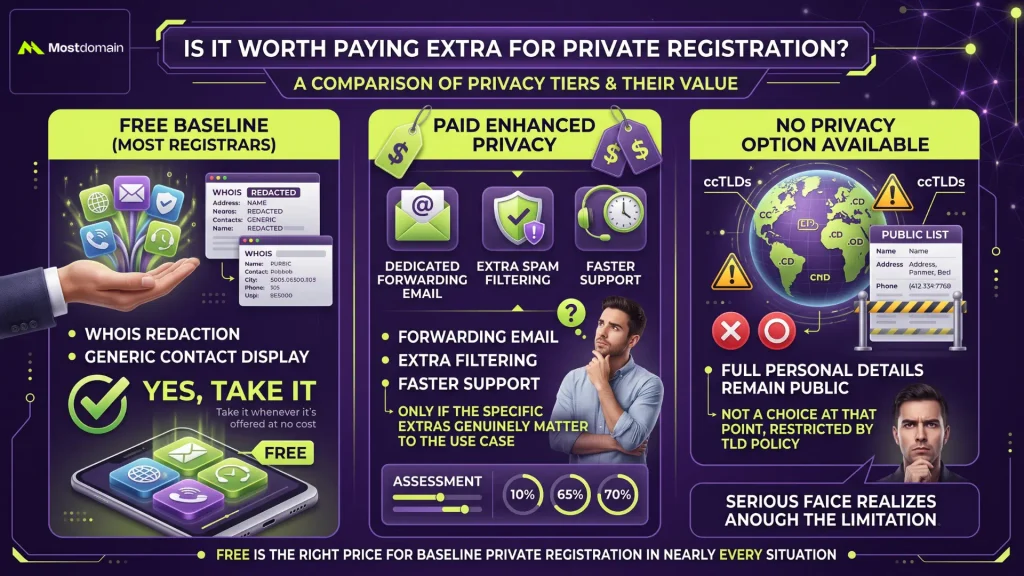
Free is the right price for baseline private registration in nearly every situation, since most major registrars now bundle standard redaction at no additional cost.
Free vs. Paid, by Registrar
| Tier | What’s Typically Included | Worth Paying For? |
| Free baseline (most registrars) | WHOIS redaction, generic contact display | Yes, take it whenever it’s offered at no cost |
| Paid enhanced privacy | Dedicated forwarding email, extra spam filtering, faster support | Only if the specific extras genuinely matter to the use case |
| No privacy option available | Full personal details remain public | Not a choice at that point, restricted by TLD policy |
Turning It On or Off
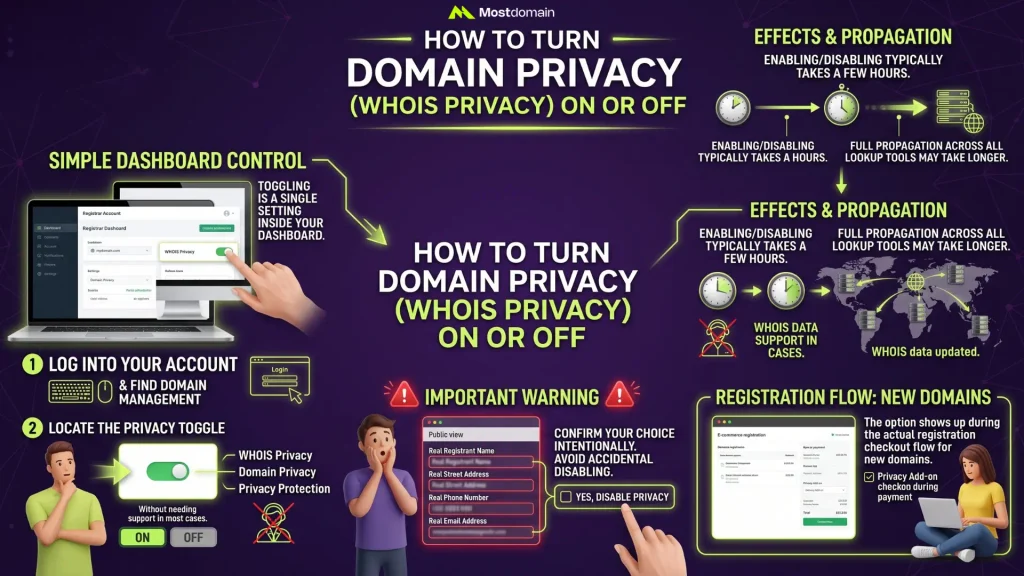
Toggling this feature on or off almost always happens through a single setting inside a registrar’s account dashboard, without needing to contact support in most cases.
- Log into the account holding the domain and locate its management or DNS settings page
- Look for a toggle labeled “Privacy Protection,” “WHOIS Privacy,” or “Domain Privacy,” depending on the registrar’s naming convention
- Enabling or disabling it typically takes effect within a few hours, though full WHOIS propagation across all lookup tools can take slightly longer
- Removing privacy exposes real contact information again immediately, worth confirming intentionally rather than toggling by accident
How to Register a Domain Name covers where this option shows up during the actual registration checkout flow, for anyone setting this up on a brand-new domain rather than an existing one.
FAQ
Does private registration hide a domain from search engines?
No. WHOIS contact data is all private registration touches. Search engines index website content on their own terms, entirely separate from WHOIS records, with no visibility into registrant privacy settings either way.
Can I still receive legitimate business inquiries with private registration on?
Yes, through the forwarding mechanism most privacy services use. A message sent to the public-facing contact address still reaches the real registrant, just routed through the privacy provider first.
Is private registration the same as an anonymous domain?
Not quite. Contact details stay hidden from public view under private registration, but the registrar always keeps the real registrant’s identity on file, unlike a genuinely anonymous registration structure.
Does enabling private registration affect domain ownership or transfer rights?
No effect at all. Ownership and transfer mechanics run entirely separate from privacy settings, so toggling privacy on or off changes nothing about who legally controls the domain.
Why did my domain’s WHOIS suddenly show real information after years of being private?
A registrar transfer, an ownership change, or occasionally a lapsed privacy service renewal (if it was ever billed as a separate add-on rather than bundled by default) usually explains it.
References
- InMotion Hosting, Private Domain Registration & How Domain Privacy Works
- Wix, What is private registration for domain name? How to protect your private info
- Dynadot, Private Domain Registration Guide: Benefits, Cost & How to Check
- LuxSci, Dangers of Private Domain Registration and WHOIS Masking