

Mostdomain – A client once asked why “my-site_official.com” kept failing at checkout. The hyphen was fine. The underscore wasn’t. One stray character is enough to block a registration completely. DNS has followed the same character rules since the 1980s. This guide covers every character a domain name can and can’t use.
Which Characters Are Not Allowed in Domain Names?
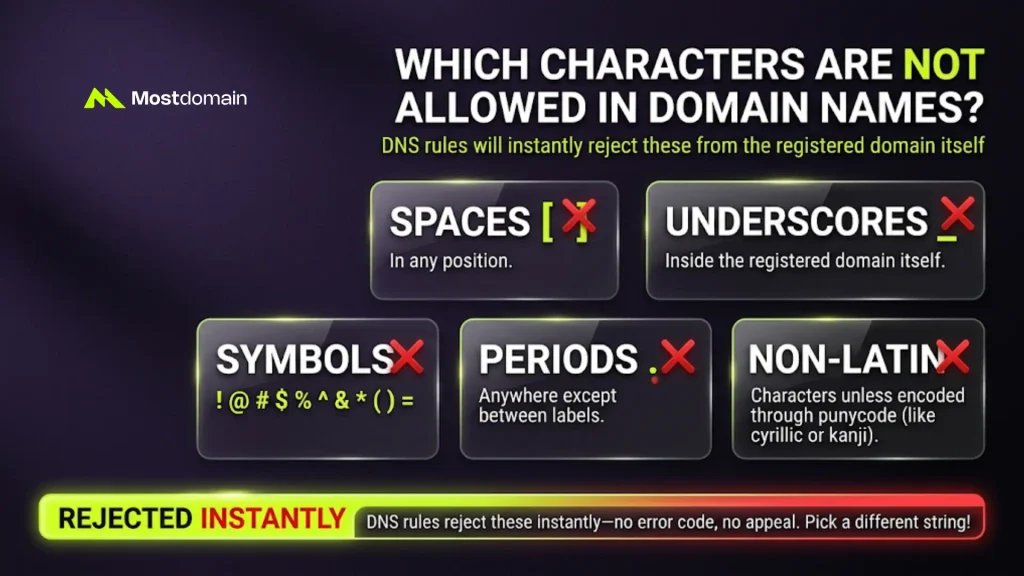
Spaces, underscores, most symbols, and unencoded non-Latin characters are the main culprits. Here’s the full list.
- Spaces, in any position
- Underscores, inside the registered domain itself
- Symbols like
! @ # $ % ^ & * ( ) = - A period anywhere except between labels
- Non-Latin characters, unless encoded through punycode
These rules come from DNS, not any single registrar. Break one, and most systems reject the name instantly. No error code. No appeal. Just a different string, please.
What Characters Are Allowed in a Domain Name?
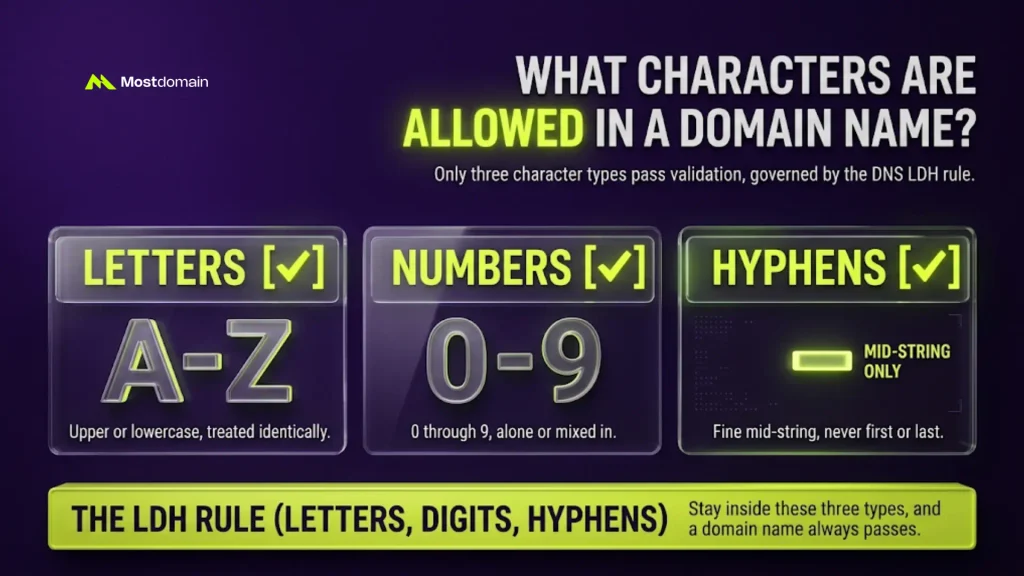
Letters, Numbers, and Hyphens
Only three character types pass validation: letters, numbers, and hyphens. Nothing else clears the check.
- Letters: upper or lowercase, treated identically
- Numbers: 0 through 9, alone or mixed in
- Hyphens: fine mid-string, never first or last
This is the LDH rule, short for letters-digits-hyphens. It governs every standard label, everywhere. Stay inside these three types, and a name always passes.
Can Domain Names Contain Spaces?
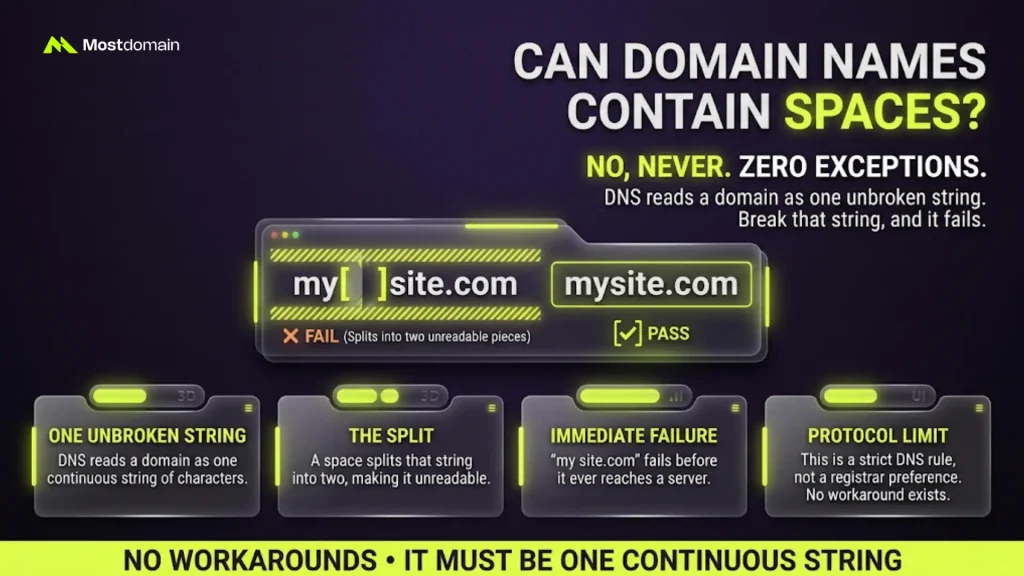
No, a domain name can never contain a space. That rule has zero exceptions.

- DNS reads a domain as one unbroken string
- A space splits that string into two unreadable pieces
- “my site.com” fails before it ever reaches a server
That’s a protocol limit, not a registrar preference. No workaround exists.
Can Domain Names Contain Underscores?
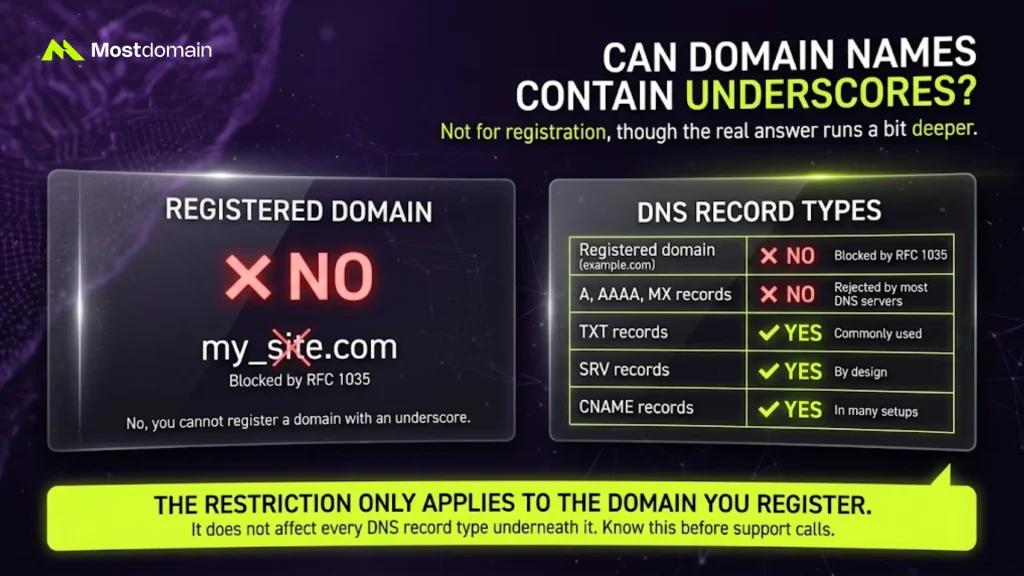
Not for registration, though the real answer runs a bit deeper.
| Where It Shows Up | Underscore Allowed? |
|---|---|
| Registered domain name (example.com) | No, blocked by RFC 1035 |
| TXT records | Yes, commonly used |
| SRV records | Yes, by design |
| CNAME records | Yes, in many setups |
| A, AAAA, and MX records | No, rejected by most DNS servers |
The restriction applies to the domain you register. It doesn’t touch every record type underneath it. Worth knowing before a confusing support call.




Can Domain Names Contain Symbols or Special Characters?
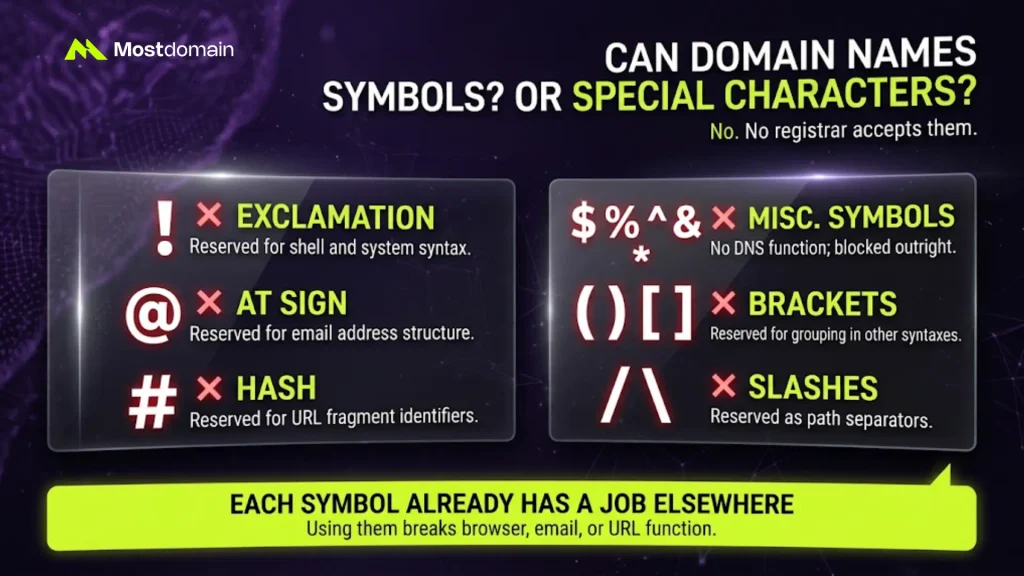
No registrar accepts symbols such as !, @, #, or %.
| Blocked Symbol | Why It Fails |
|---|---|
| ! (exclamation) | Reserved for shell and system syntax |
| @ (at sign) | Reserved for email address structure |
| # (hash) | Reserved for URL fragment identifiers |
| $ % ^ & * | No defined DNS function; blocked outright |
| ( ) [ ] | Reserved for grouping in other syntaxes |
| / \ | Reserved as a path separator |
Each symbol already works a job elsewhere. Think URLs, email addresses, browser syntax. Letting it into a domain name breaks that other function.
Can Domain Names Contain Emojis?
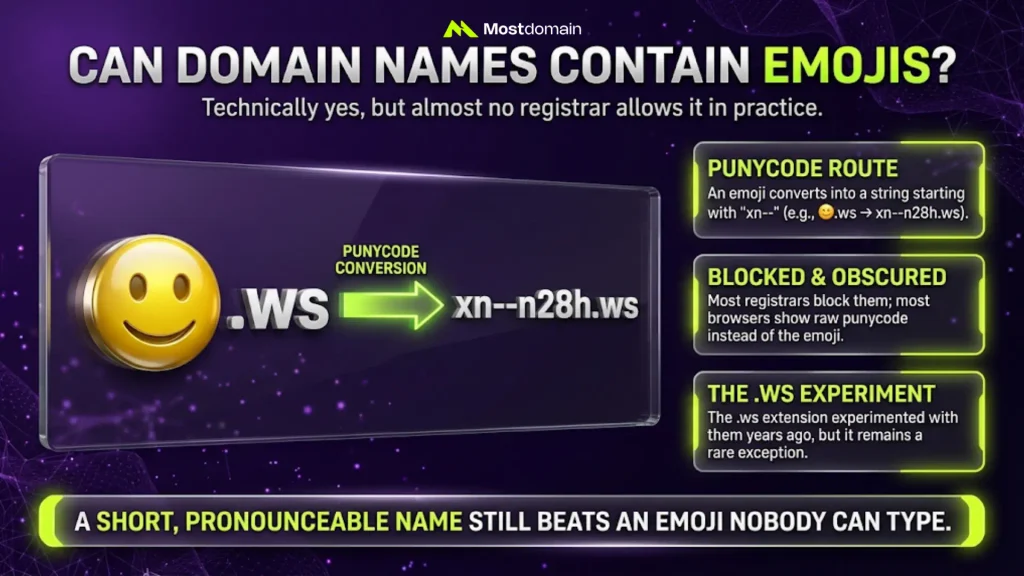
Technically yes, but almost no registrar actually allows it in practice.
- Emoji domains route through punycode, the system used for accents too
- A smiley face converts into a string starting with “xn--“
- The .ws extension experimented with emoji registration years ago
- Most registrars block it; most browsers show raw punycode instead
A short, pronounceable name still beats an emoji nobody can type.
Domain Name Character Restrictions by Length and Position
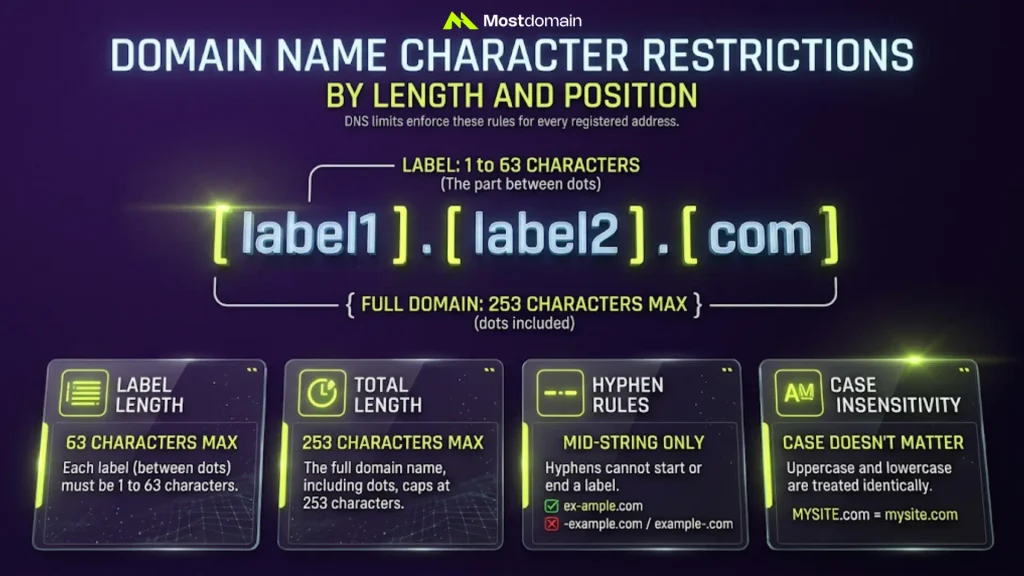
Each label runs from 1 to 63 characters, with 253 total.
- Each label, the part between dots, caps at 63 characters
- The full domain caps at 253 characters, dots included
- Hyphens can’t open or close a label
- Case doesn’t matter; MYSITE.com and mysite.com resolve the same
Most real names stay far under these ceilings anyway. The character set is the real constraint, not the length.
Why These Domain Name Naming Rules Exist (DNS Naming Conventions)
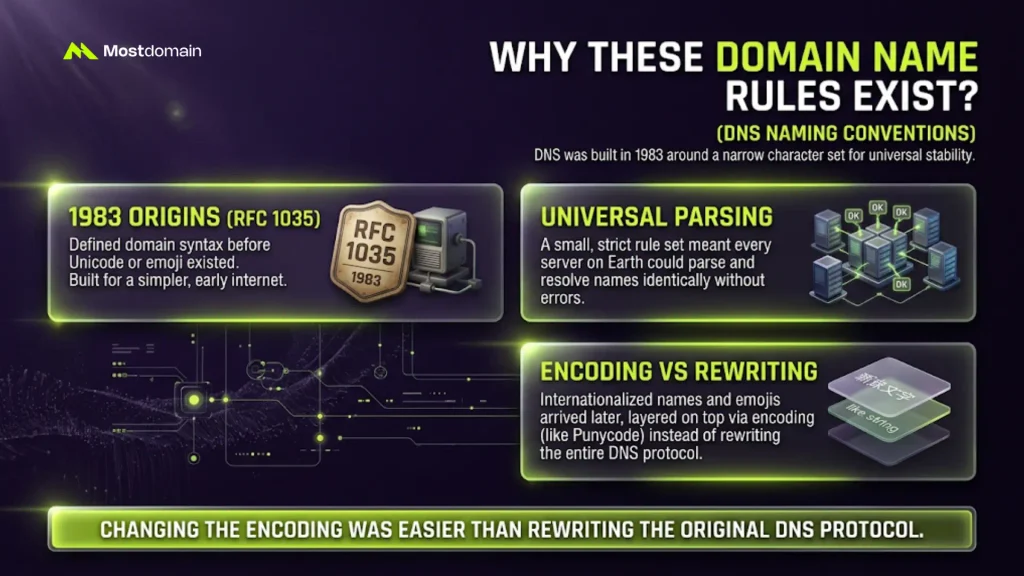
These rules exist because DNS was built in 1983 around a narrow character set.
- RFC 1035 defined domain syntax before Unicode or emoji existed
- A small rule set meant every server could parse names identically
- Internationalized names arrived later, through a separate encoding layer
Changing the encoding was easier than rewriting the original rule. For the bigger picture of how names get resolved at all, our Domain Name System overview breaks down the full lookup process.
Domain Name Registration Rules and Character Requirements
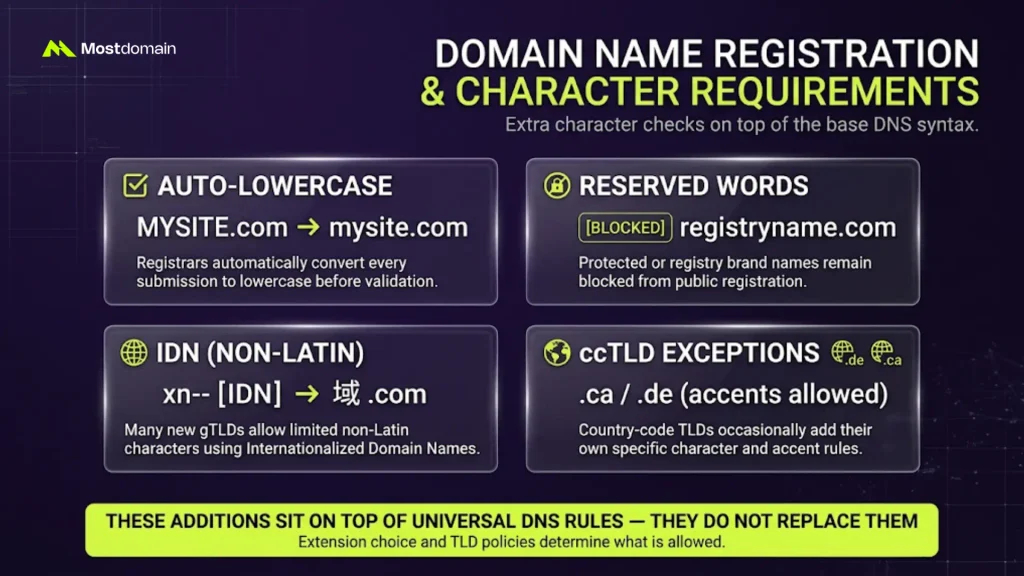
Registration adds a few extra character checks on top of the base DNS syntax.
- Registrars auto-lowercase every submission before validation runs
- Reserved words, like a registry’s own brand name, stay blocked
- Some new gTLDs allow limited non-Latin characters through IDN
- ccTLDs occasionally add their own character exceptions, such as accents
These additions sit on top of the universal rules above; they don’t replace them. Extension choice matters here too, since some TLDs carry their own character policy. For the full eligibility and policy picture beyond characters, see our complete guide to domain registration rules and restrictions.
What Happens With an Invalid Domain Name Format?
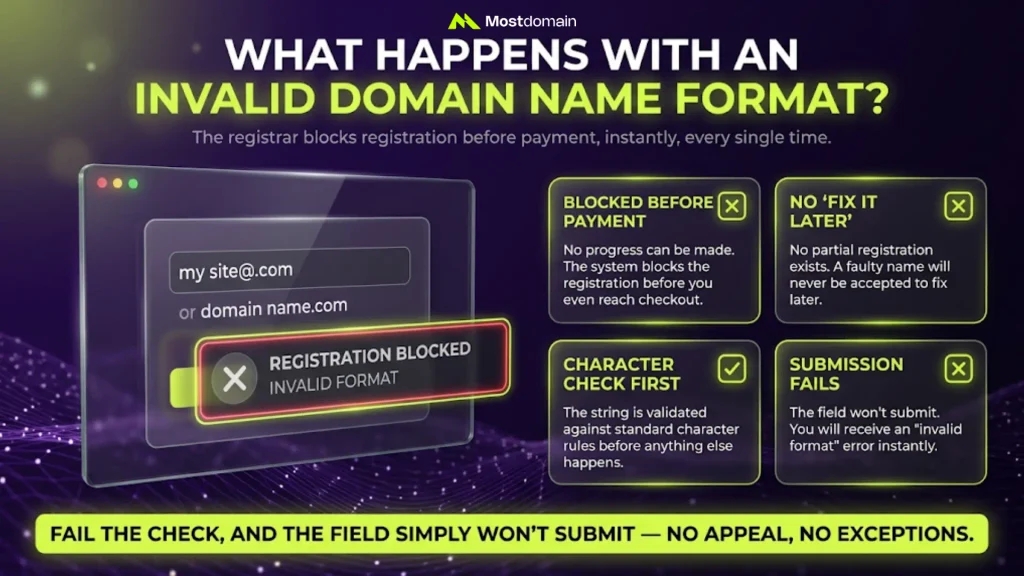
The registrar blocks registration before payment, instantly, every single time.
- No partial registration and no “fix it later” option exists
- The system checks the string against character rules first
- Fail that check, and the field simply won’t submit
- Most registrars return a short “invalid format” message right away
How to Check If a Domain Name Format Is Valid
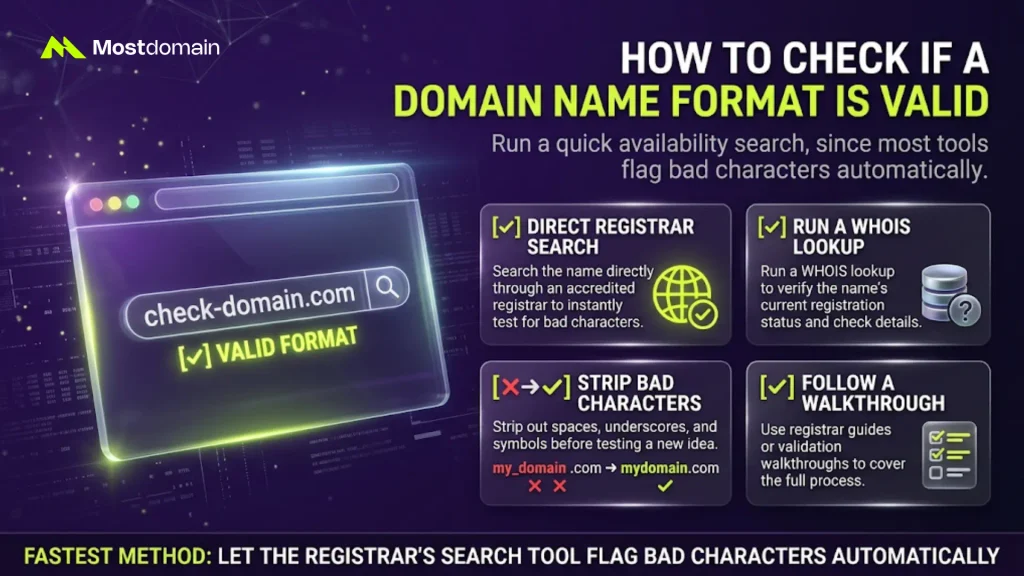
Run a quick availability search, since most tools flag bad characters automatically.
- Search the name directly through an accredited registrar
- Run a WHOIS lookup to confirm a name’s current status
- Strip spaces, underscores, and symbols before testing a new idea
- Follow our walkthrough on how to check if a domain name is available for the full process
Valid vs Invalid Domain Name Examples
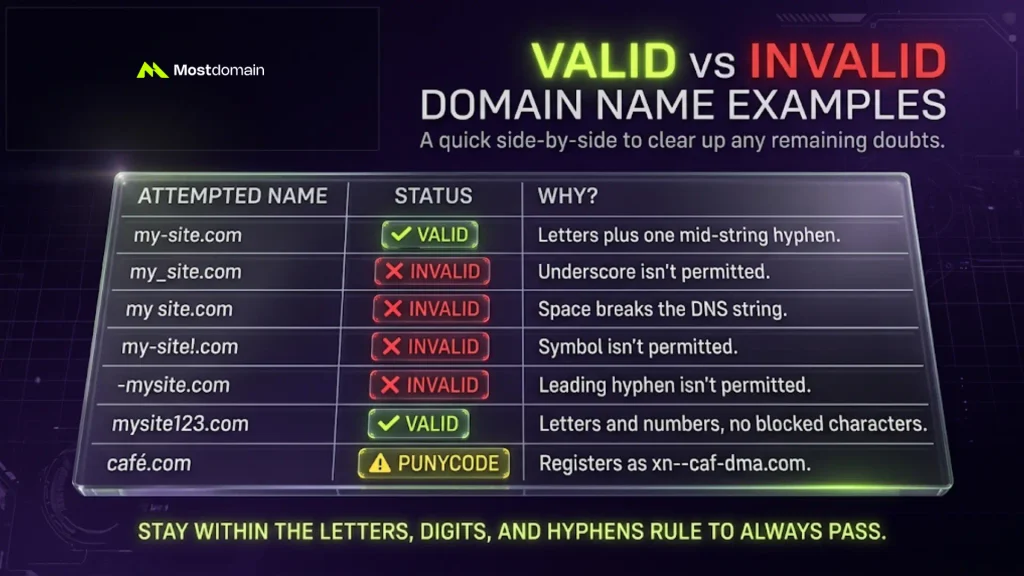
A quick side-by-side usually clears up the remaining doubts.
| Attempted Name | Valid? | Why |
|---|---|---|
| my-site.com | Valid | Letters plus one mid-string hyphen |
| my_site.com | Invalid | Underscore isn’t permitted |
| my site.com | Invalid | Space breaks the DNS string |
| my-site!.com | Invalid | Symbol isn’t permitted |
| -mysite.com | Invalid | Leading hyphen isn’t permitted |
| mysite123.com | Valid | Letters and numbers, no blocked characters |
| café.com | Needs punycode | Registers as xn--caf-dma.com |
FAQ
Can a domain name start with a number?
Yes. Numbers can open, close, or fill an entire label freely.
Can a domain name start or end with a hyphen?
No. Hyphens are blocked from the first and last position.
Are domain names case-sensitive?
No. Uppercase and lowercase letters always resolve the identical address.
Can I register a domain name with accented letters?
Only through punycode encoding, and browser support still varies.
Why does my domain registration keep getting rejected?
Usually a blocked character. Check first for spaces, underscores, or symbols.
References
- IETF, RFC 1035: Domain Names – Implementation and Specification
- SSL.com, Underscores Not Allowed in Domain Names
- 101domain, Domain Name Rules: What’s Allowed in a Registration
- Infomaniak, Discover the Allowed Characters for a Domain Name
- IETF, RFC 2782: A DNS RR for Specifying the Location of Services