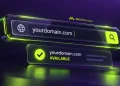

The WHOIS Lookup is an excellent tool to find out who is behind a website and how to register a website. If you want to start a new business and you want to find all the resources you can to protect your interests, the WHOIS Lookup provides all the information you need to discover who your competitors are.
Because of how fast the internet and digital technology have evolved, it is important to use a WHOIS Lookup to ensure that a website is legitimate, to find out what websites are worth (domain speculation), and to determine if a website is dangerous.
Because of the advanced technology, using a WHOIS Lookup can seem complicated. This guide will describe how WHOIS Lookups work and what information is disclosed and how to use them properly.
What Is WHOIS Lookup?
A WHOIS Lookup functions as a public-access directory querying the current state of registered domains. Derived from the simple inquiry “Who is responsible for this domain?”, this database system anchors the transparency of the global internet.
Originally, these databases provided a unified ledger to assist network administrators in resolving connectivity errors. Every registry, which governs extensions like .com or .net, and every registrar, which manages the actual client registration, feeds information into this global repository.
Key Information Typically Found in a WHOIS Lookup
Data points vary, but a standard search usually returns these specific records:

| Data Type | Description |
| Domain Owner | Identity of the registrant |
| Registrar | The entity managing the domain contract |
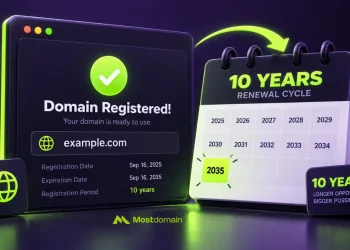
| Registration Date | The point of creation |
| Expiration Date | The contract cutoff point |
| Name Servers | The infrastructure directing traffic |
| Status Codes | Security and transfer locks |
How WHOIS Lookup Works
When you execute a WHOIS Lookup, the interface sends a request across the registry-registrar ecosystem. The system aggregates scattered snippets of data into a coherent record.
Governance bodies like ICANN dictate the framework for this data management. Note that while some records are comprehensive, privacy layers often obscure specific contact details, reflecting modern compliance standards.
The Basic WHOIS Lookup Process
- Input the target domain string.
- Trigger the database query.
- Extract registration logs.
- Visualize public domain identifiers.
- Verify administrative and technical metadata.
Why WHOIS Lookup Is Important
Reliable intelligence minimizes business risk. Investors frequently run a WHOIS Lookup to scrutinize the history of a domain before dropping capital, ensuring the asset lacks a history of blacklisting. Likewise, organizations deploy these tools to identify the architects of phishing schemes or trademark infringements.


Benefits of WHOIS Lookup for Businesses and Website Owners
- Confirming official ownership.
- Mapping out competitor infrastructure.
- Defending brand integrity.
- Tracking renewal timelines.
- Flagging fraudulent portals.
- Executing comprehensive due diligence.
Benefits of WHOIS Lookup for Domain Investors
- Investigating historical ownership shifts.
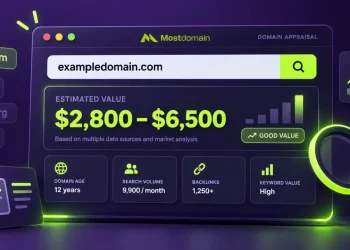
- Judging the worth of potential acquisitions.
- Establishing direct communication lines with owners.
- Calculating domain seniority.
- Assessing the liquidity of a portfolio.
What Information May Be Hidden in WHOIS Records?
Privacy mandates like the GDPR have fundamentally altered how the WHOIS Lookup displays personal data. Today, many registrants replace their private details with masked, proxy-based information.
WHOIS Privacy Protection Explained
| Public Record | Private Record |
| Ownership details visible | Data remains masked |
| Direct communication | Proxy shielding |
| Transparent access | Enhanced anonymity |
| Immediate verification | Personal safety |
What is a WHOIS Lookup?
Doing a WHOIS Lookup is nearly instantaneous by visiting one of many databases. Enter a domain name into a field and press enter. Interpret results with caution. Understand that the true owner may be obscured by a privacy service.
WHOIS Lookup Process
- Enter a domain into a legitimate Lookup tool.
- Perform any CAPTCHA.
- Evaluate registry status.
- Analyze ownership along with technical logs.
- What to Look Out for During a WHOIS Lookup
- Do not interpret privacy protected records as blank.
- Do not assume privacy means bad intent.
- Do not ignore notable status codes.
- Watch for the domain expiration date along with other codes.
- Do not use outdated third-party databases.
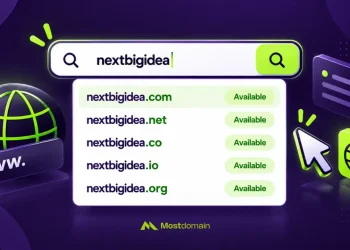
WHOIS Lookup vs Domain Availability Search
Do not conflate these tools. A WHOIS Lookup inspects existing, occupied domains. An availability search checks if a domain remains unpurchased and ready for registration.
| Feature | WHOIS Lookup | Domain Availability Search |
| Ownership Visibility | Yes | No |
| Registration History | Yes | No |
| Availability Check | Limited | Primary function |
| Registrar Data | Yes | No |
| Acquisition Research | Deep | Minimal |
WHOIS Lookup and Cybersecurity
Security teams treat the WHOIS Lookup as a primary forensic instrument. By mapping patterns across registration dates and name server configurations, defenders identify coordinated botnets or phishing rings. This intelligence proves unmatched during incident response.
Common Security Applications
- Forensic phishing analysis.
- Automated fraud flagging.
- Corporate brand defense.
- Rapid incident mitigation.
- Threat intelligence aggregation.
FAQs
What is a WHOIS Lookup used for?
It is used to find answers for questions around who registered a domain and who manages its details.
Is WHOIS Lookup free?
It is free to look up most WHOIS details.
Can I see the owner of any domain through a WHOIS Lookup?
No; many domains use privacy protection.
Why is some WHOIS information hidden?
The need to comply with laws like the GDPR mean many WHOIS records must be kept private.
Is WHOIS Lookup legal?
Yes. It is a legal and normal part of using the internet.
How accurate is WHOIS information?
It is as accurate as the domain owner is honest to the registrar.
What is the difference between WHOIS and domain registration records?
WHOIS is the public display and registration records are the registrar’s private records.
Final Thoughts
If you’re a serious digital operator, using WHOIS Lookup is essential. It balances anonymity and transparency. Whether you are looking at your own assets or the assets of others, using this lookup thoroughly will prevent fraud and help you find opportunities. Make this search a crucial requirement of your digital routine. The first step to accuracy is to gather the facts.
References
- Internet Corporation for Assigned Names and Numbers (ICANN). (n.d.). WHOIS and RDAP. Retrieved June 2, 2026, from https://www.icann.org/resources/pages/WHOIS-rdap-en
- Internet Corporation for Assigned Names and Numbers (ICANN). (n.d.). About WHOIS. Retrieved June 2, 2026, from https://www.icann.org/resources/pages/WHOIS-2012-02-25-en
- Internet Engineering Task Force (IETF). (2004). RFC 3912: WHOIS protocol specification. https://doi.org/10.17487/RFC3912
- Internet Engineering Task Force (IETF). (2015). RFC 7480: HTTP usage in the Registration Data Access Protocol (RDAP). https://doi.org/10.17487/RFC7480
- European Parliament and Council of the European Union. (2016). Regulation (EU) 2016/679 (General Data Protection Regulation). Official Journal of the European Union. https://eur-lex.europa.eu/eli/reg/2016/679/oj
- Internet Assigned Numbers Authority (IANA). (n.d.). Root zone database. Retrieved June 2, 2026, from https://www.iana.org/domains/root/db
- VeriSign, Inc. (n.d.). Domain name industry brief. Retrieved June 2, 2026, from https://www.verisign.com/en_US/domain-names/dnib/index.xhtml
- Internet Society. (n.d.). Domain Name System (DNS) explained. Retrieved June 2, 2026, from https://www.internetsociety.org/deploy360/dns
- Internet Corporation for Assigned Names and Numbers (ICANN). (n.d.). Registration Data Access Protocol (RDAP). Retrieved June 2, 2026, from https://www.icann.org/rdap
- National Institute of Standards and Technology (NIST). (2024). Cybersecurity framework 2.0. https://www.nist.gov/cyberframework