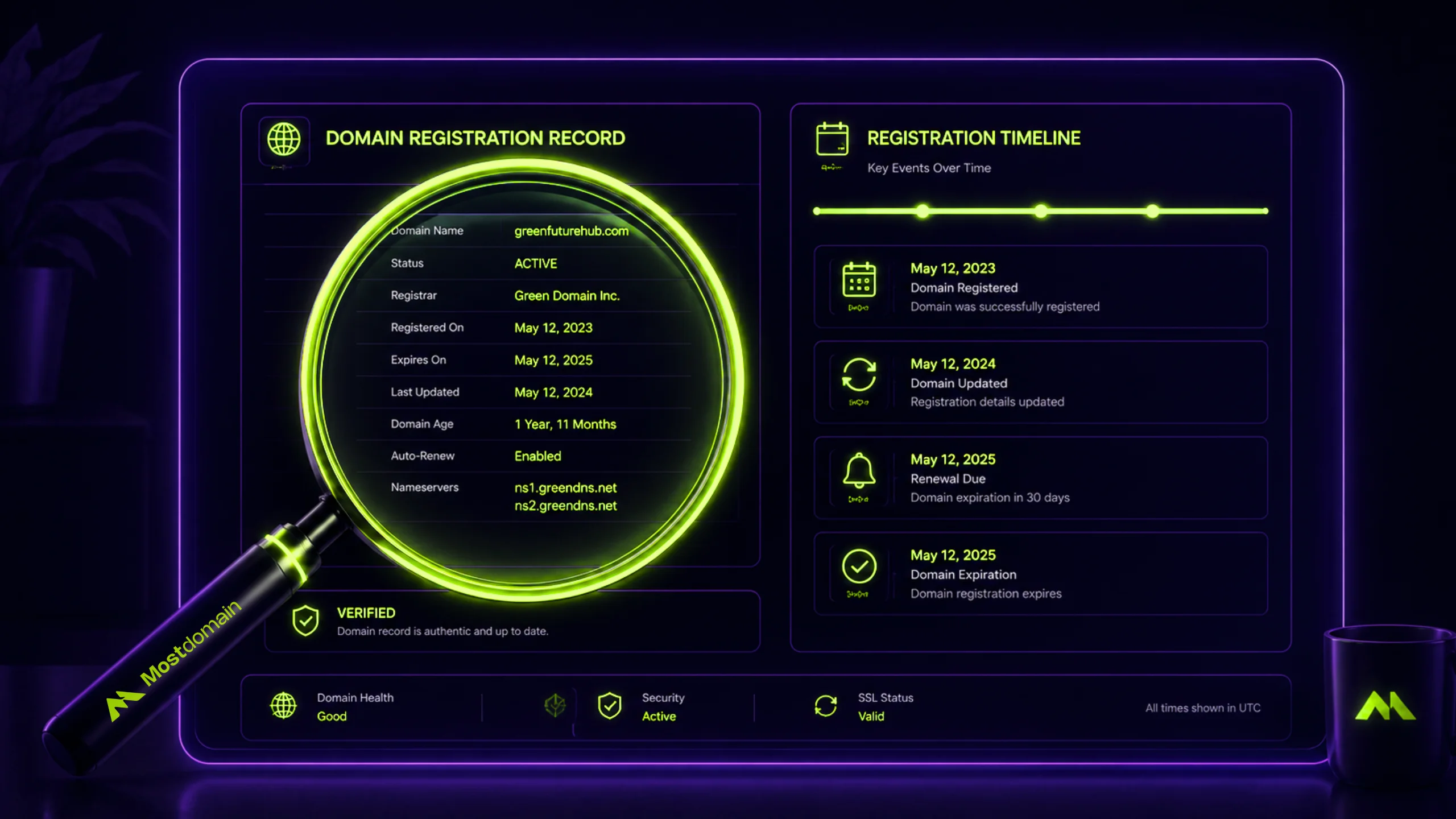
Run three checks If you want to check domain age accurately:
- WHOIS lookup for the official registration date
- Wayback Machine search for when real content first appeared
- DNS or hosting history check to see if the domain changed hands along the way.
Any single method used alone can mislead you, especially when you’re evaluating a domain someone else owned first.
That gap matters more than it sounds. A domain can show a 2009 registration date and still be practically brand new in terms of usable history, if it dropped and got re-registered last year. Learning how to check domain age properly, instead of trusting whatever a free tool spits out, is the difference between buying a genuine asset and buying a number.
What Domain Age Actually Means
Domain age isn’t one number. It’s at least three overlapping timestamps, and most checker tools only ever show you one of them.
| Type of Age | What It Actually Measures | Where to Check It |
| Registration age | Time since the domain name was first registered, by anyone | WHOIS / RDAP lookup |
| Content age | When live, indexable content first appeared on that domain | Wayback Machine (Search Console if you own it) |
| Ownership continuity | Whether the domain was held continuously or dropped and got re-registered | WHOIS history plus gaps in Wayback snapshots |
Most free domain age checker tools report registration age only, because that’s the field WHOIS exposes directly. The other two take a bit more digging. That’s exactly where the mistakes creep in. And it’s where most buyers stop looking.
How to Check Domain Age With a WHOIS Lookup
A WHOIS lookup is the fastest starting point. And it takes under a minute once you know which field to read.

- Open a WHOIS or RDAP lookup tool. ICANN’s own Lookup service works fine. Most registrars offer one too.
- Enter the domain without “http://” or “www.”
- Find the Creation Date or “Registered On” field. Don’t confuse it with “Updated Date”.
- Note the registrar name as well. Certain discount registrars see a disproportionate amount of drop-catching activity. Which is a small but useful signal.
- If the record shows “Redacted for Privacy,” the owner is using standard GDPR-style protection. That’s doesn’t affect the age reading itself.
What WHOIS won’t tell you is who actually used the domain. Or between that creation date and today. It only confirms that someone, not necessarily the current owner, first claimed the name.
Verifying Real History With the Wayback Machine
The Wayback Machine fills the gap WHOIS leaves open. An actual visual record of what a domain looked like over time. Not just a registration timestamp.
- Open web.archive.org and paste in the domain.
- Compare the earliest available snapshot against the WHOIS creation date. A gap of a few months is normal; sites usually go live sometime after registration.
- Scroll through snapshots year by year and check whether the content looks continuous, or whether there are gaps of a year or more with nothing archived.
- Watch for an abrupt jump from a parked page, or a completely unrelated niche, straight into the current content. That pattern usually marks a change of ownership.
One quick note here, since it still trips people up: older guides sometimes suggest typing “cache:domain.com” into Google to see an old version of a page. That stopped working entirely after Google fully retired the cache operator in September 2024, according to Search Engine Land’s coverage at the time. The Wayback Machine is now the only practical option for this kind of check, and Google itself links there instead.




Why the WHOIS Creation Date Can Lie to You
The creation date can mislead you because domains get reset. When a domain expires and nobody renews it, ICANN policy will gives it a 30-day Redemption Grace Period. Followed by a 5-day pending-delete window. Its giveb before it’s released back to the public for anyone to register.
Once someone new claims it, the domain’s real usable history effectively restarts, even though it’s still marketed, sometimes, as an “aged domain” based on how long ago the name itself was first coined. A few signs point to this kind of reset:
- The WHOIS creation date is much older than the earliest usable Wayback snapshot
- Long blank stretches, two years or more, between snapshots with no archived content
- The registrar is one heavily associated with drop-catch or expired-domain auction and marketplaces services
- Wayback content jumps from an unrelated niche to the current one with no transition period
None of this means the domain is worthless. It just means the age number by itself was never telling the full story.
Cross-Checking Domain Age Before You Rely On It
Trust a domain age reading only after at least two independent sources agree. Since any single method can be reset, redacted, or simply wrong.
| Method | Confirms | Best Used For |
| WHOIS / RDAP | Official registration date | Fast first-pass screening |
| Wayback Machine | Actual content history and gaps | Catching a reset disguised as an old domain |
| DNS / hosting history tools | Hosting changes and ownership transitions | Spotting hidden transfers WHOIS won’t show |
Running all three doesn’t take long once it’s a habit. Skipping any one of them is usually how someone ends up paying an aged-domain premium for a domain that reset eighteen months ago.
Trust the Pattern, Not the Single Number
A domain that tells a consistent story across WHOIS, Wayback, and DNS history is worth more than one with an impressive creation date and nothing backing it up. That consistency says more about a domain’s real value than any single “age” figure ever will.
If you’re checking domain age as part of buying one, the natural next step is looking at what actually built up during that history, its backlink profile, since a clean timeline with a toxic link history is still a bad deal.
FAQ
Can I check domain age for free?
Yes. WHOIS lookups and the Wayback Machine are both free and require no signup. Bulk or automated checker tools may charge for large batches. But a single domain check costs nothing.
Why does WHOIS show “Redacted for Privacy” instead of an owner’s name?
Most registrars apply privacy protection. By default, they are under GDPR and similar regulations. It hides personal contact details. But don’t worry. it still shows the creation date accurately. So it doesn’t interfere with an age check.
What’s the difference between domain age and website age?
Domain age is when the name was registered. Website age is when actual content went live on it. A domain can be ten years old with a website that only launched last month, which is exactly the gap a Wayback Machine check reveals.
Can domain age be faked or hidden?
Not exactly faked, but easily misread. A drop-and-re-register cycle resets a domain’s real usable history while the marketed “age” of the name can still sound impressive. Cross-checking WHOIS against Wayback snapshots is how you catch this.
How accurate are bulk domain age checker tools?
Reasonably accurate for the WHOIS registration date itself, since that’s pulled straight from the registry. Where they fall short is context: none of them tell you whether that history is continuous or whether the domain reset along the way.
References
- Search Engine Journal, “Google Answers If Domain Age Impacts Rankings”
- Search Engine Land, “Google Search completely kills the cache feature”
- ICANN, “About Redeeming a Domain Name in Redemption Grace Period”