
Mostdomain – Short answer: yes, redirecting a URL affects SEO. But the real story depends on execution. Some redirects protect rankings almost perfectly. Others quietly bleed traffic for months. The difference usually comes down to one setup choice, made right at the start.
Does Redirecting a URL Affect SEO? Quick Answer
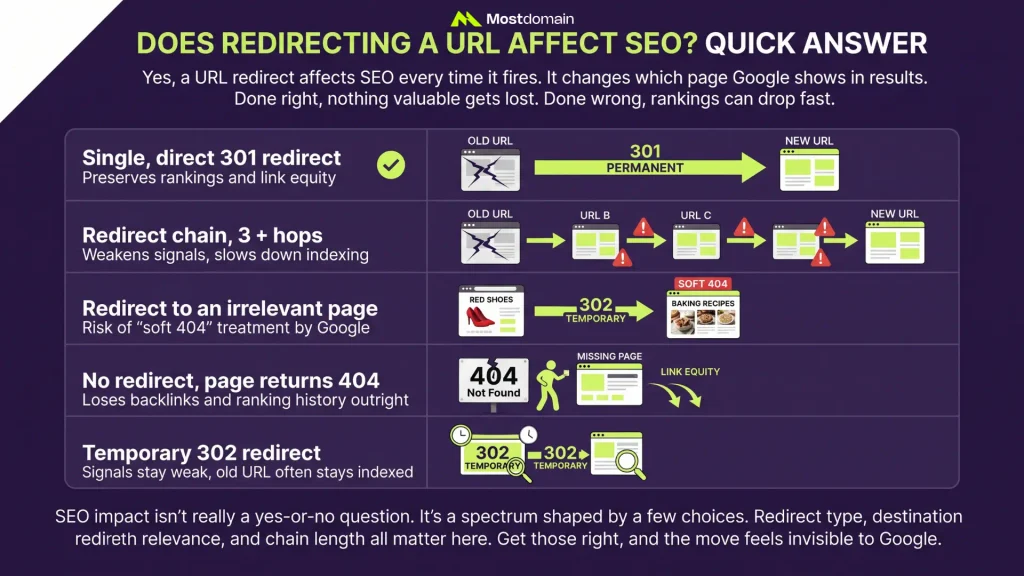
Yes, a URL redirect affects SEO every time it fires. It changes which page Google shows in results. It also changes how ranking signals move between pages. Done right, nothing valuable gets lost. Done wrong, rankings can drop fast.
| Scenario | SEO Impact |
| Single, direct 301 redirect | Preserves rankings and link equity |
| Redirect chain, 3+ hops | Weakens signals, slows down indexing |
| Redirect to an irrelevant page | Risk of “soft 404” treatment by Google |
| No redirect, page returns 404 | Loses backlinks and ranking history outright |
| Temporary 302 redirect | Signals stay weak, old URL often stays indexed |
SEO impact isn’t really a yes-or-no question. It’s a spectrum shaped by a few choices. Redirect type, destination relevance, and chain length all matter here. Get those right, and the move feels invisible to Google.
How Redirects Affect SEO Signals Behind the Scenes
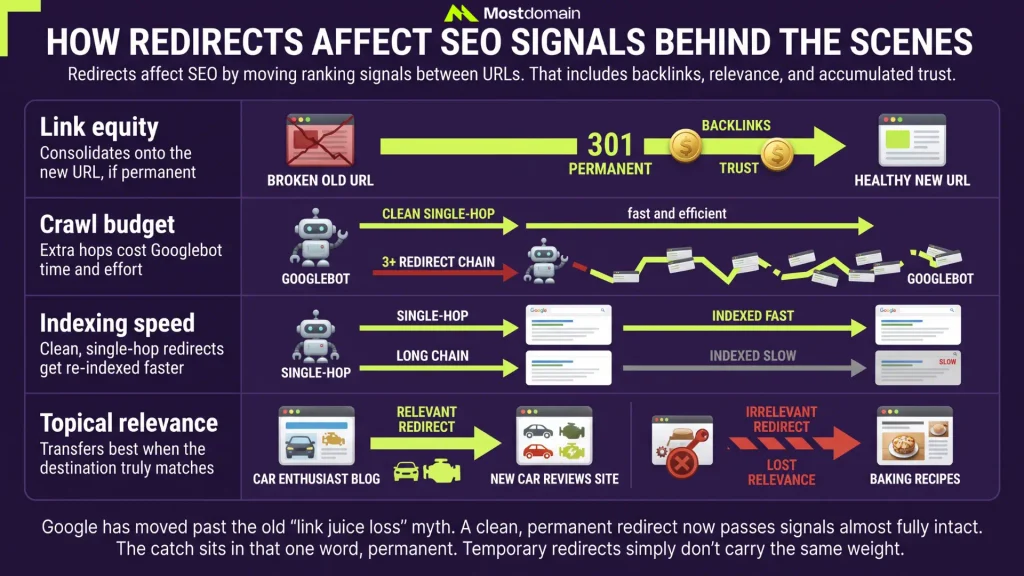
Redirects affect SEO by moving ranking signals between URLs. That includes backlinks, relevance, and accumulated trust.
| Signal | What Happens During a Redirect |
| Link equity | Consolidates onto the new URL, if permanent |
| Crawl budget | Extra hops cost Googlebot time and effort |
| Indexing speed | Clean, single-hop redirects get re-indexed faster |
| Topical relevance | Transfers best when the destination truly matches |
Google has moved past the old “link juice loss” myth. A clean, permanent redirect now passes signals almost fully intact. The catch sits in that one word, permanent. Temporary redirects simply don’t carry the same weight.
SEO-Friendly Redirects: Which Type Protects Rankings
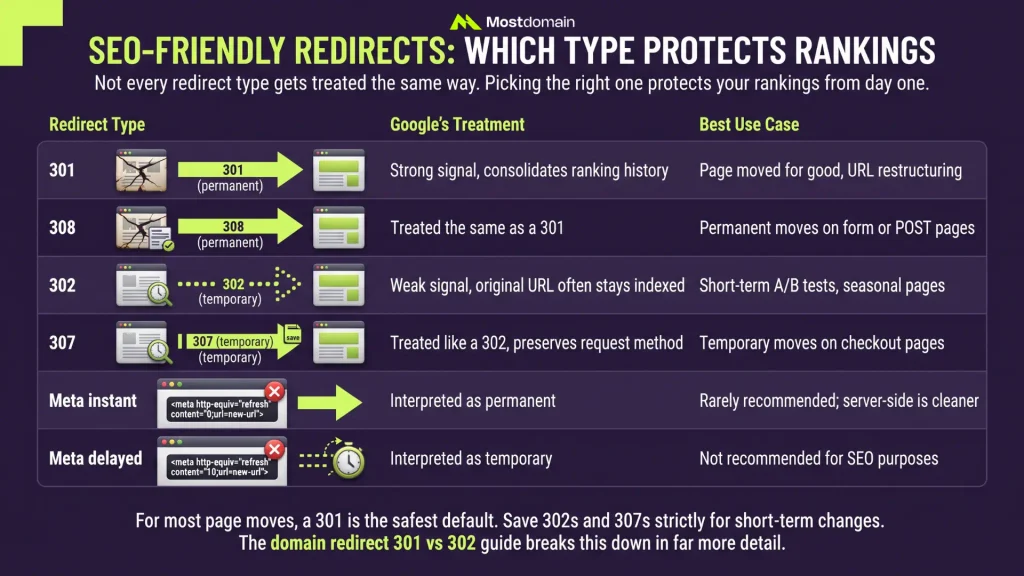
Not every redirect type gets treated the same way. Picking the right one protects your rankings from day one.

| Redirect Type | Google’s Treatment | Best Use Case |
| 301 (permanent) | Strong signal, consolidates ranking history | Page moved for good, URL restructuring |
| 308 (permanent) | Treated the same as a 301 | Permanent moves on form or POST pages |
| 302 (temporary) | Weak signal, original URL often stays indexed | Short-term A/B tests, seasonal pages |
| 307 (temporary) | Treated like a 302, preserves request method | Temporary moves on checkout pages |
| Meta refresh, instant | Interpreted as permanent | Rarely recommended; server-side is cleaner |
| Meta refresh, delayed | Interpreted as temporary | Not recommended for SEO purposes |
For most page moves, a 301 is the safest default. Save 302s and 307s strictly for short-term changes. The domain redirect 301 vs 302 guide breaks this down in far more detail.
URL Redirect Ranking Factors That Matter Most
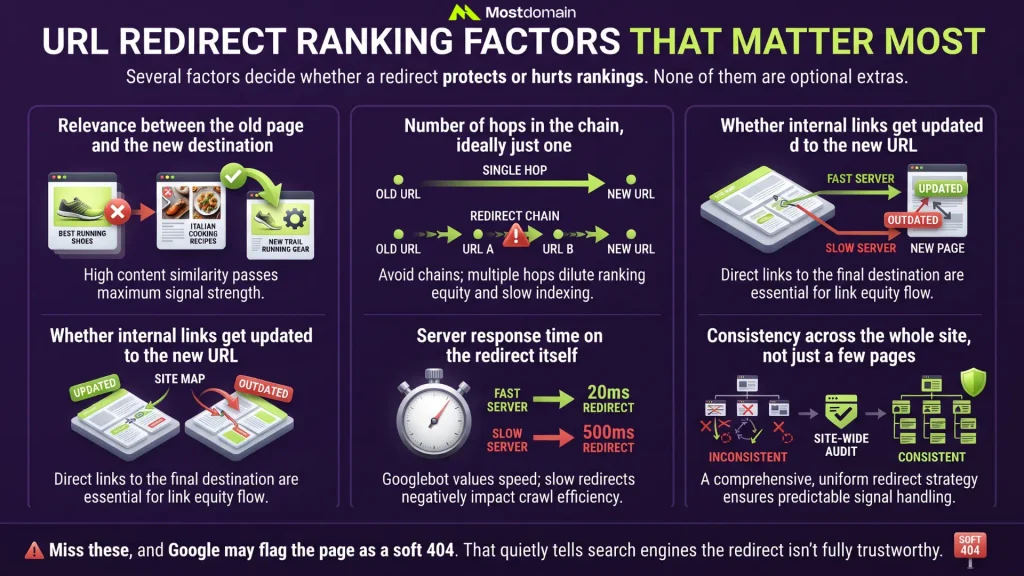
Several factors decide whether a redirect protects or hurts rankings. None of them are optional extras.
- Relevance between the old page and the new destination
- Number of hops in the chain, ideally just one
- Whether internal links get updated to the new URL
- Server response time on the redirect itself
- Consistency across the whole site, not just a few pages
Miss these, and Google may flag the page as a soft 404. That quietly tells search engines the redirect isn’t fully trustworthy.




Redirecting URLs and Search Rankings: What to Expect
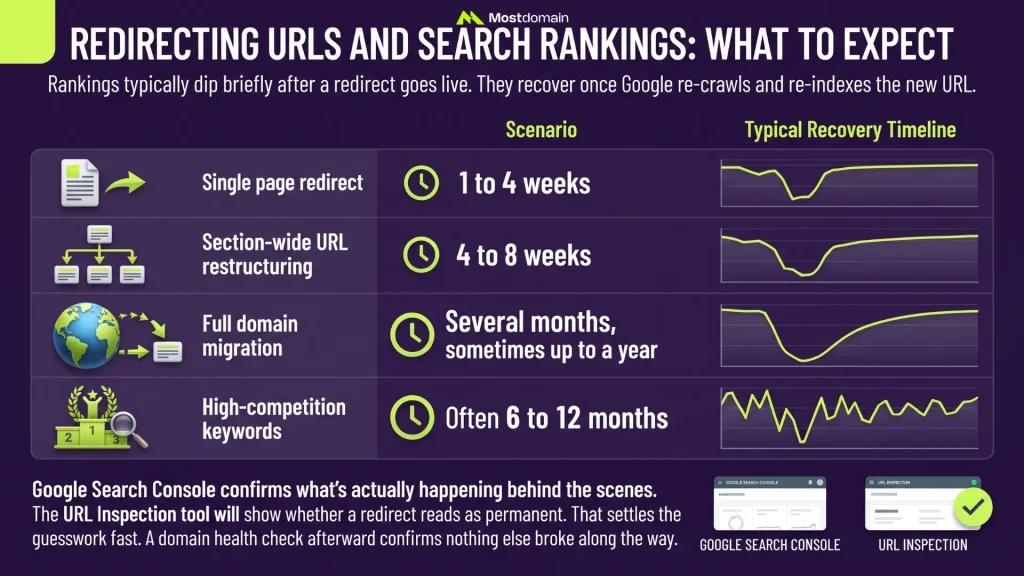
Rankings typically dip briefly after a redirect goes live. They recover once Google re-crawls and re-indexes the new URL.
| Scenario | Typical Recovery Timeline |
| Single page redirect | 1 to 4 weeks |
| Section-wide URL restructuring | 4 to 8 weeks |
| Full domain migration | Several months, sometimes up to a year |
| High-competition keywords | Often 6 to 12 months |
Google Search Console confirms what’s actually happening behind the scenes. The URL Inspection tool will show whether a redirect reads as permanent. That settles the guesswork fast. A domain health check afterward confirms nothing else broke along the way.
Website Redirects and SEO: Common Use Cases
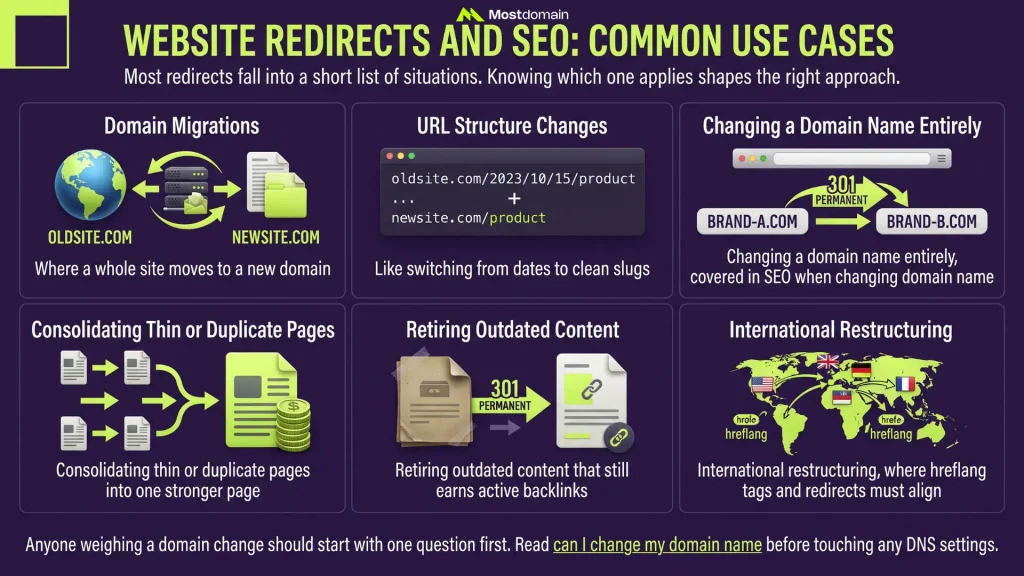
Most redirects fall into a short list of situations. Knowing which one that applies shapes the right approach.
- Domain migrations, where a whole site moves to a new domain
- URL structure changes, like switching from dates to clean slugs
- Changing a domain name entirely, covered in SEO when changing domain name
- Consolidating thin or duplicate pages into one stronger page
- Retiring outdated content that still earns active backlinks
- International restructuring, where hreflang tags and redirects must align
Anyone weighing a domain change should start with one question first. Read can I change my domain name before touching any DNS settings.
URL Redirection Best Practices to Protect Rankings
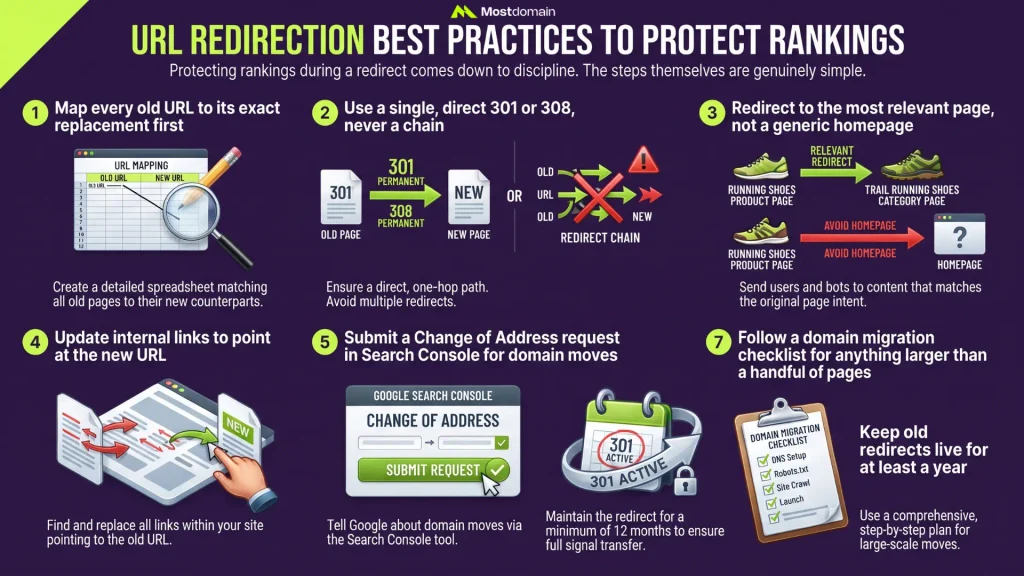
Protecting rankings during a redirect comes down to discipline. The steps themselves are genuinely simple.
- Map every old URL to its exact replacement first
- Use a single, direct 301 or 308, never a chain
- Redirect to the most relevant page, not a generic homepage
- Update internal links to point at the new URL
- Submit a Change of Address request in Search Console for domain moves
- Keep old redirects live for at least a year
- Follow a domain migration checklist for anything larger than a handful of pages
Redirect SEO Mistakes That Quietly Hurt Rankings
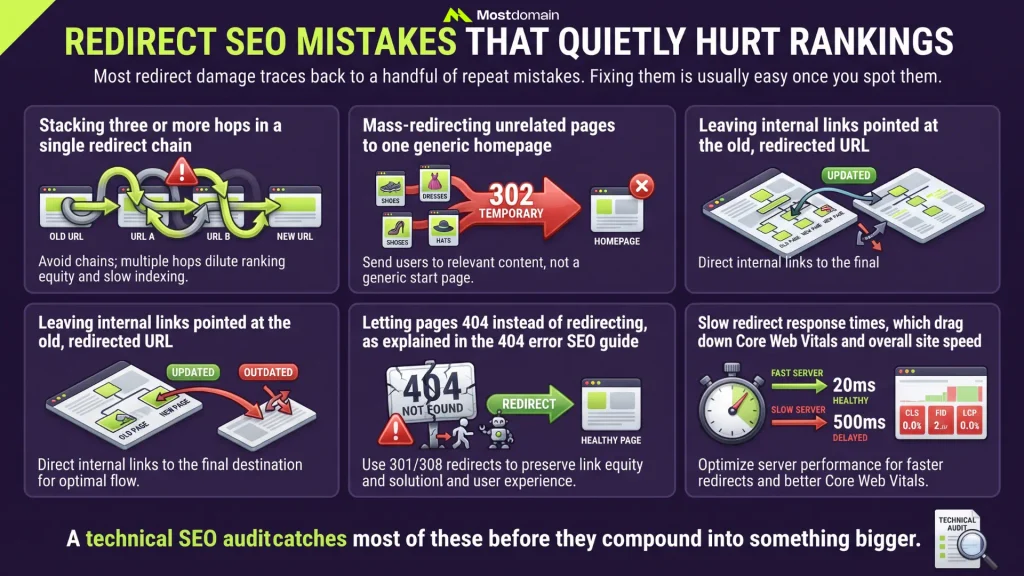
Most redirect damage traces back to a handful of repeat mistakes. Fixing them is usually easy once you spot them.
- Stacking three or more hops in a single redirect chain
- Mass-redirecting unrelated pages to one generic homepage
- Leaving internal links pointed at the old, redirected URL
- Letting pages 404 instead of redirecting, as explained in the 404 error SEO guide
- Slow redirect response times, which drag down Core Web Vitals and overall site speed
A technical SEO audit catches most of these before they compound into something bigger.
FAQ
Does redirecting a URL hurt SEO?
Not when it’s set up correctly. A single, relevant, permanent redirect protects rankings well. Chains and irrelevant destinations cause the real damage.
How many redirect hops is too many?
Keep it to one hop whenever possible. Google may abandon chains beyond three hops entirely.
Should I redirect a page or let it 404?
Redirect it if a relevant replacement exists somewhere. Otherwise, a clean 404 works fine too.
Does a 302 redirect pass full SEO value?
Not reliably, no. Google treats 302s as a weak, temporary signal only.
How do I check if Google reads my redirect correctly?
Use the URL Inspection tool inside Search Console. It shows the exact treatment Google applies.
References
- Google Search Central, Types of Redirects and Their SEO Effects
- Search Engine Journal, How Redirecting URLs Can Impact SEO
- Ahrefs, 302 Redirects for SEO: Which Should You Use?
- DYNO Mapper, Redirection and the Impact on SEO Rankings
- Rankability, Are 301 Redirects a Google Ranking Factor?