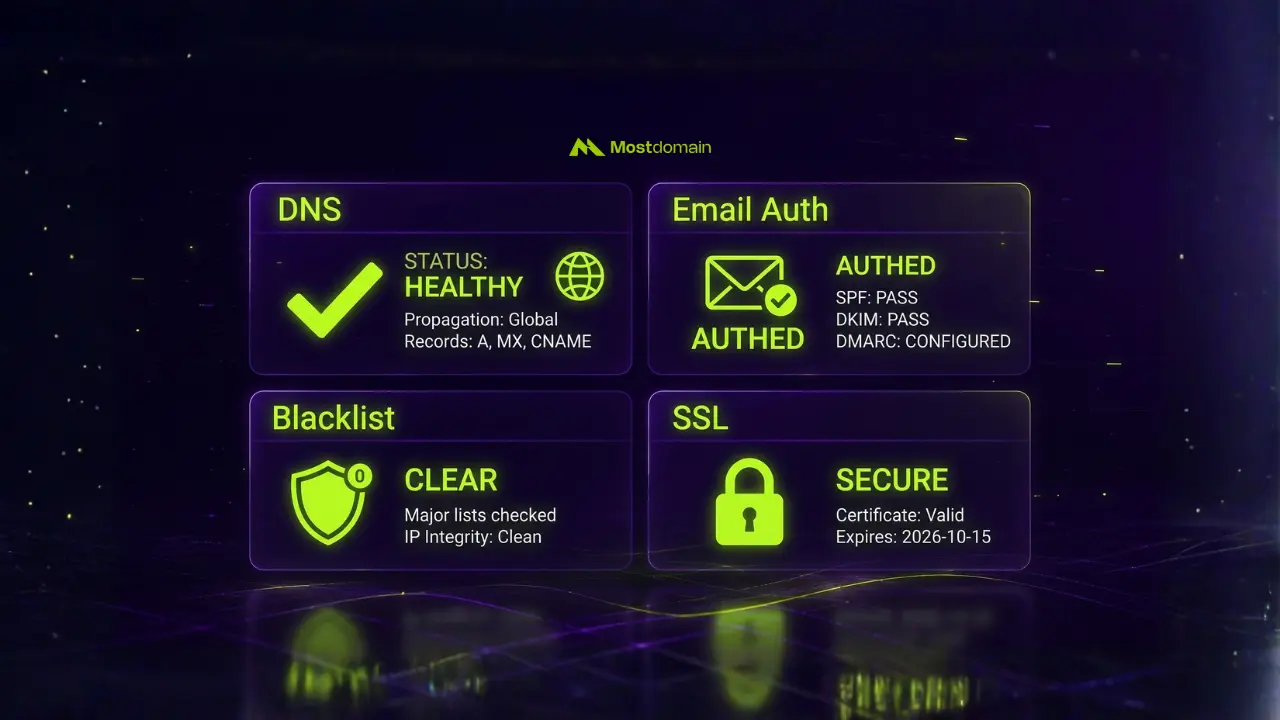
Four things determine domain health: DNS that resolves the way it should, email authentication configured correctly, a clean blacklist record, and SSL/security settings that are genuinely locked down, not just assumed to be. Miss one, and the domain can look perfectly fine on the surface while it quietly bleeds traffic, email deliverability, or trust underneath.
Most guides flatten this into a checklist: check DNS, check SPF, check blacklist, done. Fine as far as it goes. What it skips is the harder question, which issue to fix first when three things break at once. That’s really what this guide is for: the full diagnostic, plus the triage logic most checklists leave out.
What Is Domain Health Actually Means (and What It Doesn’t)
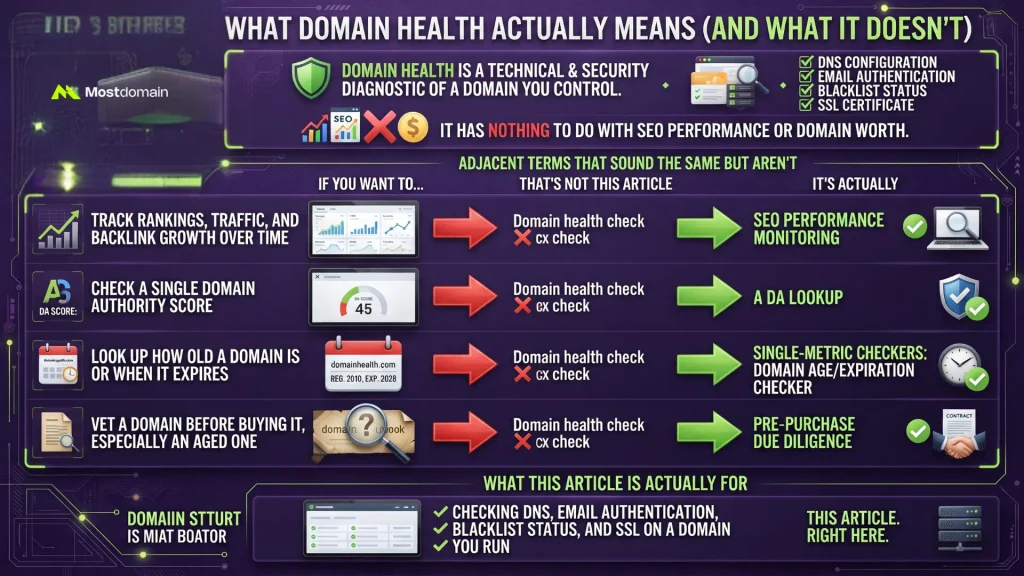
Technical and security diagnostic, that’s what a domain health check actually is: DNS, email authentication, blacklist status, and SSL on a domain you already control. It has nothing to do with SEO performance or what the domain would be worth to buy.
People mix this up constantly, and it’s not really their fault, a handful of adjacent terms all sound like they should mean the same thing. They don’t, not even close.
| If You Want To… | That’s Not This Article | It’s Actually |
| Track rankings, traffic, and backlink growth over time | Domain health check | SEO performance monitoring, covered in Domain Analytics: Tracking Your Domain Performance |
| Check a single Domain Authority score | Domain health check | A DA lookup, covered in What Is Domain Authority (DA) and How to Improve It |
| Look up how old a domain is or when it expires | Domain health check | Single-metric checkers: Domain Age Checker or Domain Expiration Checker |
| Vet a domain before buying it, especially an aged one | Domain health check | Pre-purchase due diligence, covered in The Aged Domain Audit Checklist That Actually Holds Up |
| Check DNS, email auth, blacklist, and SSL on a domain you run | This article | Right here |
How to Check Domain Health for DNS Configuration
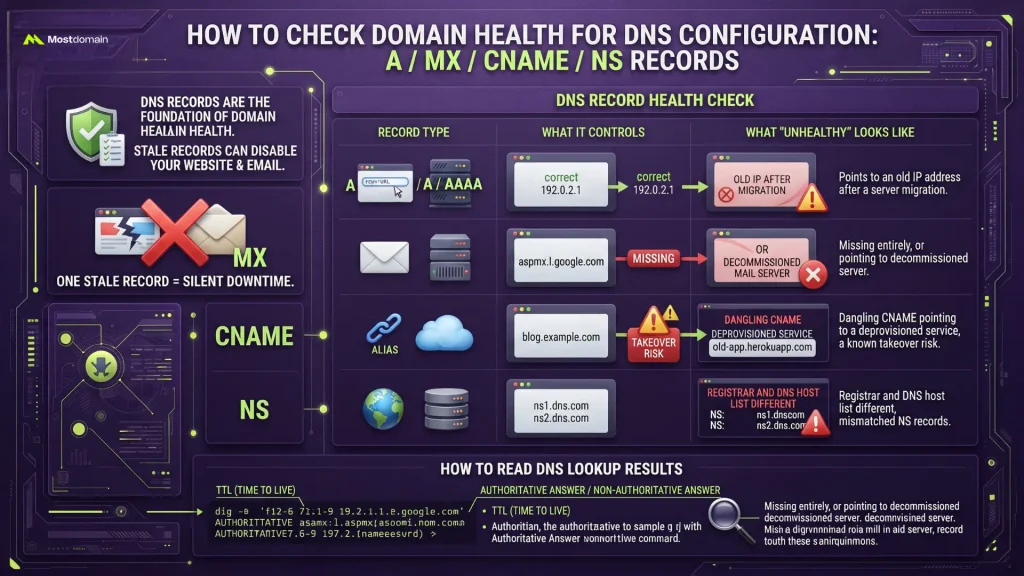
DNS sits at the base of domain health: A, MX, CNAME, and NS records all need to resolve correctly and point where they’re actually supposed to, because one stale record can quietly take down a website or an entire inbox.
| Record Type | What It Controls | What “Unhealthy” Looks Like |
| A / AAAA | Where your domain points on the web | Points to an old IP address after a server migration |
| MX | Where your email actually gets delivered | Missing entirely, or pointing to a decommissioned mail server |
| CNAME | Aliases (subdomains, third-party services) | Dangling CNAME pointing to a deprovisioned service, a known takeover risk |
| NS | Which nameservers are authoritative for the domain | Registrar and DNS host list different, mismatched NS records |
A dangling CNAME deserves a specific mention, since it’s the one DNS health issue that’s actively exploitable rather than just broken. If a subdomain still points to a third-party service you’ve since canceled, an old Heroku app, an unused AWS S3 bucket, anyone can potentially claim that service and serve their own content under your domain name. And once you’ve pulled the records themselves, knowing what you’re looking at matters just as much as pulling them; how to actually read DNS lookup results breaks down what TTL values and “non-authoritative answer” actually mean in practice.

How to Check Domain Health for Email Authentication (SPF, DKIM, DMARC)
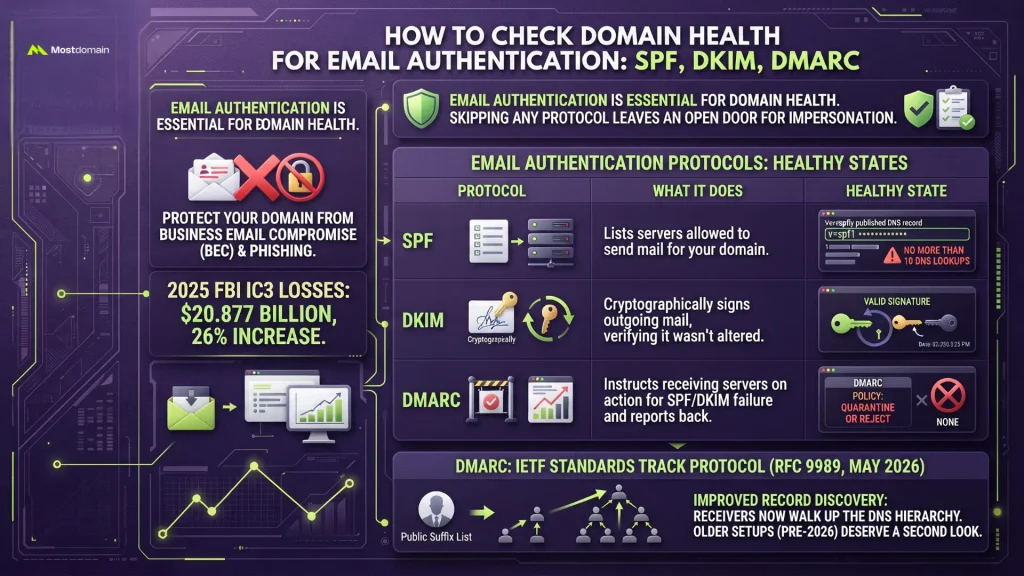
SPF, DKIM, and DMARC, published and correctly aligned, are what email authentication health actually comes down to. Skip any one of the three and the domain becomes an open door for impersonation.
None of this is hypothetical, either. $20.877 billion, that’s what the FBI’s Internet Crime Complaint Center logged in total reported losses for 2025, up 26% from the year before. Business email compromise alone ate over $3 billion of that, and phishing complaints topped 191,000. Skip DMARC entirely and a domain makes zero effort to stop someone from sending fraudulent email that looks like it came from you.
| Protocol | What It Does | Healthy State |
| SPF | Lists which servers are allowed to send mail for your domain | Published record, no more than 10 DNS lookups (the SPF limit) |
| DKIM | Signs outgoing mail cryptographically, letting receivers verify it wasn’t altered | Valid signature, key rotated periodically |
| DMARC | Tells receiving servers what to do when SPF or DKIM fails, and reports back to you | Policy set to quarantine or reject, not left at none indefinitely |
One thing worth knowing if the DMARC record hasn’t been touched in a while: DMARC isn’t just an informally-adopted convention anymore. As of May 2026 it’s an actual IETF Standards Track protocol, RFC 9989, replacing the 2015-era spec. What changes for a health check specifically is how receivers find the governing record, they now walk straight up the DNS hierarchy instead of leaning on the externally maintained Public Suffix List the old version used. Anything set up on pre-2026 assumptions deserves a second look.




How to Check Your Domain’s Blacklist and Reputation Status
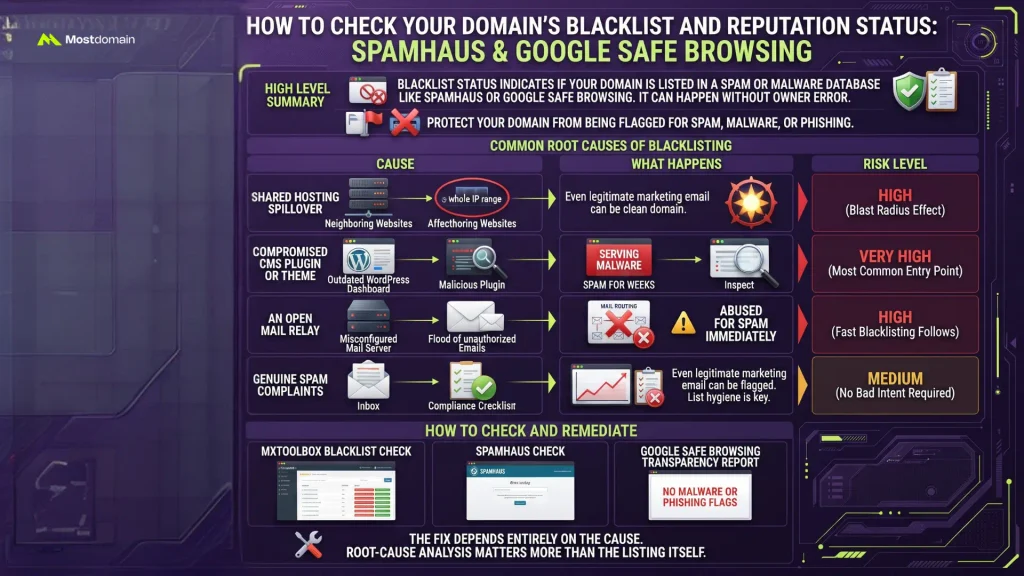
One question decides blacklist status: has the domain shown up on a spam or malware database like Spamhaus or Google Safe Browsing? It can happen to a domain whose owner did nothing wrong at all.
- Shared hosting spillover. Sit on shared infrastructure long enough and a neighboring site on the same IP eventually gets compromised or starts sending spam. Blacklists flag the whole IP range when that happens, and a perfectly clean domain gets caught in the blast radius.
- A compromised CMS plugin or theme. Outdated WordPress plugins remain, by a wide margin, the most common entry point here, domains serve malware or spam for weeks before anyone notices.
- An open mail relay. A misconfigured mail server that lets anyone route email through it doesn’t stay secret long. Once discovered, it gets abused for spam almost immediately, and the blacklisting follows fast.
- Genuine spam complaints. Even fully legitimate marketing email can rack up enough spam complaints to get flagged, if list hygiene isn’t kept up, no bad intent required.
Actually checking this takes a few minutes, nothing more. Run the domain through MXToolbox’s blacklist check, cross-reference against Spamhaus directly, then pull Google Safe Browsing’s transparency report for any malware or phishing flags. Something comes back positive? The fix depends entirely on the cause, which is exactly why the root-cause list above matters more than the bare fact of being listed.
How to Check Domain Health for SSL and Security Configuration
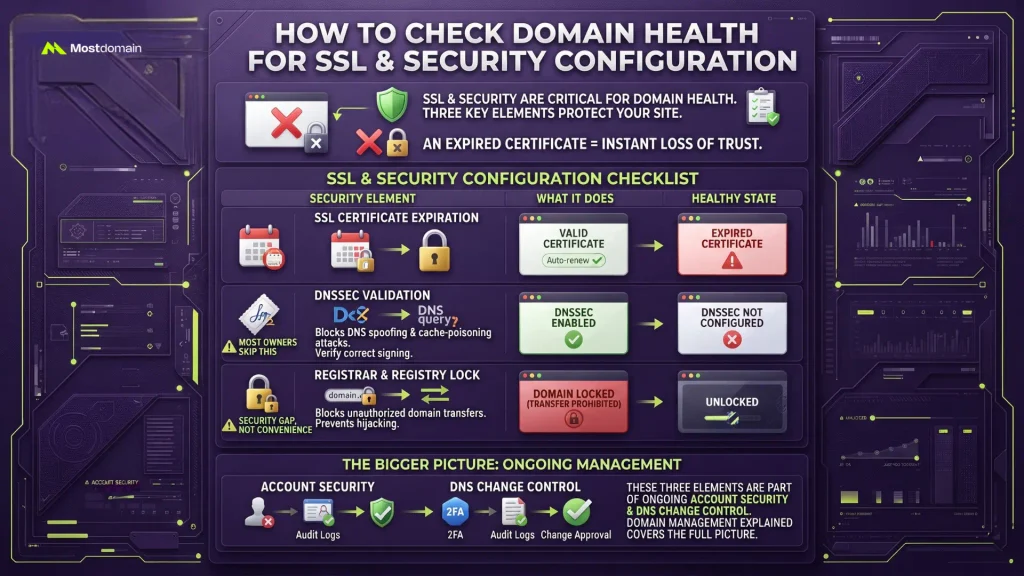
Three specific things carry the SSL and security side of domain health: a certificate that hasn’t lapsed, DNSSEC switched on wherever it’s supported, and the domain locked against unauthorized transfers.
- SSL certificate expiration. An expired certificate throws a hard browser warning the instant someone lands on the site, about as fast as trust gets lost. Most registrars and CDNs auto-renew by default now, but confirming beats assuming.
- DNSSEC validation. A cryptographic signature gets added to DNS responses, which blocks spoofing and cache-poisoning attacks. Default settings don’t universally include this, so verifying it’s actually on, and correctly signed, not just switched on, is a real health item most owners skip entirely.
- Registrar and registry lock. Unauthorized domain transfers get blocked by this, and it’s the mechanism missing behind most high-profile hijacking cases you’ve probably read about. Turned off, it’s a security gap. Not a convenience trade-off, a gap.
These three are really just a slice of a bigger picture, ongoing account security and DNS change control, and Domain Management Explained for Website and Business Owners covers that fuller picture.
A Severity Framework for Prioritizing Domain Health Issues
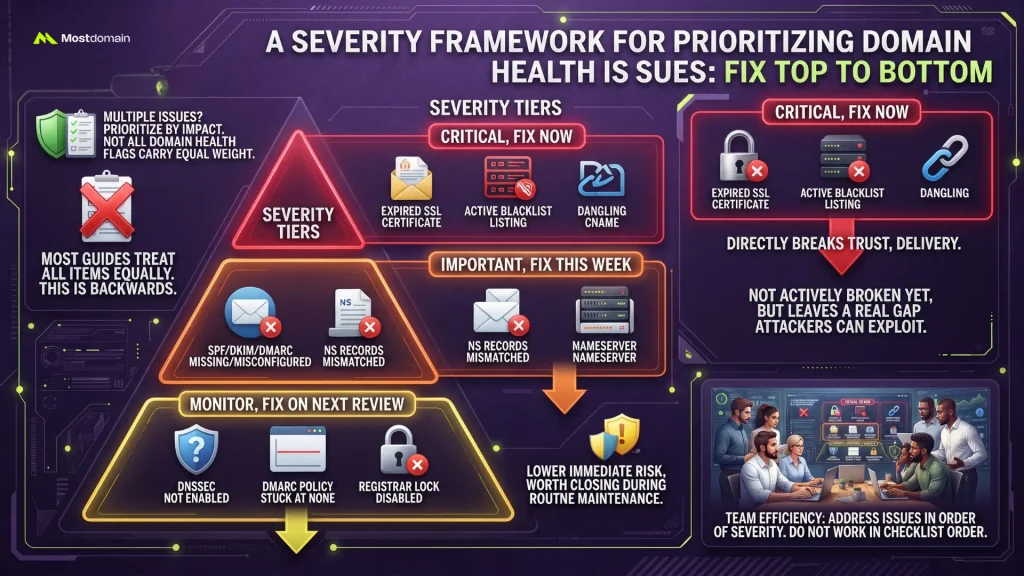
When multiple domain health issues turn up at once, SSL expiration and blacklisting need fixing immediately, missing email authentication needs fixing soon, and DNSSEC gaps can wait for the next scheduled review.
| Tier | Issue | Why It’s This Tier |
| Critical, fix now | Expired SSL certificate, active blacklist listing, dangling CNAME | Directly breaks trust, delivery, or creates an active exploit path |
| Important, fix this week | SPF/DKIM/DMARC missing or misconfigured, NS records mismatched | Not actively broken yet, but leaves a real gap attackers or spammers can exploit |
| Monitor, fix on next review | DNSSEC not enabled, DMARC policy stuck at none long-term, registrar lock disabled | Lower immediate risk, but worth closing during routine maintenance |
Most domain health guides list every item with equal weight, which is exactly backwards when you’re staring at five flagged issues and limited time. Fix top to bottom, not in whatever order the checklist happened to list them.
Free Domain Health Check Tools Worth Using
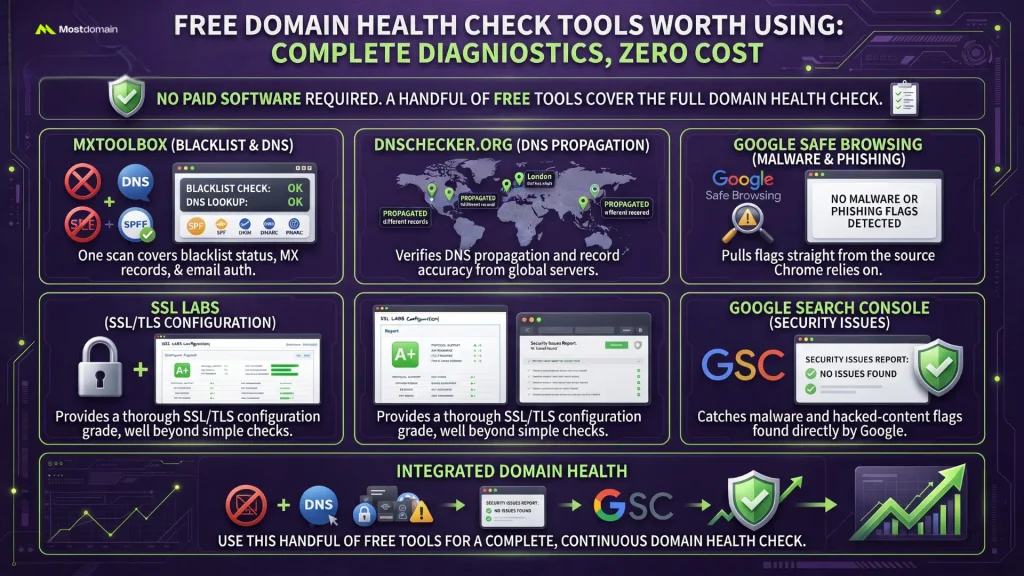
No paid monitoring software required for the full domain health check, a handful of free tools cover it: MXToolbox for blacklist and DNS, Google Safe Browsing for malware flags, SSL Labs for certificate configuration.
- MXToolbox covers blacklist status, MX record lookup, and SPF/DKIM/DMARC validation, all in one free scan.
- DNSChecker.org checks DNS propagation and record accuracy from server locations around the world.
- Google Safe Browsing Transparency Report pulls malware and phishing flags straight from the source Chrome itself relies on.
- SSL Labs’ SSL Server Test gives a genuinely thorough SSL/TLS configuration grade, well beyond a simple yes/no on whether a certificate exists.
- Google Search Console isn’t marketed as a domain health tool, but its Security Issues report catches malware and hacked-content flags Google found directly on the site.
FAQ
How often should I run a domain health check?
Quarterly works for most domains, enough to catch drift before it turns into a real problem. High-traffic or e-commerce domains do better with monthly checks, particularly on the email authentication and blacklist fronts.
Can a domain be blacklisted without the owner doing anything wrong?
It can, and more often than most people expect. A shared hosting neighbor, a compromised plugin, an open relay, any of these can get a domain flagged without a single intentional wrongdoing behind it.
Does a domain health check affect SEO rankings directly?
Not directly. But a blacklisted domain, an expired certificate, or a hacked-content flag in Search Console can tank traffic and trust fast enough that it looks exactly like a ranking drop from the outside.
Is DNSSEC actually necessary, or is it optional?
Technically, yes, optional, and not every registrar makes enabling it painless. Still, it’s a free, one-time setup that closes a genuine spoofing vector, so once support is confirmed, skipping it doesn’t buy much.
What’s the difference between SPF, DKIM, and DMARC?
SPF authorizes which servers get to send mail for a domain. DKIM signs outgoing messages cryptographically. DMARC then ties both together, telling receiving servers exactly what to do when a message fails either check.
Do free domain health checkers give the same results as paid monitoring tools?
For a one-off check, largely yes. What paid tools add is continuous monitoring and instant alerts, useful mainly for domains where an issue needs catching within minutes, not whenever the next quarterly check happens to land.
References
- PowerDMARC, How to Check Domain Health in 3 Easy Steps
- DNS Checker, Domain DNS Health Checker
- EasyDMARC, Domain Scanner: Domain Health Check
- Openprovider, Your Essential Domain Health Check Guide
- MxToolbox, Domain Health Check: Online Domain Tools
- FBI Internet Crime Complaint Center, 2025 Internet Crime Report
- IETF Datatracker, RFC 9989: Domain-Based Message Authentication, Reporting, and Conformance (DMARC)