Counting backlinks is easy. Reading them is how you find expired domains with backlinks worth buying.
Say a domain shows 5,000 backlinks, and most of them are junk. One with 40 clean links can pay off for years. Source, intent, and survival matter most.
Quick answer
- Build a candidate list from databases, link graphs, and dead-link pages.
- Filter by referring domains. Ignore raw backlink totals at first.
- Check anchors, relevance, link quality, history, and spam.
- Test whether the best links still exist.
- Score the domain. Buy only if it passes.
Expired Domains With Backlinks: What “Worth Buying” Really Means
Worth buying? The links need to be relevant, editorial, still live, and clean.
- Listings lean on big numbers. They sell, after all.
- A raw count says nothing about who linked, or why they bothered.
- Quality comes first, and size can wait.
Why a Big Backlink Count Fools So Many Buyers
Big totals hide thin profiles, dead links, and late spam. That’s the problem.
- One footer link repeated 3,000 times is still one referring domain.
- Tools crawl with a lag, so links they saw months ago may be gone.
- After a site declines, spam tends to pile up. Nobody cleans it.
- Referring domains make a better base unit. Then grade each one.
The Six Signals That Matter
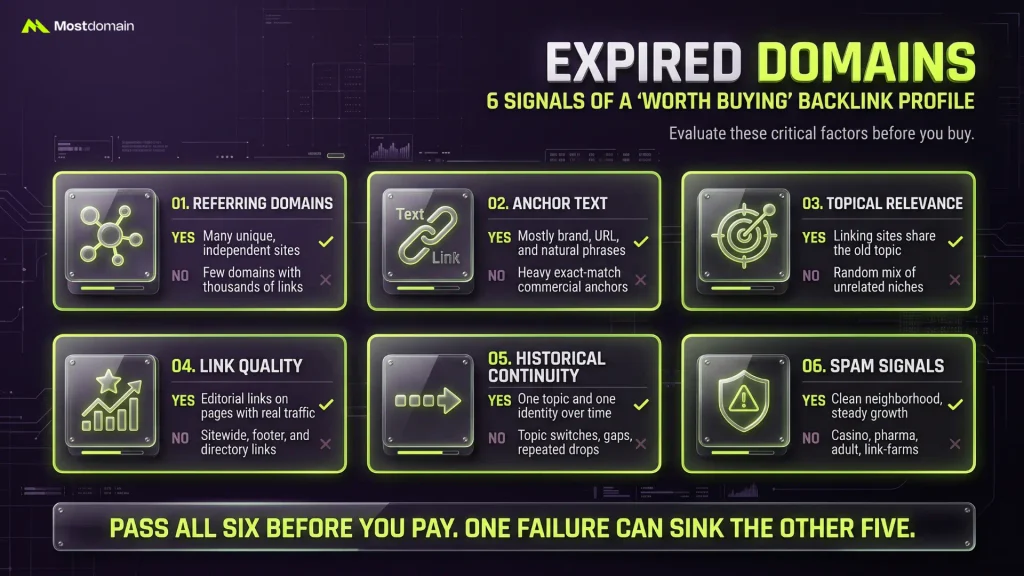
Six signals show whether a profile holds real value. The table maps each.

| Signal | What good looks like | Red flag |
| Referring domains | Many unique, independent sites | Few domains with thousands of links |
| Anchor text | Mostly brand, URL, and natural phrases | Heavy exact-match commercial anchors |
| Topical relevance | Linking sites share the old topic | Random mix of unrelated niches |
| Link quality | Editorial links on pages with real traffic | Sitewide, footer, and directory links |
| Historical continuity | One topic and one identity over time | Topic switches, ownership gaps, repeated drops |
| Spam signals | Clean neighborhood, steady growth | Casino, pharma, adult, and link-farm sources |
- Pass all six before you pay.
- One failure can sink the other five.
Where to Find Expired Domains With Great Backlinks (Four Routes)
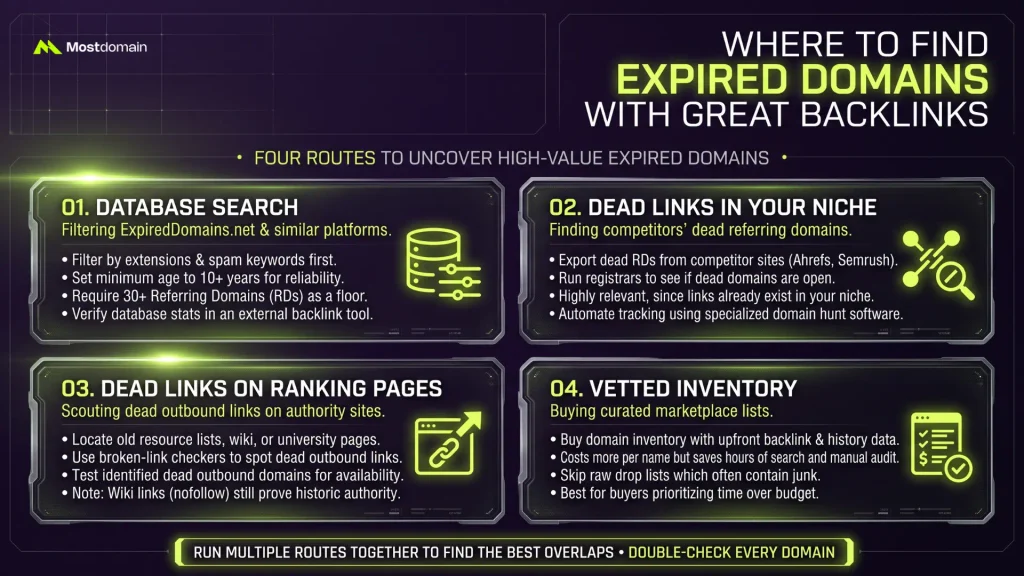
Four routes exist, and no single one finds everything.
- Run two together. Names that show up in both deserve a closer look.
Method 1: Databases Like ExpiredDomains.net, Used Carefully
Filters give you a shortlist in minutes. A verdict takes more work.
- ExpiredDomains.net is the usual starting point, with deleted names, auctions, and pending delete domains. Backlink counts and archive age sit beside each name.
- Filter by usable extension first.
- Archive age comes next. Ten years is a sensible floor for most niches.
- Then add a referring-domain minimum. Thirty works as a first pass.
- Drop names with obvious spam keywords.
- Whatever survives goes into a spreadsheet for double-checking elsewhere.
- Treat all of these numbers as rough guesses. Tiny niches sometimes hide gems with very few links.
- Database counts run rough. Verify every name in a real backlink tool.
Method 2: Follow the Dead Links in Your Niche
Competitors’ dead referring domains make the most on-topic leads you’ll find.




- Ahrefs, Semrush, and Majestic all export referring domains for any ranking competitor.
- Filter for referring domains that no longer respond.
- A registrar lookup tells you fast whether a dead name is actually open.
- If a name is open, or about to drop, it goes on the list.
- Relevance comes free, because the graph already lives in your niche.
- Software like Domain Hunter Gatherer automates part of the grunt work.
Method 3: Dead Links on Pages That Still Rank
Authority pages still cite dead sites, and a few of those names are open.
- Old resource lists, university pages, and industry roundups are good places to start.
- Run a broken-link checker over those pages and the dead outbound links appear fast.
- Test each dead outbound domain for availability.
- Wikipedia links are nofollow, so expect little ranking weight. They still prove the site was once citable.
Method 4: Buying Vetted Inventory Instead of Digging
Vetted inventory costs more per name but saves hours of sifting.
- Raw drop lists cost hours, and most names are junk.
- MostDomain’s domain inventory with backlink data shows link and history details up front.
- Raw drops cost less per name. Vetted lists cost less per hour of audit work.
- Hunting names that never dropped? Read where to find aged domains.
Tools for Finding Expired Domains With Backlinks, and What Each Does
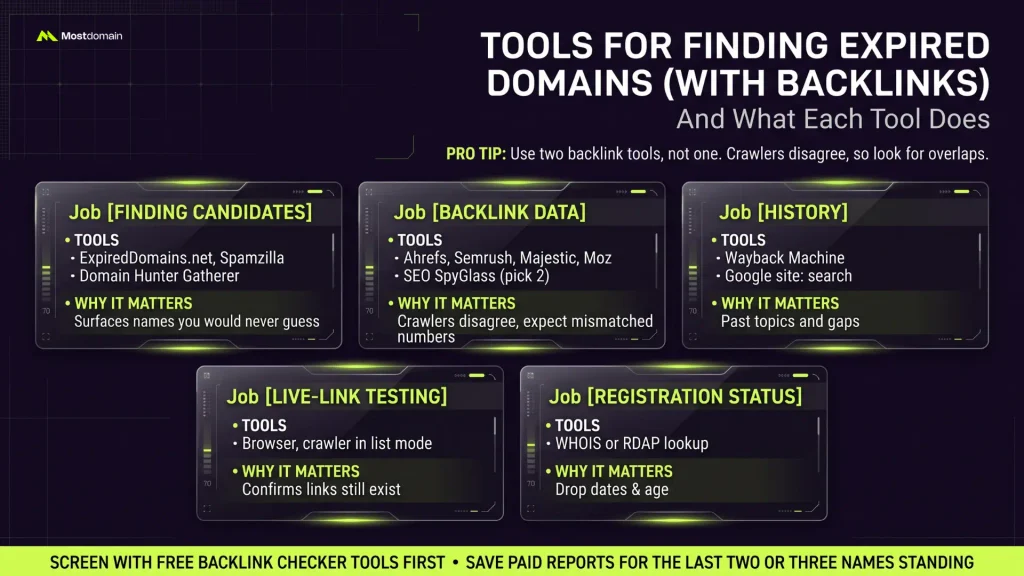
Use two backlink tools, not one. Each crawls a different slice of the web.
| Job | Tools to consider | Why it matters |
| Finding candidates | ExpiredDomains.net, Spamzilla, Domain Hunter Gatherer | Surfaces names you would never guess |
| Backlink data | Ahrefs, Semrush, Majestic, Moz, SEO SpyGlass (pick two) | Crawlers disagree, so expect mismatched numbers |
| History | Wayback Machine, Google site: search | Past topics and gaps |
| Live-link testing | Browser, crawler in list mode | Confirms links still exist |
| Registration status | WHOIS or RDAP lookup | Drop dates, age |
- Screen with free backlink checker tools first.
- Save paid reports for the last two or three names standing.
Where to Buy Expired Domains With Backlinks (and Who to Avoid)
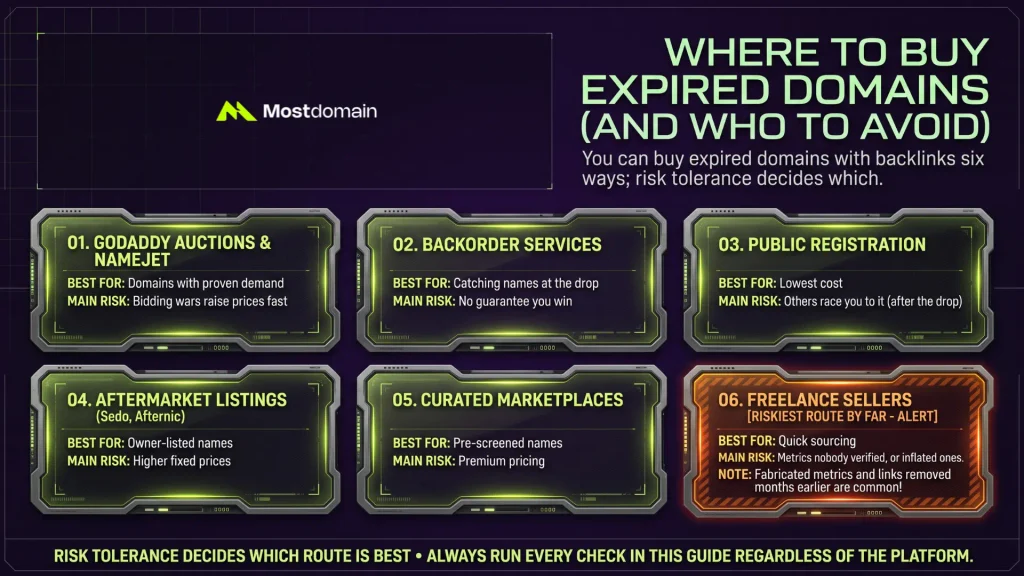
You can buy expired domains with backlinks six ways; risk tolerance decides which.
| Route | Best for | Main risk |
| GoDaddy Auctions, NameJet, and similar | Domains with proven demand | Bidding wars raise prices fast |
| Backorder services | Catching names at the drop | No guarantee you win |
| Public registration after the drop | Lowest cost | Others race you to it |
| Aftermarket listings such as Sedo or Afternic | Owner-listed names | Higher fixed prices |
| Curated marketplaces | Pre-screened names | Premium pricing |
| Freelance sellers | Quick sourcing | Metrics nobody verified, or inflated ones |
- Freelance listings are the riskiest route by far. Buyers report fabricated metrics and links removed months earlier.
- The aged and expired domain marketplace groups vetted names in one place. Run every check in this guide on them anyway.
- Still choosing a platform? Our rundown of the best domain marketplaces helps.
- First purchase? This guide on how to buy an expired domain the right way may help.
- Aftermarket sales confusing? Read primary market vs aftermarket domains.
Checking Backlink Quality on an Expired Domain, Step by Step
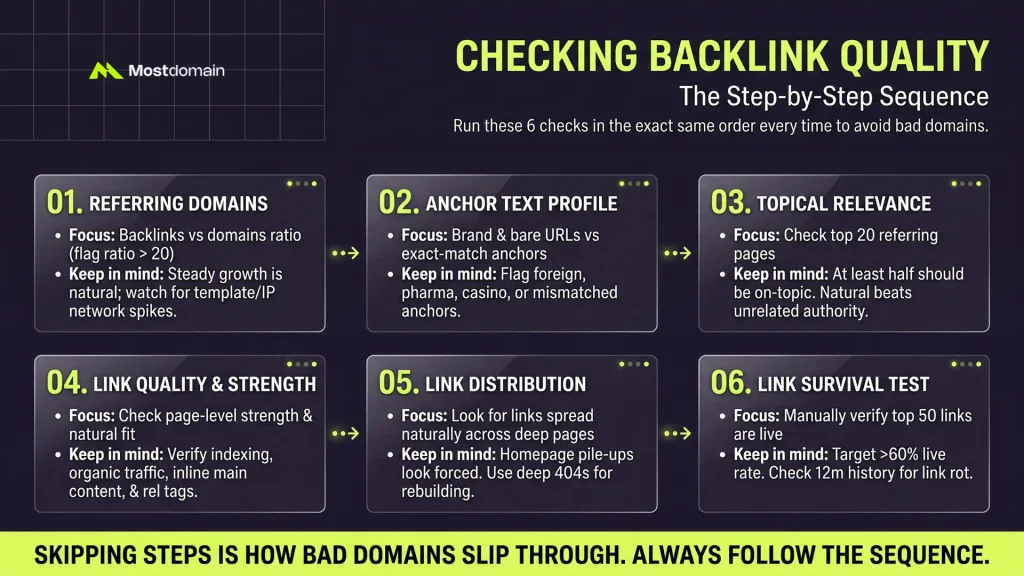
Run six checks, and run them in the same order each time.
- Skipping steps is how bad domains slip through.
- Here’s the sequence: referring domains, anchors, relevance, link strength, spread, then liveness.
Referring Domains vs Total Backlinks: Which One Do You Trust?
Backlinks per referring domain is the quick tell, and ratios above 20 deserve suspicion.
- That 20 is only my rule of thumb. Google publishes no such cutoff.
- A high ratio often signals sitewide links.
- Steady growth looks natural. A spike followed by a drop looks like a link scheme.
- Many domains on one IP range, or sharing one template, point to a network.
Anchor Text Profile
A healthy profile leans on brand names, bare URLs, and generic phrases.
| Anchor type | Verdict |
| Brand and URL anchors | Should be the largest share |
| Generic anchors, like “this site” | Normal |
| Partial topic phrases | Fine in small amounts |
| Exact-match commercial phrases | Dangerous when they dominate |
| Foreign-language, pharma, or casino anchors | Suggest hacked or spam links |
- Here is a point most guides skip. Old brand anchors will not match your new site name.
- That mismatch is normal. Still, note it before you rebuild.
Topical Relevance of Linking Sites
Would each linking site make sense for what you’re building? That’s the test.
- Open 20 of the top referring pages and note each one’s niche.
- Tally the on-topic ones. At least half is a sensible target.
- Raw authority matters less here. A modest on-topic blog can beat a famous unrelated site.
- Looking at older, still-registered domains instead? Start with our aged domains overview.
Link Quality and Linking Page Strength
Judge links at page level, because strong sites still hold weak pages.
| Check | Why it matters |
| Is the page indexed in Google? | Unindexed pages rarely pass value |
| Does it get organic traffic? | Visited pages can send referral visitors |
| Does the link sit in main content? | Body links beat footers |
| What rel tag does the link carry? | Sets the expected ranking weight |
| Does the linking site look clean? | A dirty neighborhood taints the link |
- Nofollow doesn’t mean worthless. They can still bring visitors and brand mentions.
- Just do not count them as full ranking links.
- Chasing PageRank-era links? Read how to buy old domains with PageRank safely.
Link Distribution Across Pages
Links spread over many pages look natural, while homepage pile-ups look forced.
- Hundreds of links all hitting the homepage? That can mean over-optimization.
- Deep pages that 404 but keep their links make a handy rebuild map.
- Recreate those URLs with matching, useful content. Force nothing.
- See how to revive a domain through its top pages.
Are the Backlinks Still Live? A Link Survival Test
Open your top referring pages and confirm the link still exists. The backlink report alone can be stale.
- Export the top 50 referring pages by authority.
- Open each page, press Ctrl+F, and look for the domain name.
- Note what you find: link live, redirected, removed, or page dead.
- Divide live links by the 50 pages checked.
- Call it the live rate. Anything under 60 percent suggests the tool data has gone stale.
- Bend that cutoff to your own risk appetite; it’s only a suggestion.
- The lost-links report for the last 12 months is worth a look too. A steep drop after the site died signals link rot.
- A key page that returns an error, or carries noindex, won’t help you.
Historical Continuity and Spam Checks Before You Buy
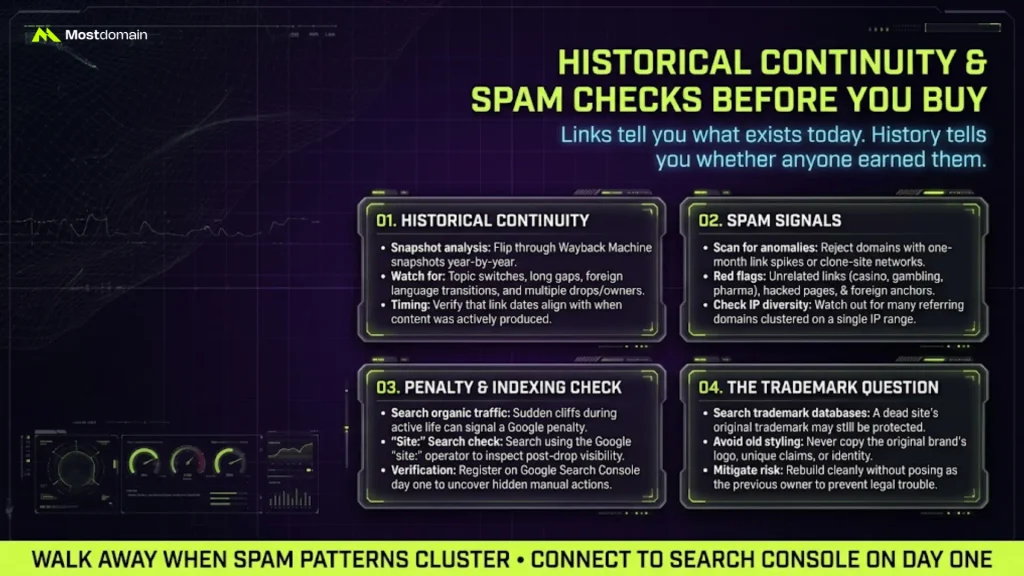
Links tell you what exists today. History tells you whether anyone earned them.
Check Historical Continuity
A continuous site keeps one topic and one identity across the years.
- Flip through Wayback Machine snapshots year by year and topic changes jump out.
- Long gaps and parked pages are bad signs. So is foreign-language content replacing the original.
- Several owners in the WHOIS history? Raise an eyebrow.
- Flag names that expired and re-registered more than once.
- Age alone proves little. Paying extra for age? First ask whether domain age impacts SEO in your niche.
- Match link dates against content dates, because timing exposes manufactured links. Links earned during active years look genuine.
- Links that appear after the site died look manufactured.
- Want a longer routine? Read how to check domain history before buying.
Spot Spam Signals in the Backlink Profile
Walk away when spam patterns cluster. One strange link? Probably fine.
- Links from adult, gambling, or pharma sites the original never covered.
- One-month spikes of hundreds of new links.
- Many referring domains on the same IP range.
- Referring sites that look like clones of each other.
- Links injected into hacked pages.
- Referring domains Google no longer indexes.
- Anchors written in unrelated languages.
- Don’t plan to clean a cluster up later. It rarely goes well.
- Shopping on a marketplace? Spotting spam domains is a skill worth building.
Run a Penalty and Indexing Check
You cannot see manual actions on someone else’s domain. Use indirect evidence.
- Organic traffic history in your SEO tool is the best indirect clue.
- Slow decline before the drop? Normal. A sudden cliff mid-life can signal a penalty.
- Search with the site: operator. Zero results after a drop is expected.
- After purchase, add the domain to Google Search Console. Check manual actions on day one.
The Trademark Question Nobody Asks
Search trademark databases before you buy; the old brand may still be protected.
- A dead site doesn’t cancel its trademark.
- Skip the old logo and the old claims entirely.
- Posing as the old brand can bring legal and reputation trouble.
Scoring Expired Domains: A Model You Can Adjust
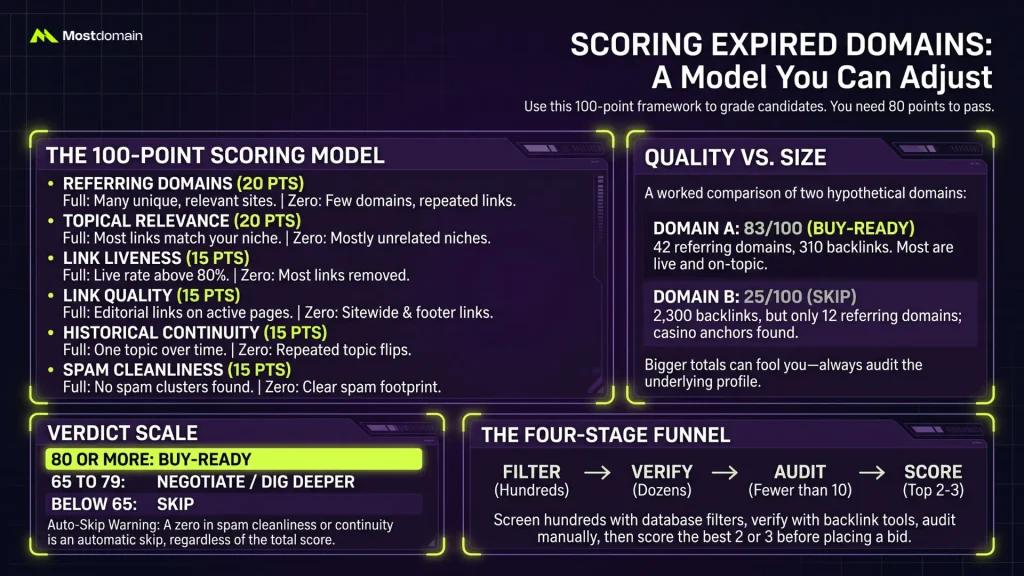
The model gives six criteria 100 points between them, and 80 passes.
| Criterion | Weight | Full score means | Zero score means |
| Referring domain quality and spread | 20 | Many independent, relevant sites | Few domains, repeated links |
| Topical relevance | 20 | Most links match your niche | Mostly unrelated sources |
| Link liveness | 15 | Live rate above 80 percent | Most links removed |
| Link quality | 15 | Editorial links on trafficked pages | Sitewide and footer links |
| Historical continuity | 15 | One topic across the years | Repeated topic flips |
| Spam cleanliness | 15 | No spam clusters found | Clear spam footprint |
- 80 or more: buy-ready.
- 65 to 79: negotiate or dig deeper.
- Below 65: skip.
- A zero in spam cleanliness or continuity is an automatic skip. The total does not matter.
- This is a working framework, not an industry standard. Tune the weights to your goals.
- Pair it with a domain buying checklist for the final pre-purchase checks.
A Worked Example With Two Hypothetical Domains
Domain A reaches 83. Domain B manages only 25. B shows far bigger totals. Both domains are invented.
| Criterion | Domain A | Domain B |
| Referring domain quality and spread | 16 | 6 |
| Topical relevance | 16 | 4 |
| Link liveness | 12 | 4 |
| Link quality | 10 | 3 |
| Historical continuity | 14 | 8 |
| Spam cleanliness | 15 | 0 |
| Total | 83 | 25 |
- Domain A has 42 referring domains and 310 backlinks. Most links are live and on topic.
- Domain B boasts 2,300 backlinks, yet only 12 referring domains sit behind them. Many carry casino anchors.
- Bigger total, worse buy. Remember that next time a seller brags.
From Hundreds of Names Down to One
Four stages take you from hundreds of names to a final pick.
- Filter. Screen hundreds of names with database filters.
- Verify. Check dozens in two backlink tools.
- Audit. Fewer than ten names get a manual look at history, anchors, and live links.
- Score. Rank the last two or three, then fix a ceiling price.
- Treat those counts as illustrations, since niches vary a lot.
Expired Domains With Traffic: How to Spot the Real Ones
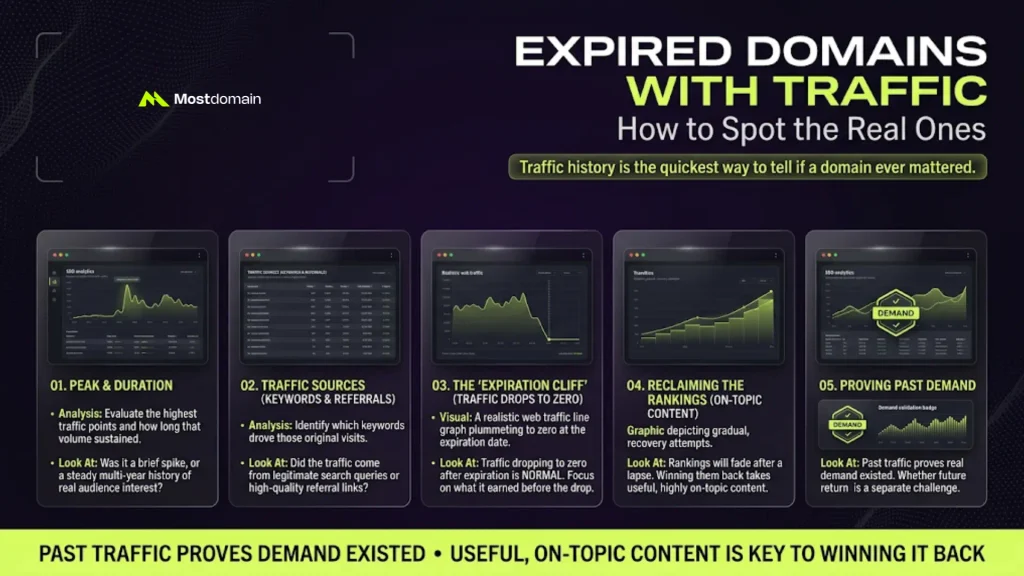
Traffic history is the quickest way to tell whether a domain ever mattered.
- Look at the peak, and at how long it lasted.
- Which keywords drove those visits? Did referrals come from linking pages?
- Traffic drops to zero after expiration. That is normal. What it earned before the drop is the question.
- Rankings usually fade after a lapse. Winning them back takes useful, on-topic content.
- Past traffic proves demand existed. Whether visitors return is a separate question.
- Want more detail? Our walkthrough on finding expired domains with traffic goes further.
Common Mistakes When Buying Expired Domains With Backlinks
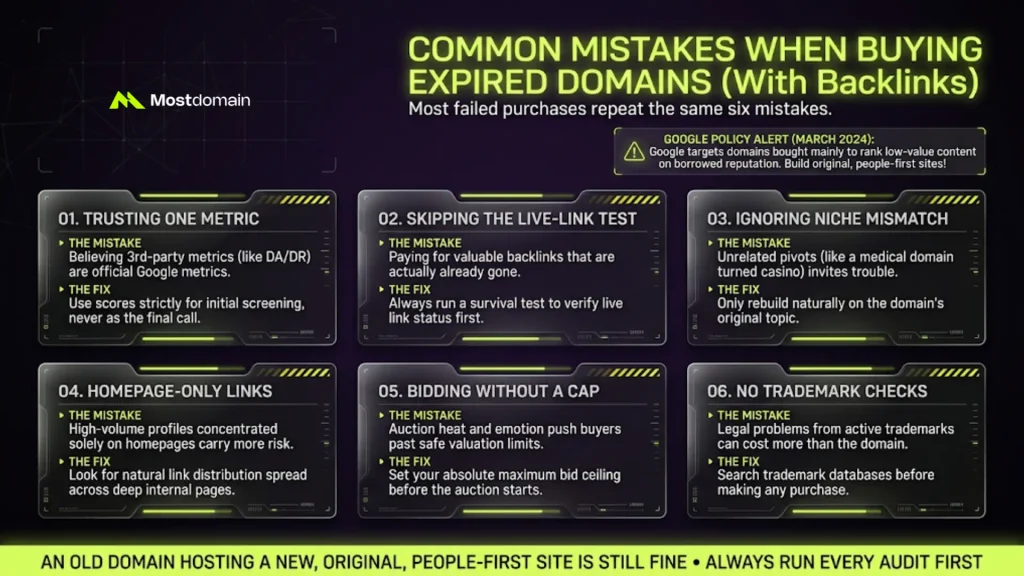
Most failed purchases repeat the same six mistakes.
| Mistake | Why it hurts | Fix |
| Trusting one metric | Domain Authority is not a Google metric, and Domain Rating is not one either | Use scores to screen only |
| Skipping the live-link test | You pay for links that are gone | Run the survival test |
| Ignoring niche mismatch | A medical domain turned casino site invites trouble | Rebuild on the old topic |
| Overpaying for homepage-only links | Narrow profiles carry more risk | Prefer spread across pages |
| Bidding without a cap | Auction heat pushes buyers past their own scores | Set the maximum before bidding |
| Skipping trademark checks | Legal problems cost more than the domain | Search before you buy |
- Google’s expired domain abuse policy arrived on March 5, 2024, alongside a core update.
- It targets domains bought mainly to rank low-value content on borrowed reputation.
- An old domain hosting a new, original, people-first site is still fine.
- Before rebuilding, skim the Google expired domain policy yourself.
- Newer spam updates matter too. See the Google spam update June 2026 breakdown.
What to Do in the First 90 Days After You Buy
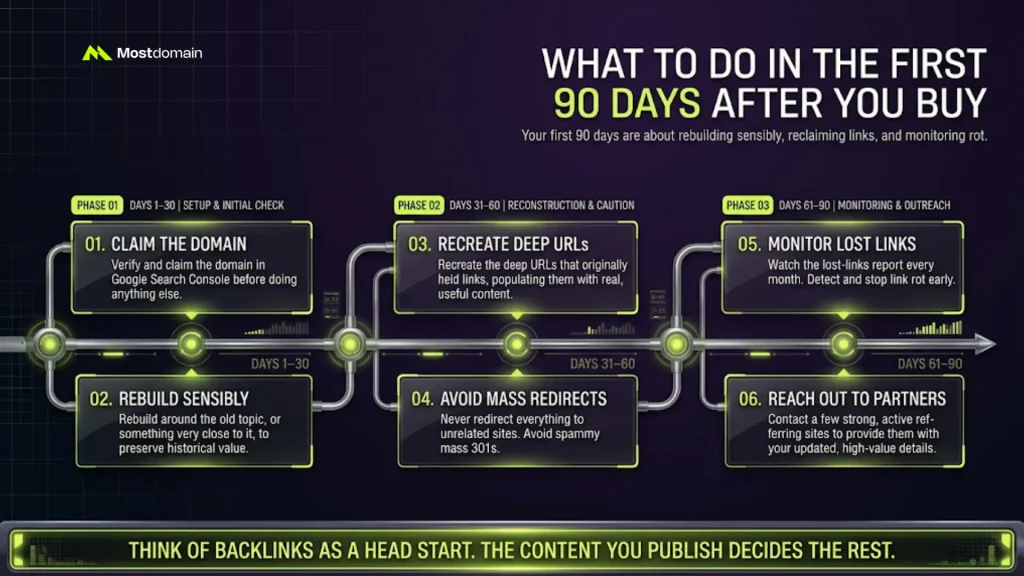
Your first 90 days come down to rebuilding sensibly and watching lost links.
- Claim the domain in Google Search Console before anything else.
- Rebuild around the old topic, or something very close to it.
- Recreate the deep URLs that held links, with real content.
- Avoid mass redirects to unrelated sites.
- Watch the lost-links report every month.
- Contact a few strong referring sites with your updated details.
- Nobody outside Google knows how much link value carries over. Think of backlinks as a head start.
- The content you publish decides the rest.
- Need more depth? Read how to get real SEO value from expired domains.
- Planning the build? See how to rebuild an expired domain.
- Considering redirects? Study how to 301 redirect an expired domain safely first.
FAQ
How do I find expired domains with great backlinks for free?
Start with ExpiredDomains.net filters, then verify finalists elsewhere.
- Add the Wayback Machine for history.
- Use free backlink checker tiers for a quick look.
- Free data is thin, so buy one paid report before bidding.
How many referring domains should a good expired domain have?
No official number exists, and relevance matters more than count.
- Twenty or thirty live, on-topic referring domains can beat three hundred junk ones.
- Use the scoring model instead of chasing a fixed target.
Do backlinks on an expired domain still pass value?
Sometimes, though nobody can prove how much.
- Google may reassess a domain when its content changes.
- Treat the links as a head start. Strong content earns the rest.
How can I check whether the backlinks are still live?
Open the top referring pages and search for your domain name.
- Review the lost-links report from the past year.
- A live rate under 60 percent suggests stale tool data.
Are Domain Authority and Domain Rating enough to judge a domain?
Not even close.
- Both are third-party scores from SEO tool vendors.
- They help screening but ignore live links, history, and spam.
- Curious how the two differ? Read domain authority vs domain rating.
Is it safe and legal to buy an expired domain?
Buying is generally legal, and the risk lives in how you use the name.
- Avoid repurposing it for low-value content.
- Check trademarks on the old brand before you build.
How long until an expired domain shows results?
Plan in months, not days.
- Timing varies by niche, competition, and how much of the old topic you restore.
- Be wary of anyone who promises a timeline.
Buy the Links You Can Prove
To find expired domains with backlinks that last, demand live links and clean history.
- Run the funnel, the survival test, and the score on every candidate.
- Keep a rejection log. Write one line on why you skipped each domain.
- After ten audits, patterns appear, and your database filters get sharper.
- Still weighing strategy? Read about choosing an expired domain for SEO.
- Have buying questions before you commit? The expired domain buying questions page covers the common ones.
References
- Google Search Central, Spam policies for Google web search
- LinkAssistant, Learn How to Find Expired Domains with Quality Backlinks
- Authority Hacker, How to Find Expired Domains: Utilize The Power of Dropped Domains
- Archivarix, How to Find and Buy an Expired Domain with a Good History
- Openprovider, How to Find and Buy Expired Domains?
- Rock the Rankings, Expired Domains: Unlocking Faster Rankings with Existing Backlinks
- SERP Insider, Expired Domains & Backlinks Playbook