Domain management isn’t the one-time click you make when you register a name. It’s the ongoing work after that: who can log into the account, how DNS records are set, when renewal actually happens, whether the whole thing is locked down enough to survive someone else trying to move it. Skip that work long enough, and the domain you spent years building can disappear in an afternoon.
What is Domain Management Actually Covers
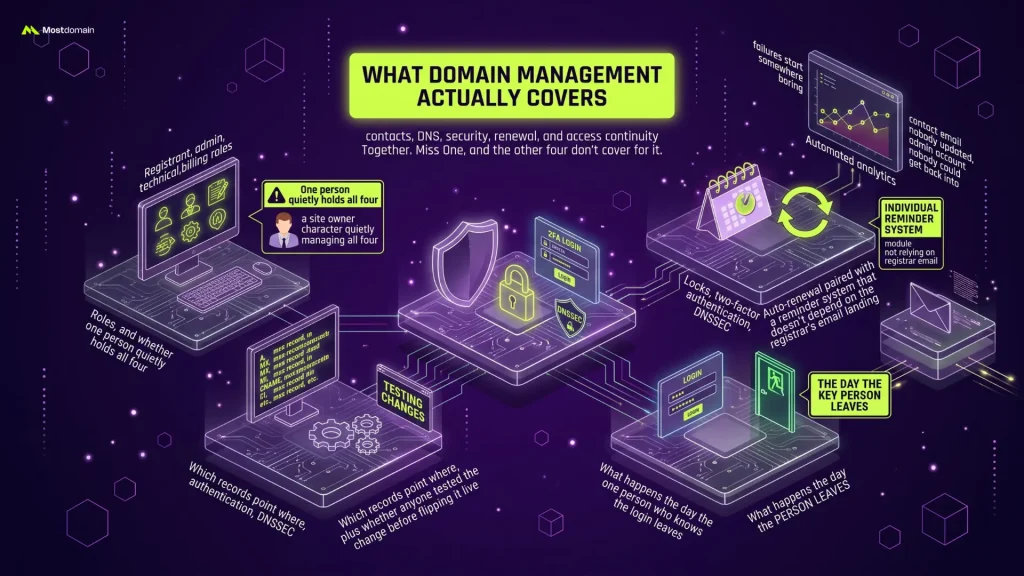
Ask five different site owners what domain management means and you’ll get five different answers, usually just the one piece they’ve personally been burned by. The fuller picture covers contacts, DNS, security, renewal, and access continuity together. Miss one, and the other four don’t cover for it.
| Area | What It Involves |
| Account & Contacts | Registrant, admin, technical, and billing roles, and whether one person quietly holds all four |
| DNS Configuration | Which records point where, plus whether anyone tested the change before flipping it live |
| Security | Locks, two-factor authentication, DNSSEC |
| Renewal | Auto-renewal paired with a reminder system that doesn’t depend on the registrar’s email landing |
| Access Continuity | What happens the day the one person who knows the login leaves |
Most guides stop at renewal reminders and basic DNS setup. Not wrong. Just thin. The domain management failures that actually cost people their sites tend to start somewhere more boring, a contact email nobody updated, an admin account nobody could get back into, not a renewal date someone genuinely forgot.
Setting Up Your Registrar Account the Right Way
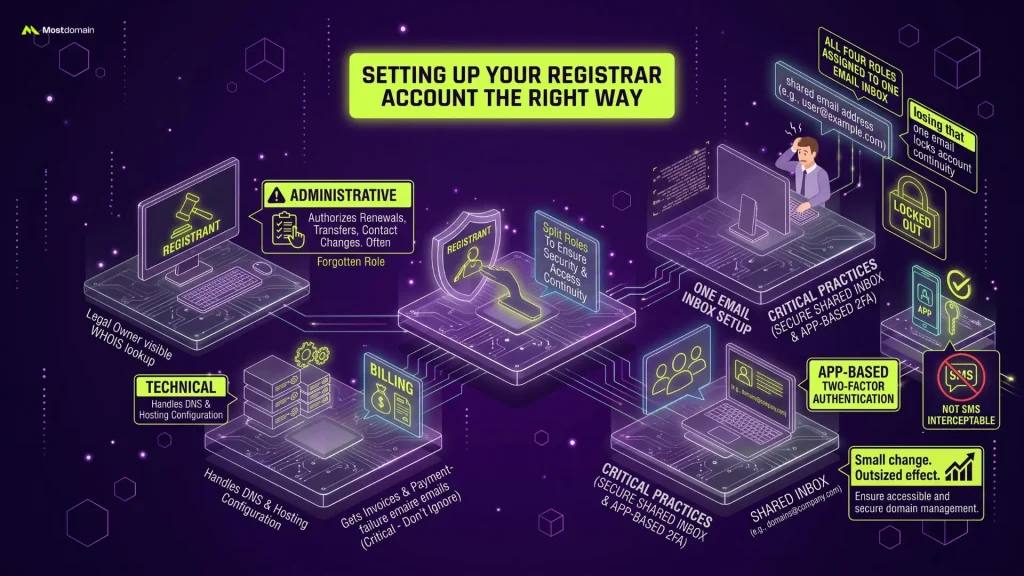
Split the four contact roles. That’s step one, and it’s the step almost everyone skips because one inbox feels simpler at the time. Registrant, administrative, technical, billing, when a single person holds all four, losing that one email is enough to lock the whole account, and by extension domain management itself, out of reach.
- Registrant. The legal owner of record. This is what shows up when someone runs a WHOIS lookup on the domain.
- Administrative. Authorizes renewals, transfers, and contact changes, usually the role people forget exists until they need it.
- Technical. Handles DNS and hosting-level configuration.
- Billing. Gets the invoices, and the payment-failure emails nobody reads until it’s too late.
A shared inbox like [email protected] beats a personal one for at least one of these roles, and pairing it with app-based two-factor authentication (not SMS, which is interceptable) closes most of the gap right there. Small change. Outsized effect.
Managing DNS Records Without Breaking Anything
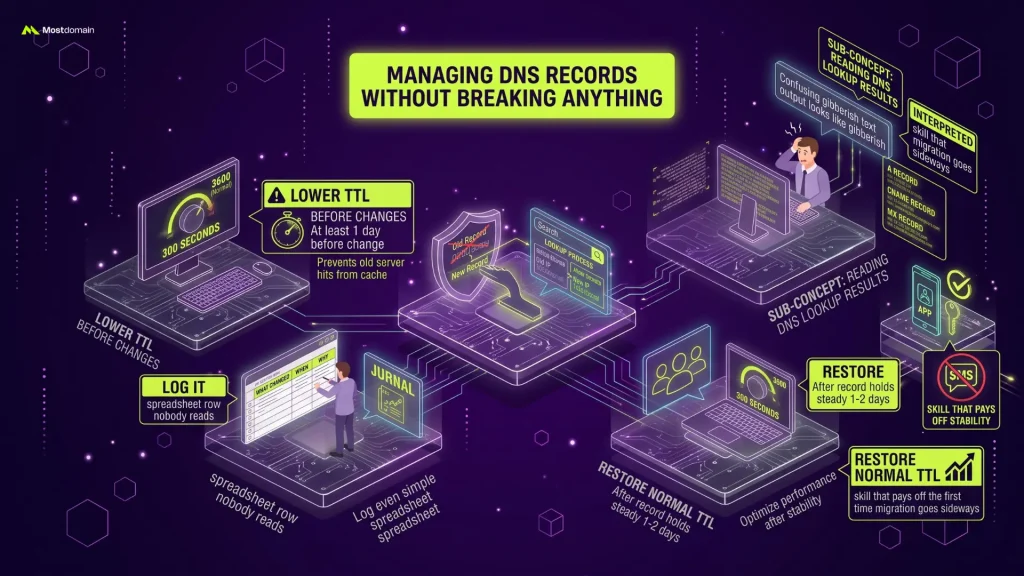
The boring stuff is where good domain management habits actually show up. Lower the TTL before you touch a DNS record. Confirm the change with a lookup afterward. Skip either step and you get the classic failure: the record’s updated, but half your visitors are still hitting the old server because their resolver cached it days ago.

- Drop the TTL to around 300 seconds, and do it at least a day before the actual change, not right before.
- Make the change, then run a lookup to verify it propagated.
- Log it. What changed, when, why, even if that log is just a spreadsheet row nobody else reads.
- Restore normal TTL once the record has held steady for a day or two.
First time you run a lookup, the output looks like gibberish. That’s normal, not a red flag. Knowing how to read DNS lookup results is really the only thing separating a wall of confusing text from something you can act on, and it’s a skill that pays off the first time a migration goes sideways.
Domain Security Beyond a Strong Password
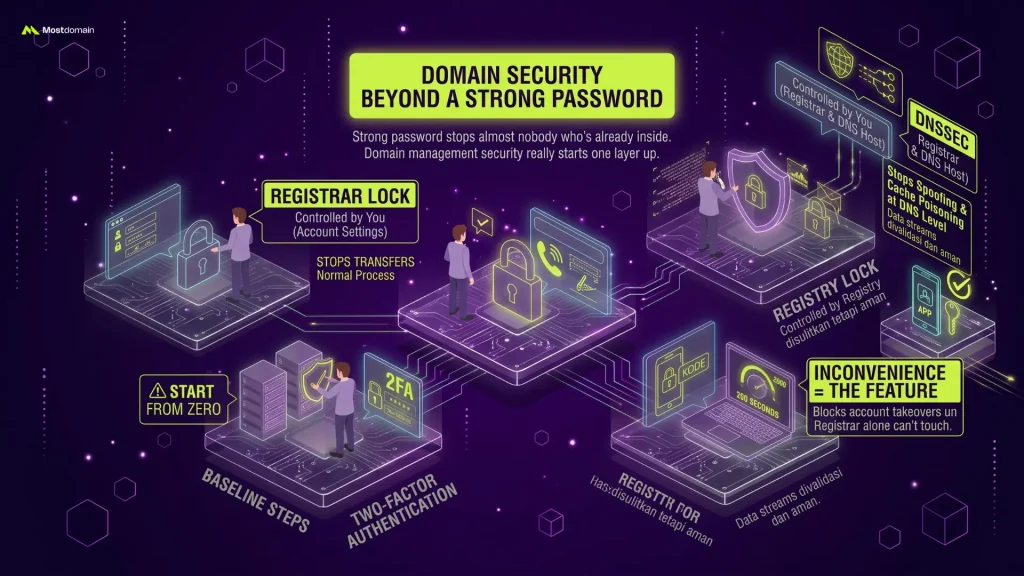
A strong password stops almost nobody who’s already inside your account. Domain management security really starts one layer up: a registrar lock at minimum, a registry lock if the domain matters enough, both sitting on top of two-factor authentication rather than replacing it.
| Protection | What It Stops | Who Controls It |
| Registrar Lock | Transfers going through your registrar’s normal, everyday process | You, from account settings |
| Registry Lock | Changes made after someone’s already broken into the account, transfers included | The registry itself, and only after a manual check |
| DNSSEC | Spoofing and cache poisoning at the DNS level | Configured by you, at both the registrar and the DNS host |
Registry lock stays underused for one reason: it’s inconvenient. Every change needs a phone call or a signed request, and that inconvenience is exactly the feature, since it blocks the account takeover a registrar lock alone can’t touch. Starting from zero? The baseline steps in how to secure a domain name are worth working through first, then layer registry lock and DNSSEC on top once the basics are covered.



Staying Ahead of Renewals
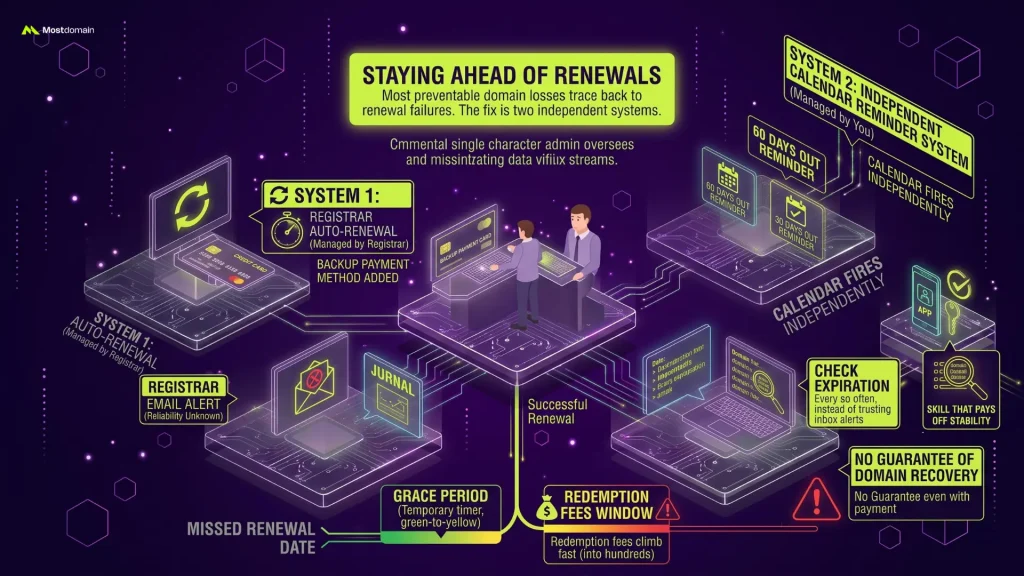
Most preventable domain losses trace back to this exact part of domain management. The fix isn’t complicated: run two renewal systems that don’t depend on each other. Auto-renewal through the registrar. A separate calendar reminder that fires regardless of whether the registrar’s email actually lands in your inbox, because sometimes it doesn’t.
- Auto-renewal, on. But check the card on file isn’t about to expire first, that catches more failures than people expect.
- Backup payment method, wherever the registrar allows adding one.
- Reminders at 60 and 30 days out, set independently of anything the registrar sends.
- Check a domain expiration checker every so often instead of trusting inbox alerts to catch everything.
A missed renewal doesn’t mean instant loss. There’s a grace period, usually. Redemption fees inside that window climb fast though, sometimes into the hundreds, and even paying them doesn’t guarantee you get the domain back.
Managing Multiple Domains Without Losing Track
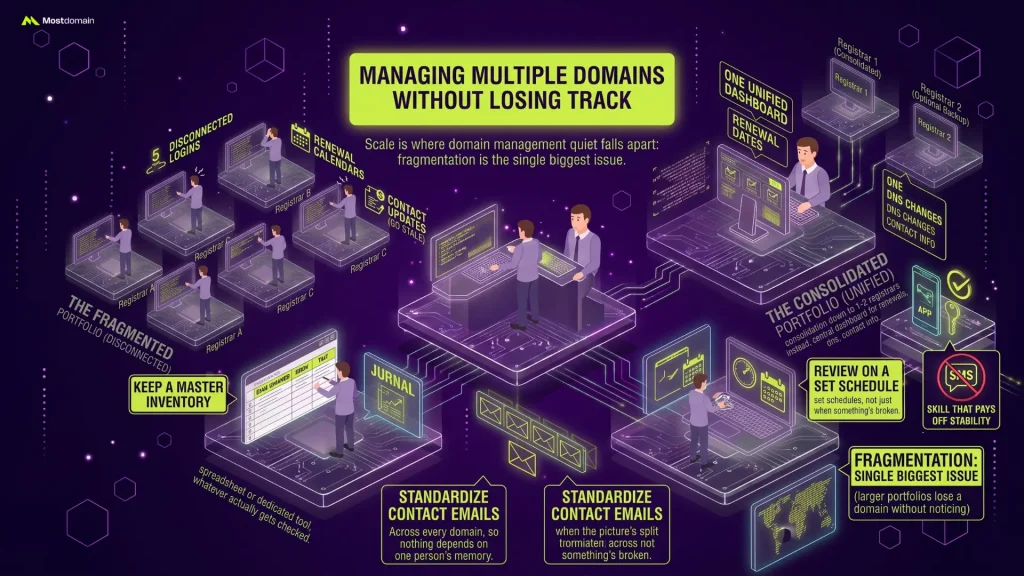
Scale is where domain management quietly falls apart. Ten domains across five registrars means five logins, five renewal calendars, five places a contact update can go stale. Consolidate down to one or two registrars instead (same principle as keeping one calendar instead of three that never sync properly), and renewal dates, DNS changes, contact info, all of it lives in a dashboard someone actually opens.
- Keep a master inventory, registrar, expiration date, DNS host, per domain, in a spreadsheet or a dedicated tool, whatever actually gets checked.
- Standardize contact emails across every domain, so nothing depends on one person remembering which email goes where.
- Review it on a set schedule. Not just when something’s already broken.
Fragmentation is probably the single biggest reason larger portfolios lose a domain without anyone noticing for months. No single dashboard shows the whole picture when the picture’s split five ways to begin with.
Planning for Access Continuity
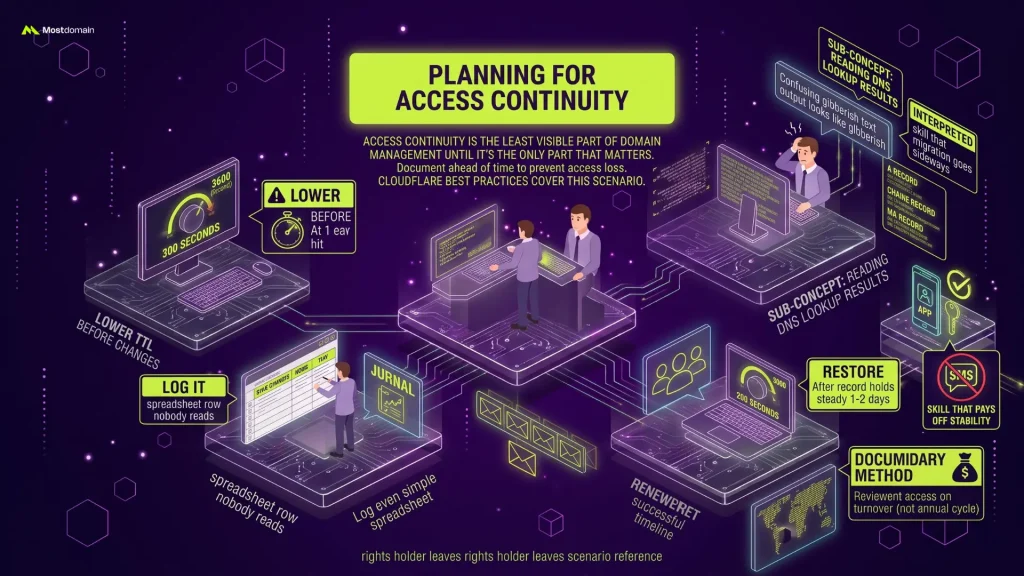
Access continuity is the least visible part of domain management, right up until it’s the only part that matters. Someone leaves the company. An account gets locked. A phone number changes and the 2FA app goes with it. Document, ahead of time, who else can actually get into the registrar account when the primary contact can’t.
- Secondary contact with real login access, not just a name typed into a field somewhere.
- Recovery credentials stored outside one person’s personal accounts.
- Review access whenever someone with registrar rights leaves the team, not on some annual cycle that conveniently gets pushed back.
This isn’t just a hacking problem. Ordinary staff turnover causes it just as often, someone leaves, nobody transfers the login, and the account sits there orphaned until it matters. Cloudflare’s account and domain management best practices cover this exact scenario, worth a look before it becomes yours.
Keeping Domain Management a Routine, Not a Reaction
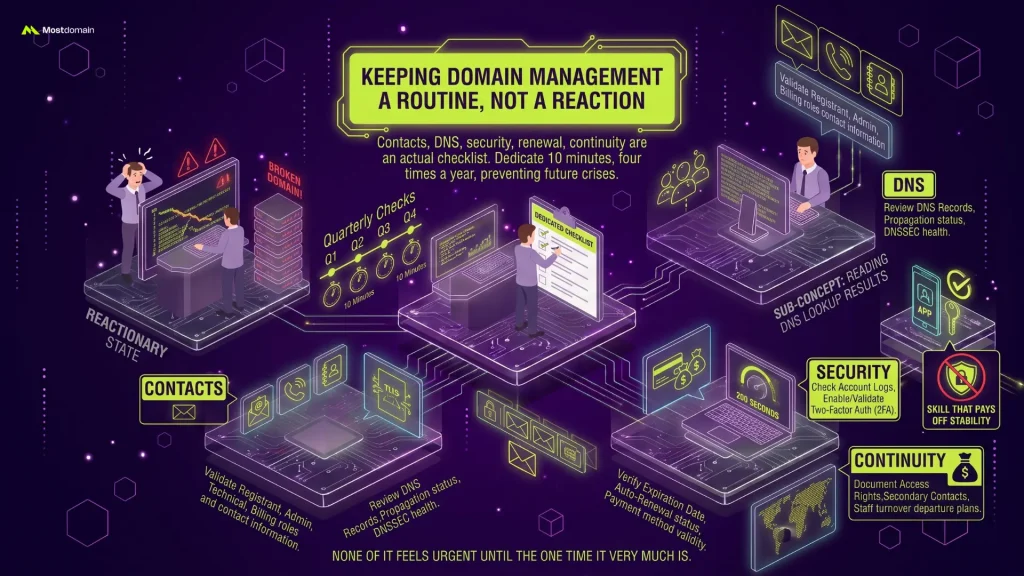
Contacts, DNS, security, renewal, continuity, the five from earlier aren’t concepts to nod along to. They’re an actual checklist, one most people only run through after something’s already broken. Quarterly works. Ten minutes, four times a year, and none of it feels urgent until the one time it very much is.
FAQ
What is domain management?
Depends how far you want to take it. At minimum, it’s domain management covering account access, DNS, security, renewal, and continuity, handled on an ongoing basis instead of set up once and left alone, because the “once” part is exactly where things go wrong later. That’s the part most people skip.
How often should I review my domain settings?
Quarterly, roughly. Contact drift, an expiring card, a DNS record nobody remembers adding, these things pile up quietly between checks, and a three-month cadence catches most of them before they turn into an actual outage.
Is domain management different from web hosting management?
Yes, and the confusion is understandable since they interact constantly. Domain management controls the name itself, DNS records, the registrar account, renewal. Hosting management runs the actual server the domain points to. Different responsibilities, same visible outcome when either one fails.
Do I still need a registry lock if I already have a registrar lock?
Probably, if the domain is business-critical. Registrar lock stops the normal transfer request. It does nothing once someone’s already inside the account, which is exactly the gap registry lock closes. Running both together is the safer bet here.
What happens if I lose access to my domain’s registrar account?
Recovery is possible, usually, but it’s slow: registrar verification, proof of ownership, sometimes days of back and forth before access comes back. This is exactly why access continuity planning has to happen before the lockout, not during it.
References
- Openprovider, “Domain Management Best Practices: The Essential Guide”
- EBRAND, “Creating a Successful Domain Strategy for 2026”
- Cloudflare, “Account and Domain Management Best Practices”
- Colonelserver, “Domain Portfolio Management: Enterprise Strategy Guide”