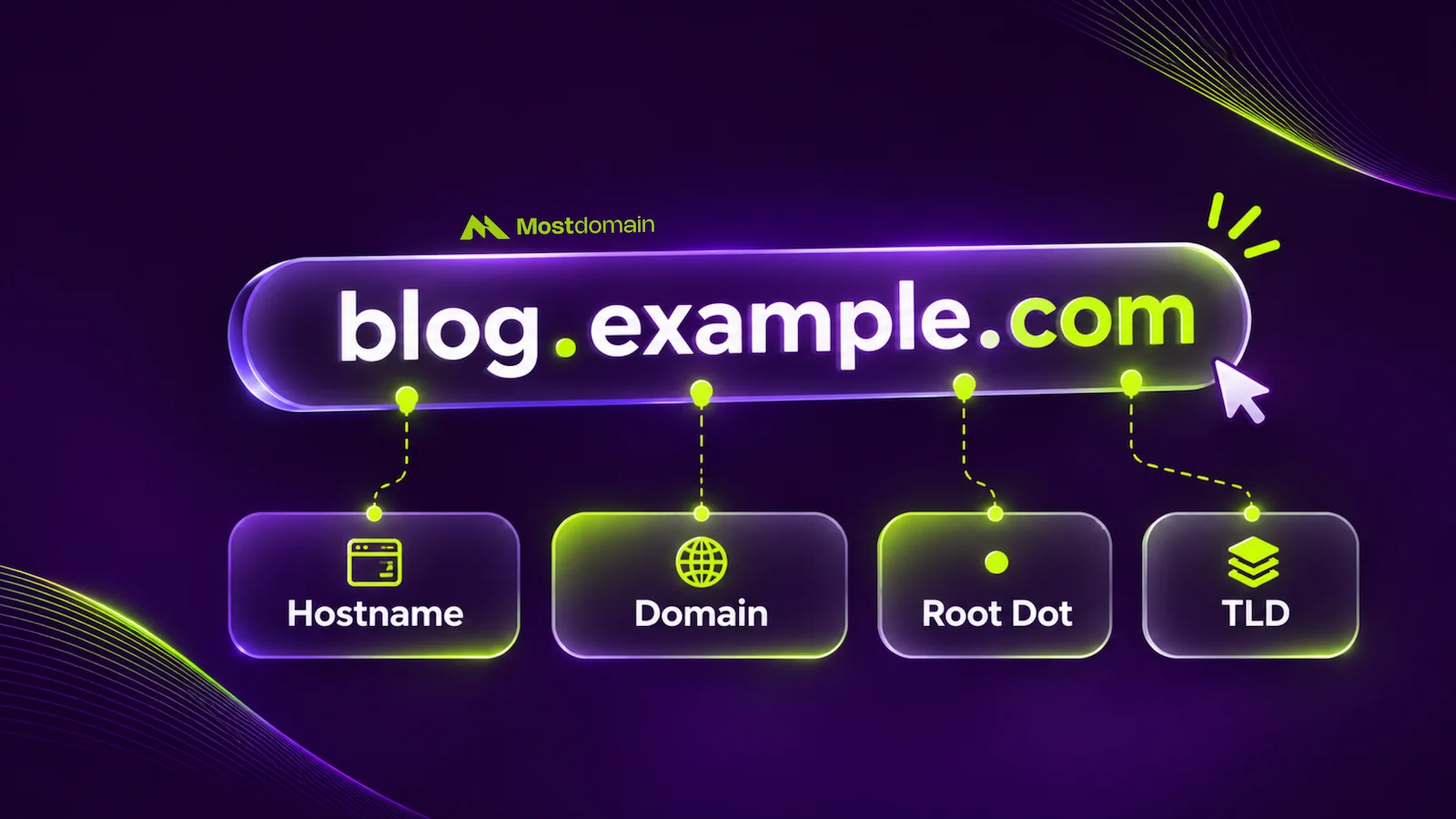
Mostdomain – Seen “mail.yourcompany.com” somewhere and wondered about that extra word? Not random. That’s a fully qualified domain name, and it quietly does heavy lifting. Browsers need it. Email servers need it. So do SSL certificates. One job, really: pinning down the exact host. Miss this detail and things break in ways that are hard to trace. Get it right and everything just connects.
What Is a Fully Qualified Domain Name (FQDN)?
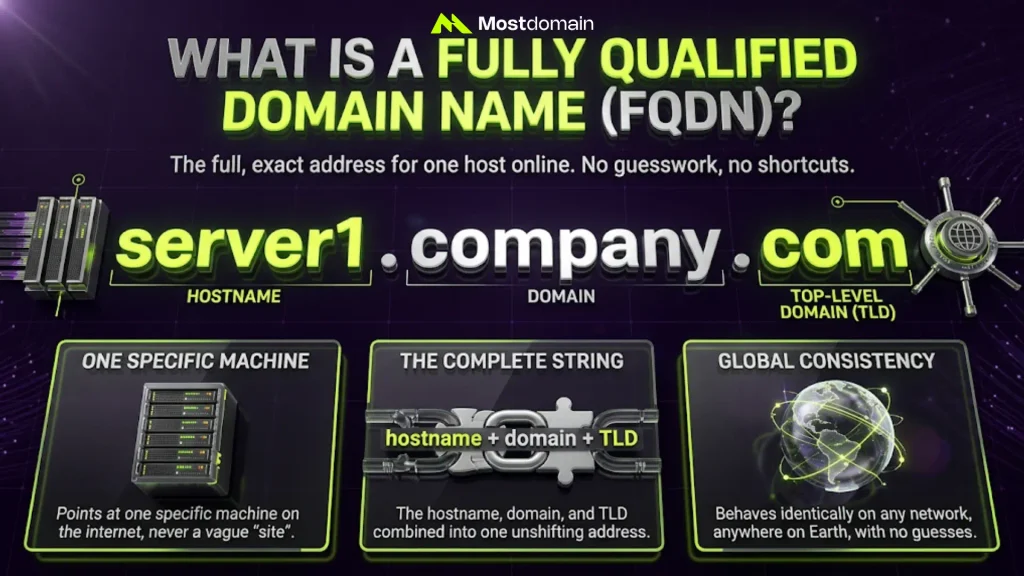
An FQDN is the full, exact address for one host online. No guesswork. No shortcuts involved.
Three pieces sit inside it: hostname, domain, and top-level domain. Order matters here, and it never shifts. Nothing gets skipped, nothing left for a system to guess at. That’s the entire idea behind “fully qualified.” Wherever you paste that address, it holds up on its own.
In short, an FQDN:
- Points at one specific machine, never a vague “site”
- Hostname, domain, and TLD, combined into a single string
- Behaves identically on any network, no matter where you check it
FQDN Format, Structure, and Syntax
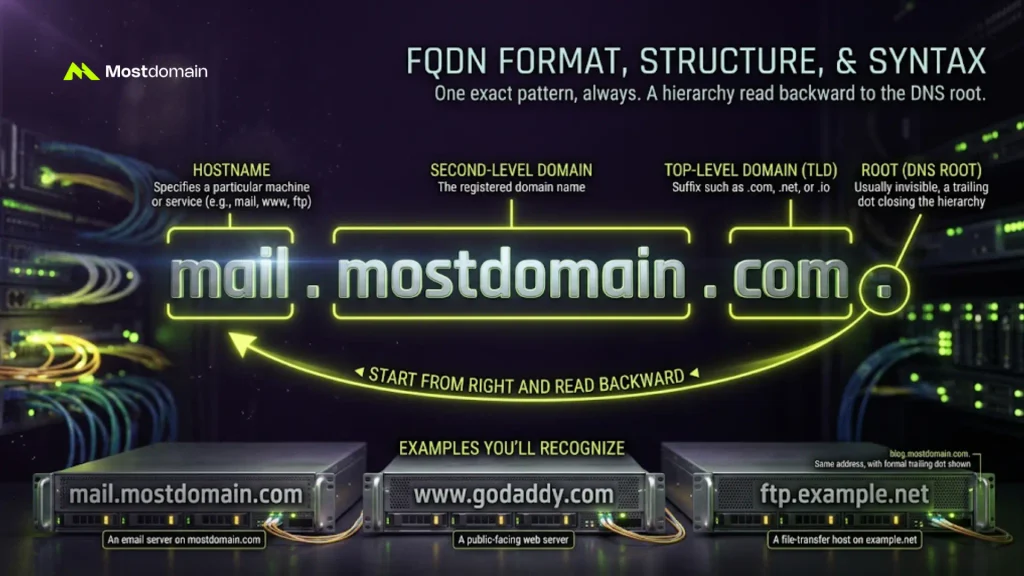
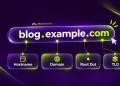
One pattern, always: hostname.domain.tld. Each label sits between dots, read backward toward the root.
Start from the right and work backward, that’s the easiest way in. First stop: the top-level domain, something like .com or .io. Next, the domain name your business registered. Hostname sits closest to you, naming one specific machine. One more piece hides at the end: an invisible dot marking the DNS root.

The Parts of an FQDN Format
- Hostname: “mail,” “www,” or “ftp,” naming one specific machine or service
- Second-level domain: the registered name, something like “mostdomain”
- Top-level domain (TLD): suffix such as .com, .net, or .io
- Root: a trailing dot closing the hierarchy, usually invisible, easy to forget it’s even there
FQDN Examples You’ll Recognize
- mail.mostdomain.com: an email server living on the mostdomain.com domain
- www.godaddy.com: godaddy.com’s public-facing web server
- ftp.example.net: a file-transfer host sitting on example.net
- blog.mostdomain.com.: same address, just with that formal trailing dot shown
Fully Qualified Hostname vs FQDN: Is There a Difference?
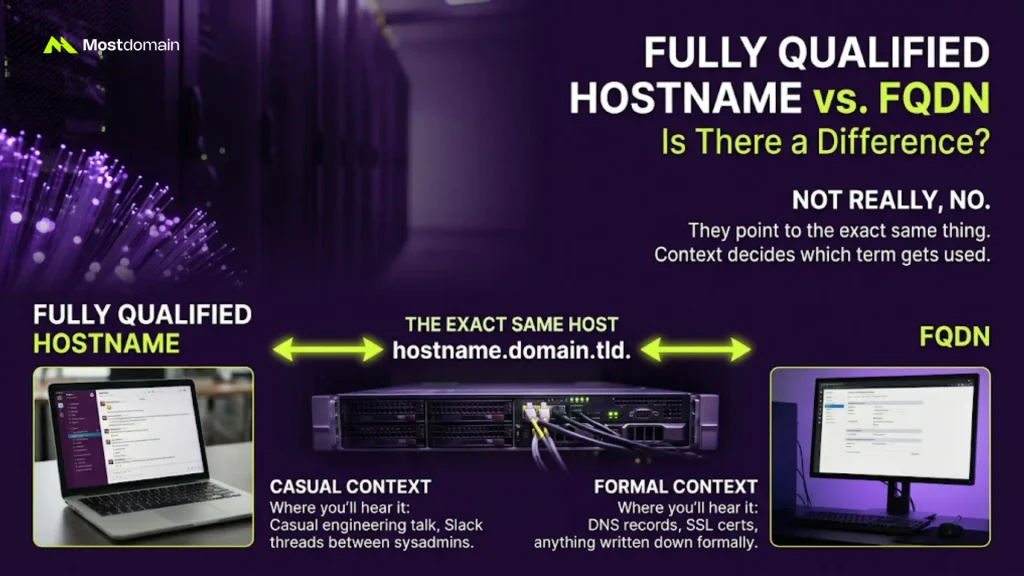
Not really, no. Fully qualified hostname and FQDN point at the exact same thing.
Context decides which term gets used. Casual chat leans toward “hostname.” Formal documentation leans toward “FQDN.” Either way, nothing about the meaning shifts. The full path still runs from host to root, every time.
| Phrase | Where You’ll Usually Hear It |
|---|---|
| Fully qualified hostname | Casual engineering talk, Slack threads between sysadmins |
| FQDN | DNS records, SSL certs, anything written down formally |
FQDN vs Domain Name, URL, and PQDN
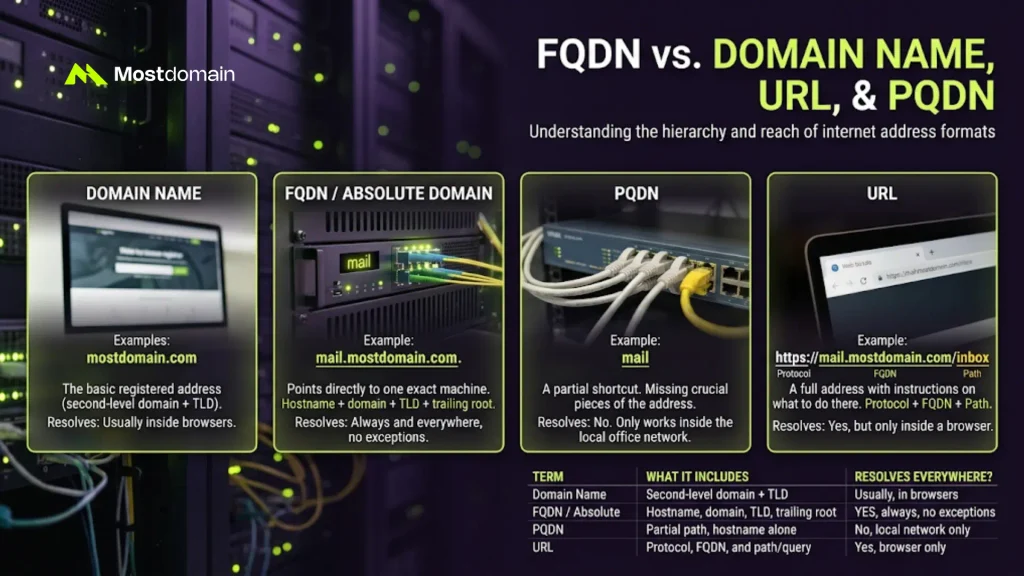
FQDN vs Domain Name and Absolute Domain Name
An FQDN narrows things down further than a plain domain name does. Short version, anyway.




Take mostdomain.com by itself, it’s only partially qualified. Add a hostname like www or mail, and now it qualifies fully. Some call this an absolute domain name instead. Same address underneath. Just a different name for it.
FQDN vs URL
A URL contains the FQDN, then stacks more detail on top of it.
Protocol, FQDN, often a file path, all wrapped together. Take https://mail.mostdomain.com/inbox as an example. Inside it, mail.mostdomain.com does the actual locating. Want more detail? Our guide on the difference between a URL and a domain name covers it.
FQDN vs PQDN (Partially Qualified Domain Name)
A PQDN is just missing a piece of the address. Nothing more complicated than that.
It only works inside the one network where that shortcut makes sense. Type just “mail” on an office network, it might reach the server fine. Step outside, though, and “mail” alone means nothing at all. Only the full FQDN works everywhere, every time.
| Term | What It Includes | Resolves Everywhere? |
|---|---|---|
| Domain Name | Second-level domain plus TLD | Usually, inside a browser |
| FQDN / Absolute Domain Name | Hostname, domain, TLD, and that trailing root | Yes, always, no exceptions |
| PQDN | Just a partial path, often the hostname alone | No. Local network only |
| URL | Protocol, FQDN, and a path or query string | Yes, but only in a browser |
Why FQDN Matters in Networking and DNS
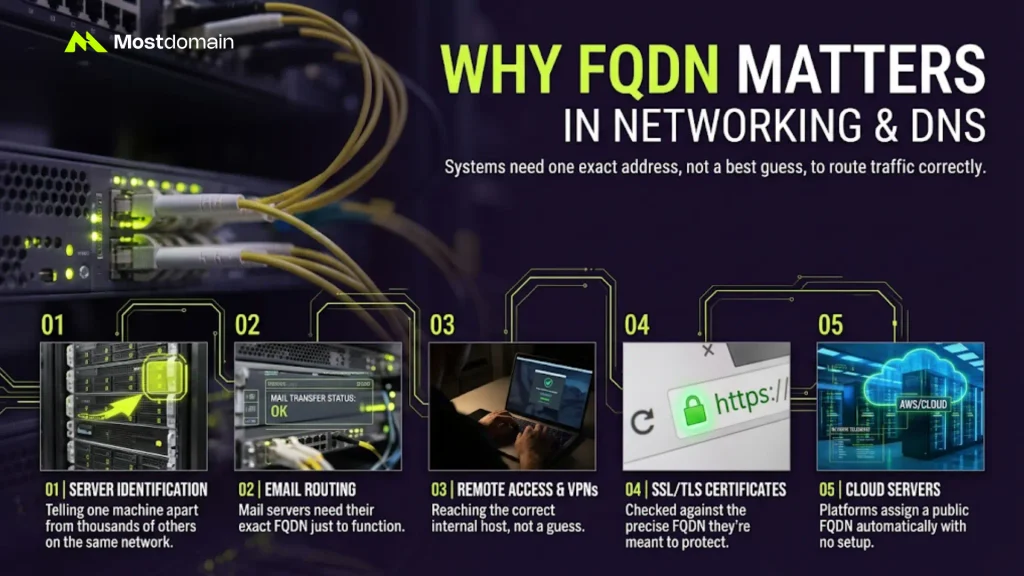
Systems need one exact address, not a best guess, and that’s why FQDNs matter. The Domain Name System leans on the FQDN to route traffic correctly.
Every website, email server, and VPN connection leans on that precision. SSL certificates check it too, before trusting anything. Mismatch the certificate and the FQDN, and that padlock icon breaks. A small string of text, carrying real operational weight.
- Server identification: telling one machine apart from thousands of others on the same network
- Email routing: mail servers need their exact FQDN just to function
- Remote access and VPNs: reaching the correct internal host, not a guess
- SSL/TLS certificates: checked against the precise FQDN they’re meant to protect
- Cloud servers: AWS and similar platforms assign a public FQDN automatically, no setup required
How to Find Your FQDN (and Mistakes to Avoid)
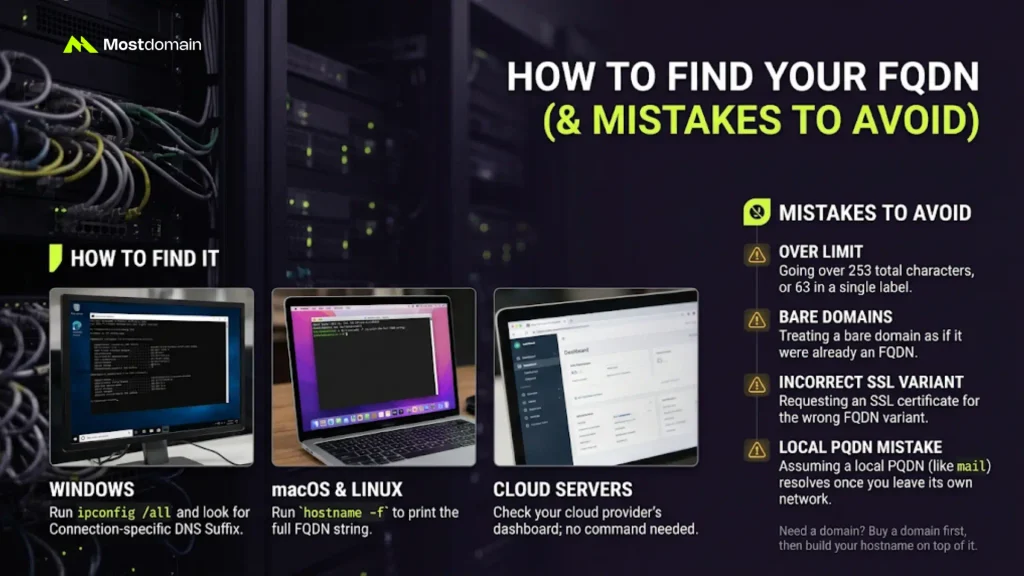
Finding your own FQDN takes one command. Quicker than most people expect.
| System | Command to Run | What to Look For |
|---|---|---|
| Windows | ipconfig /all | Look for “Connection-specific DNS Suffix” in the output |
| macOS or Linux | hostname -f | The full string it prints back, that’s your FQDN |
| Cloud server | No command needed | Just check your provider’s dashboard instead |
A few mistakes keep showing up, even among people who’ve done this for years:
- Going over 253 total characters, or 63 in a single label
- Treating a bare domain as if it were already an FQDN
- Requesting an SSL certificate for the wrong FQDN variant entirely
- Assuming a PQDN will resolve the moment you leave its own network
Getting this right starts with the domain itself. Haven’t registered one yet? Buy a domain name first. Build the hostname on top once that’s done.
FAQ
Is an FQDN the same as a website address?
Not quite, no. An FQDN only locates the host, nothing more. A full web address, the URL, tacks on the protocol and file path. That extra layer is what makes a URL clickable in a browser.
Does every website need an FQDN?
Every reachable server needs one, yes. Even a bare domain like “example.com” already qualifies as one. Technically speaking, there’s no way around it.
Can an FQDN change over time?
It can, usually when you switch hosts or add a subdomain. The registered domain and TLD underneath often stay untouched. Only the hostname piece moves.
Is the trailing dot actually required?
Technically, yes, DNS standards call for it. In practice, your browser adds that dot silently. You’ll likely never type it yourself.
References
- GoDaddy, What’s a Fully Qualified Domain Name (FQDN) and What’s It Good For?
- F5, What Is a Fully Qualified Domain Name (FQDN)?
- TechTerms, FQDN
- SendGrid, Fully Qualified Domain Name (FQDN)
- Hostinger, FQDN (Fully Qualified Domain Name): What It Is, Examples, and More